Interior design software: studio management and CRM
RegiaPro is software for interior designers, decorators and home stagers that runs the studio alongside your design programs, for anyone who designs homes and commercial spaces on commission: in the CRM you follow whoever asks for a consultation, in the management side you keep quotes, signed engagements, deposits and invoices. The trade “Interior designer” is already selected: it’s up to you what to switch on.


Built for more than 50 trades: this one is already set up for yours
Engagement accepted
documents and deadlines in one record
Today in RegiaPro
Example with made-up data
9
Active engagements
+2 this month
4
Deadlines
this week
€5,800
To be collected
3 fee notes open
Engagement accepted by the client
8 min ago
Fee note sent
yesterday
Case deadline on Friday
yesterday
- Free for 14 days, no card needed
- Works in the browser, on your phone too
- Calendar synced with Google and iCloud
- WhatsApp messages already written
- Invoices from your Fatture in Cloud, from the Pro plan
- Public prices, the same for everyone
Type of work
What do you do? If you can’t find yours, the last option is just fine.
What do you need? The basics for interior design software: studio management and CRM are switched on. Turn on what you really need: we’ll pick the plan from here.
Your RegiaPro is ready.
Tap a plan: below you see what is inside.
There is only one price list. Photo galleries come with every plan: if you don't deliver photos you simply don't open them, and the price stays the same. Compare all the plans
What you get with
The menu
An enquiry record
The fields of your trade are highlighted
The stages of the job
Where every job stands, at a glance
An interior design project goes through a site visit, a concept to get approved, three rounds of choices with suppliers and an installation that depends on a joiner’s schedule. While you work on floor plans and renders, RegiaPro interior design software looks after the rest: the client, the signed proposal, deposits, dates and materials received. It works on the studio computer and on your smartphone during site visits; the entry plan costs €19.90 a month.

What you’ll find inside RegiaPro: from enquiry to invoice
One program for clients, proposals, engagements and invoices. Tap a card to see how it works.
-
One record per client
Calls, quotes, contracts and payments in date order: when they call back six months later, you know at once where you left off.
The Lead module -
Who to call back today
Every morning, the list of people to get back to, with the WhatsApp message already written. It goes from your own number, when you decide.
Follow-ups and messages -
Quotes from your own template
The PDF with your logo, sent as a link: you know when it was opened. If there is no reply, the program brings it back to you after 3, 7, 14 and 30 days.
The quote -
The contract without retyping
It comes from the accepted quote, with the details already in, and comes out as a PDF ready to sign. From the Pro plan.
Which plans include it -
The site visit
It is a stage of the job, with its own date; the travel cost is worked out on the real route.
The costs of each job -
Consulting on a retainer
The draft invoice for each period gets ready on its own. From the Pro plan.
Fees and renewals -
Deposit, balance and invoice
Deposit and balance are recorded separately, each with its own date. The invoice comes out of the record with numbering that carries on by itself: from the Pro plan, with the XML file from the Studio plan.
The plans compared -
The calendar you already have
Appointments and jobs in your phone’s calendar: RegiaPro connects to Google Calendar and iCloud.
The connected calendar -
What is really left
A job’s costs come off that job, the business costs off the year: in December you know what is left, not just what came in.
The figures of each job -
From your phone, on site
It works in your phone’s browser: open the client’s record and attach photos and documents, up to 15 MB each.
How it works
RegiaPro up close: the real screens
This is what the program looks like inside. Sample data: the clients, the jobs and the amounts are made up.




Software for freelance interior designers and small design studios: who it’s for
RegiaPro supports freelance interior designers and small design studios, where the person who designs the project is also the one who meets the client and chases the payments. These are the four kinds of engagement it organises well.
Homes to furnish with an interior design project
A site visit, a concept, detailed drawings and choosing the furniture: weeks of work with a private client, usually a couple deciding together.
Shops, offices and venues to design
A business that has to open on a set date, a tight budget and an invoice made out to the company.
Short fixed-price design consultations
A single meeting, a materials board and a list of recommended purchases: fixed-price jobs, paid on the spot.
Home staging for owners and estate agents
Homes to prepare for photos and viewings, at the request of an owner or an estate agent, often at a few days’ notice.
Where an interior designer’s work gets scattered
Floor plans, models and renders have their own programs. The rest gets lost among voice notes and folders: the version of the concept the couple approved, the instalment tied to the detailed drawings, the client who was supposed to call back after the site visit. RegiaPro keeps that rest together: people and negotiations in the CRM, documents and payments in the management side.
Design programs, construction software and RegiaPro
Look for software for interior designers and you’ll mostly find drawing and rendering programs, lists of project management tools and management software built for building firms. In mid-September 2026 we read three of these pages: none of them follows an engagement from site visit to final payment.
| Drawing and rendering programs | Software for quotes and building sites | RegiaPro, business software and CRM | |
|---|---|---|---|
| What they're for | Floor plans, 3D models, realistic room images | Itemised quotes, orders, site progress | Clients, proposals, signed engagements, deposits, dates, invoices |
| Who it's for | Whoever draws the project | Building firms and tradespeople | Interior designers and home stagers who sell their own design work |
| In the pages we read | Mentioned in a guide to the profession | Price not stated, 14-day trial | Price published, 14-day trial |
The first two types sit happily alongside RegiaPro: the renders you export become attachments on the client’s record.
CRM for interior designers: the design consultation from first contact to yes
The CRM is the part that remembers people. Here are five moments where an interior design enquiry risks going cold, and how RegiaPro keeps it alive.
The message arrives under a photo of a living room
A couple sees one of your living rooms on Instagram and messages you; a friend passes on a shop’s number. For each one you open a record noting where it came from, with channel names of your choosing: “Instagram”, “word of mouth”, “Rossi estate agency”.
After the home visit, the couple goes quiet
You measured everything, you sent the proposal, and the couple are “talking it over”. Sent from the record, the proposal moves the client to “Quote sent”, and RegiaPro puts them back in front of you after three days, a week, two weeks and thirty days.
Parquet and curtains: decisions made out loud
“The light parquet”, “no curtains in the bedroom”: phrases nobody remembers the same way a month later. You pin down every choice in the record’s log with “My note”: notes sit between emails and messages according to the day they were written.
The couple replies with a voice note
Irene replies on WhatsApp after ten days. You mark on the record that the client replied: the follow-up reminders stop and, if a discussion about price opens up, you move the record to “Negotiating”.
The couple’s furniture budget
What the couple plans to spend on furniture isn’t your fee, but you need to know it. You write it in the notes, with their preferred style and the rooms to redo, and the record’s amount stays that of your fee.

Interior design step by step: a one-bedroom flat in the software
Let’s look at a complete engagement, told through the project’s four visits. Irene, Paolo and all the figures are invented; every action taken in RegiaPro matches a feature of the software.
The case: Irene and Paolo’s first flat
On 5 March Irene writes on Instagram: she and Paolo have bought a 58 m² one-bedroom flat and want a design that makes the home feel bigger, with a made-to-measure kitchen. They move in on 13 June, so the installation must be finished by 6 June. It’s a typical freelance interior designer’s engagement: a couple, a budget to balance, a moving date set in stone.
First visit: the site visit to the flat
You create Irene’s record with source Instagram, the flat’s town and 6 June as the date. On 9 March you do the site visit: in the notes you write the main measurements, the style they both like and the furniture budget, €18,000; after saving the record you attach the floor plan as a PDF and photos of the rooms.
On 12 March you prepare the proposal. You’re on Italy’s flat-rate scheme, so the amount is net: €2,900. The PDF has one line with the fee and, in the note printed underneath, the stages: site visit €150, concept with moodboard and two renders €1,200, detailed drawings €900, installation support €650. You email it from the record.
Second visit: the concept with moodboard and renders
On 14 March Paolo asks whether they can stop at the concept. You enter €1,350 and generate a second proposal, with a new number; the first stays archived with its €2,900. On 16 March they decide on the full project: you set the amount back to €2,900 and, with the Pro plan, prepare the engagement letter from your template, with two concept revisions included and the furniture paid directly to suppliers. Irene and Paolo sign the printed copies and pay an €870 deposit; once the transfer is logged, the record moves to “Confirmed”. 6 June shows up on Google Calendar or iCloud.
On 2 April you present the concept and then send it to the couple: from “Send email” you choose Irene and attach the PDF with moodboard and renders; the record’s log keeps the email with the file. For the two renders you paid an external visualiser €300, whom you enter as a collaborator.
Third visit: furniture suppliers and detailed drawings
On 20 April you hand over the detailed drawings and the first balance instalment arrives, €1,000. In the notes you add the joiner, the lighting shop and the promised delivery times. In the important note you write “confirm kitchen fitting with the joiner”: on 30 May you find it among your tasks as a reminder. Among the extra costs you enter €60 for samples and printing the boards.
Fourth visit: installing the flat
On 5 June, with a WhatsApp message already saved among your texts, you confirm the next day’s time with Irene. On 6 June you sort out the final details and Paolo pays the remaining €1,030. The project invoice, on the Pro plan, is generated on the full fee: no VAT under the flat-rate scheme and a €2 revenue stamp, which you decide whether to pass on to the couple.
The money in the interior project (example with invented data)
| Who | What | Where it goes in RegiaPro |
|---|---|---|
| Irene and Paolo | €2,900 fee | Record amount and engagement letter |
| Irene and Paolo | €870 deposit on 16 March | Deposit, with date and bank transfer |
| Irene and Paolo | €1,000 on 20 April and €1,030 on 6 June | Two balance instalments |
| External visualiser | €300 for two images | Collaborator on the record |
| Print shop and samples | €60 | Extra costs |
| Furniture suppliers | €18,000 paid by the couple | Record notes, outside takings |
After the visualiser and samples, the difference is €2,540 before tax and contributions, and it goes into June’s figures in the Report. Irene and Paolo’s file keeps two proposals, the signed engagement letter and the invoice.
Home staging: homes to prepare for sale in the CRM
Home staging runs to a different rhythm from interior design: short timescales, a home to stage for photos, and often an estate agent as a regular client.
The estate agent who calls on a Tuesday
The agent has a photographer and a listing booked for Saturday. You open the record with the agent’s name, the property address in the notes and the Saturday as the date: if you confirm it, the day goes straight onto the calendar.
In home staging, the agency pays
Among the billing types there’s “Estate agency”: enter the company name and tax details once, and link it to later jobs with one click.
Hired furniture and staging transport
Hired furniture, textiles, plants and the van are out-of-pocket costs: you add them to the record’s extra costs, so the month’s margin in the Report takes them into account.
Before and after home staging photos
Photos of the home before the work and the final ones stay attached to the record, ready to show the owner or a new agency.
Which estate agency brings the most home staging
Create a source for each agency that calls you: in the Report you see takings and costs split by source, meaning agency by agency.

Moodboards, renders and floor plans: the interior project files on the record
An interior design project has lots of files and they change version often. RegiaPro ties them to the right client, so you don’t have to hunt through chats and folders.
Floor plans and renders: what to attach to the record
Floor plans as PDFs, moodboards and renders as JPG or PNG, specifications in Word: up to 15 megabytes each, on the client’s saved record.
Presenting the design concept to the couple
From “Send email” you choose the client and attach the concept board, a file up to 15 megabytes; if the renders are heavier, you paste the link to your shared folder in the message. The email appears in the log, with the day and time it went out.
Later versions of the design board
When the client asks to change the sofa or the wall colour, you upload the new board with a name that states the version and note in the log what changed and why.
Photos of the rooms before the project
The images of the rooms before the work, attached on the day of the site visit, help you design and remind the client where you started.
Want to see it with your own work?
Fourteen days with the Full plan features, no card needed. Then you decide.
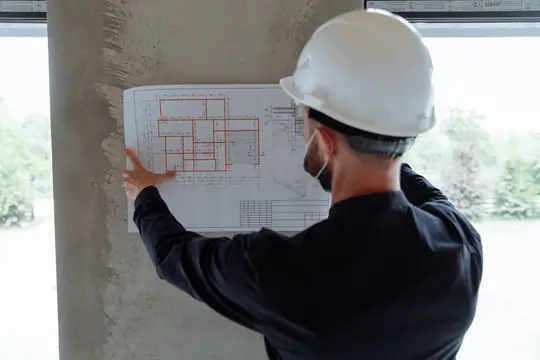







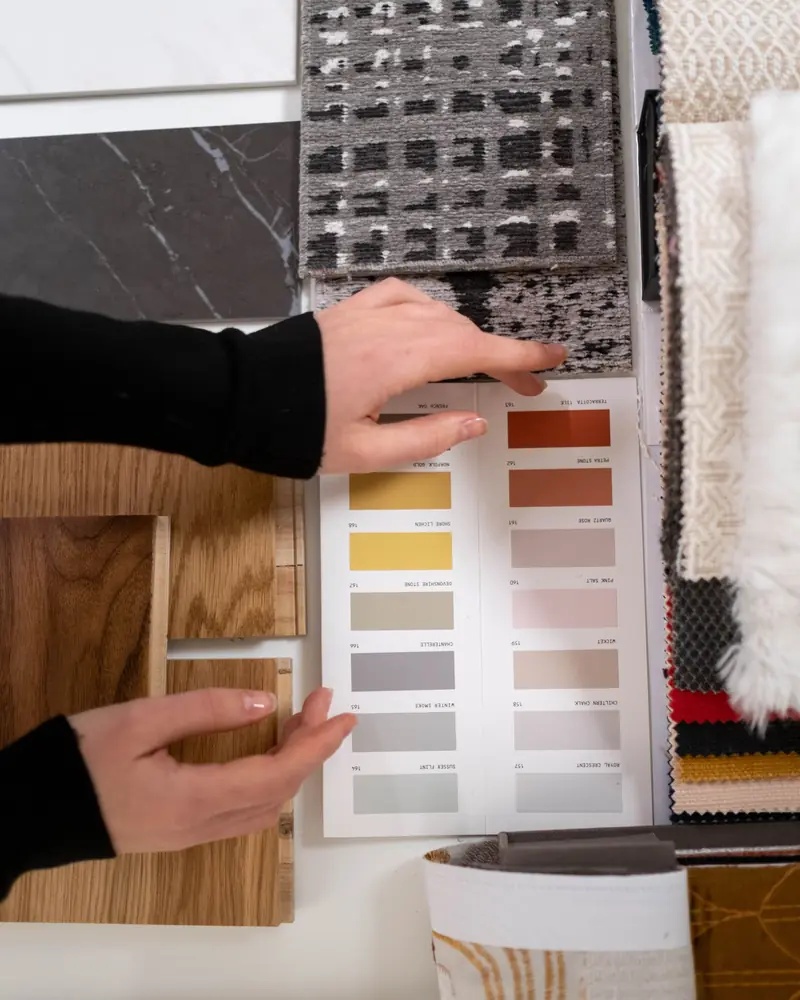
Free photos from Pexels and real screenshots of the software, with made-up data.
Interior designer quotes and fees: how to write up your fee
Clients almost always ask “how much does an interior designer cost” before knowing what the work includes. The quote is when you explain it, and the engagement letter is when you put it in writing together.
Fees by stage, fixed price or per square metre
RegiaPro works on the total fee, which you enter on the record. How you calculated it, by stage, as a lump sum or by square metre, you explain in the proposal’s note, printed under the price.
The interior design stages in the quote
Site visit, concept, detailed drawings, installation support: listing them with their value helps the client understand why the figure is what it is, and choose a reduced version.
The concept-only proposal
If the client wants to stop at the concept, you generate a second proposal from the same record: a new number, and the first stays archived with the original figure.
The interior designer’s engagement letter
In the template you write your terms: how many concept revisions are included, that furniture is paid to suppliers, how many site visits are included, what happens if the client suspends the project. Client names, billing address, date and amounts are filled in by the placeholders. Engagement letters are generated from the Pro plan and signed on paper; the text produced doesn’t change if you later edit the template.
Interior designer invoices: deposits, supplier furniture and fees
Your fee arrives in three or four instalments, while the money for furniture goes straight from the clients to the suppliers. RegiaPro keeps the two separate.
Deposit and instalments tied to the design stages
At signing you log the deposit, when it arrived and how; then you add a balance instalment for each stage delivered. You see what’s outstanding on each project and, added up, on the home page.
Couples, shops and estate agencies that pay
A couple with their tax code, a shop with a VAT number and recipient code, an estate agency: the payer’s details sit in a separate billing profile that you link to the record.
Interior designers on the flat-rate scheme or charging VAT
If you’re on Italy’s flat-rate scheme you get documents without tax, and on invoices over €77.47 RegiaPro adds the €2 revenue stamp. If you charge VAT, you enter the gross fee and the PDF shows taxable amount and tax separately.
The fee invoice and your accountant
The invoice is prepared from the Pro plan on the whole fee, with annual numbering. With the Studio plan you also get the XML file to send to Italy’s SdI e-invoicing system and the year’s invoices gathered in a single bundle.
Instagram or a kitchen showroom: the channel that brings projects
Instagram, a furniture portal, the kitchen showroom that refers clients to you: in the Report each channel has its own line of takings and costs, and you can assign a cost per contact to paid channels.

A real screenshot of the software, filled in with test figures: this is where you log design software, training, car and studio expenses. What you spend for a single client, like the samples for a project, goes on that client’s record.
How to start: three steps, no card needed
You sign up, try it on your real work, and only decide at the end.
-
Sign up in a minute
Your name, your business name and your email. We don’t ask for a credit card: access starts when you confirm your email.
Start the trial -
Set it up for your trade
Menus, record fields and job stages speak your language. You connect the calendar you already use.
Choose your trade here -
Try everything, then choose
Fourteen days with the Full features. At the end you choose a plan, or you stop: nothing renews on its own.
See the plans
How much RegiaPro interior design software costs
Prices are shown on the website and are what you pay. An interior design studio usually chooses one of three plans, after trying the software.
Start for a few interior projects: €19.90 a month
€199 for a whole year. Unlimited clients, follow-ups, customisable WhatsApp messages and ten proposals a month: enough if you handle a few projects and want your enquiries in order.
Pro for engagement letters and fee invoices: €34.90 a month
€349 a year. It adds documents to sign, like the engagement letter, numbered invoices and unlimited proposals, for those handling several homes and venues at once.
Studio for interior studios with e-invoicing: €59.90 a month
€599 a year. You get XML e-invoices and the year’s invoice summary for whoever does your accounts.
Fourteen days free on an interior project
The complete Full plan, no credit card. Access opens automatically as soon as you confirm your email.
If you also deliver photo or video shoots to clients, consider Full, €44.90 a month. The differences between all the plans are on the pricing page.
Why you can trust it: your data stays yours
What matters before you put your clients into a new program.
Your data stays in Europe
On servers in Europe. Each business sees only its own data: the database itself enforces the separation.
If you stop, your data stays yours
The account goes read-only and nothing is deleted unless you ask. We send you a copy in a readable format.
Prices written up front
A public price list, the same for every trade: you can read it on the pricing page before you sign up.
You talk to a person
Born in a studio in Tuscany, not in an office. Write to info@regiapro.it or use the contact page.
Interior design software: FAQ on the studio management and CRM
How do I write the fee stages in the proposal?
Enter the total fee on the record. In the proposal’s note, list site visit, concept, detailed drawings and installation support, each with its value: the PDF prints it under the price, and clients understand what they’re paying for and what they could drop.
Clients pay suppliers for the furniture: where do I note it?
In the record’s notes, together with suppliers and delivery times: it stays project information and doesn’t count as takings. If instead you pay for something upfront, like samples or a hire, you enter it among the extra costs.
Can I send moodboards and renders from RegiaPro?
Yes. On the “Send email” page you choose the client and attach a file up to 15 megabytes, for example the board’s PDF; for heavier folders you paste a link in the text. The email goes into the log with day and time, so you know which version the clients received.
I do home staging for estate agents: who do I invoice?
Create the billing profile choosing the type “Estate agency”, with company name and tax details. On each home’s record you keep the name of the agent who called you, and link the same agency to all its jobs.
The project is paid in three instalments: how do I log them?
Log the deposit at signing, with date and method; then add an instalment each time you deliver a stage. The record shows what’s outstanding on the project, and the home page adds up what all your clients still owe you.
The client changes their mind about the concept: how do I keep the versions?
Upload the new board next to the previous one, with the version in the file name, and note in the log what changed. If the change affects your fee, update the amount and generate a new proposal: the old one stays archived.
How do I make sure I don’t forget the kitchen fitting?
The project’s end date is on the record and on the connected calendar. In the important note you write what to check: a week before it becomes a reminder. Other supplier deliveries you enter on your phone’s calendar, and they arrive in RegiaPro as appointments to decide on.
Can I use it during a site visit?
Yes, from your phone’s browser: open the client’s record, write measurements and requests in the notes and check the proposal you already sent while you’re in their home. Back at the studio, you’ll find everything the same on your computer.
Every feature mentioned here was tested in the software on 14 September 2026, the day this text was written. Irene, Paolo, the flat and the figures are an example with no real people; the lines about other software summarise public pages consulted in those days. If you read something that your RegiaPro does differently, tell us at info@regiapro.it.
Try RegiaPro on your next interior project
When someone next asks you for a site visit, log it in RegiaPro and follow it through to the last instalment: two weeks are enough to see whether it makes your work simpler. Full stays switched on for the whole trial.
Related trades: software for architects, web agency software, software for joiners. You’ll find every other trade on the Who it’s for page.