Online course platform: sell your video courses alongside your clients
Sell your recorded courses like in a shop, divided into categories. Buyers pay by card, get in with an email, and watch the lessons from their phone or computer. With handouts, a final test, and a certificate of attendance, signed and verifiable.
For teachers of their own craftphotographers and videographers, drone schools, dog trainers, yoga teachers, make-up academies
Courses and live streamsSeptember
Latest activity
- New student enrolled in the course “Portraits in natural light”
- Free course claimed: the contact is already among your clients
- Certificate of attendance ready, with QR code
- Free for 14 days, no card needed
- Single videos or courses with modules
- Downloadable handouts
- Final test and certificate with QR code
- Payments go to your account
- Buyers become one of your contacts
- From phone and computer
What the buyer does
- Chooses the course in your storefront, divided by category
- Pays by card or gets it free, leaving their name and email
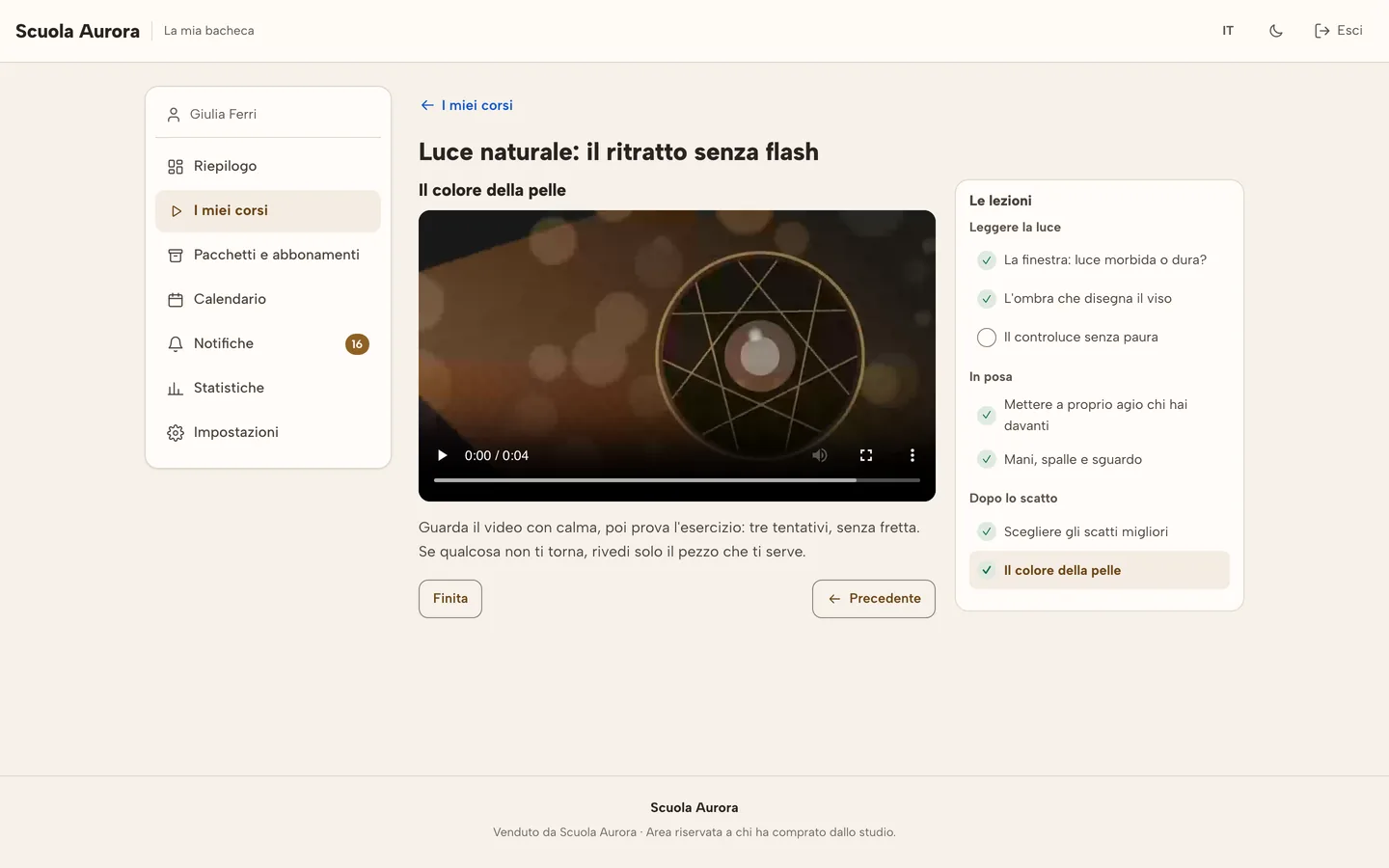
- Watches the lessons and picks up where they left off
- Receives the certificate if they actually followed it and passed the test
An online course platform that isn’t just another program
The photographer running workshops, the dog trainer, the drone school, the make-up artist training fellow professionals: the course is there, the videos too. What’s usually missing is a place to sell it without stitching together three different programs. You already teach: selling the course shouldn’t be another job.
- The video link sent over WhatsApp gets passed around to people who haven’t paid.
- One platform for courses, one for payments, one for emails: three subscriptions and three places to keep an eye on.
- Whoever buys a course doesn’t end up among your clients, and you lose track of who to follow up with.
- A certificate made by hand in a document nobody can verify.
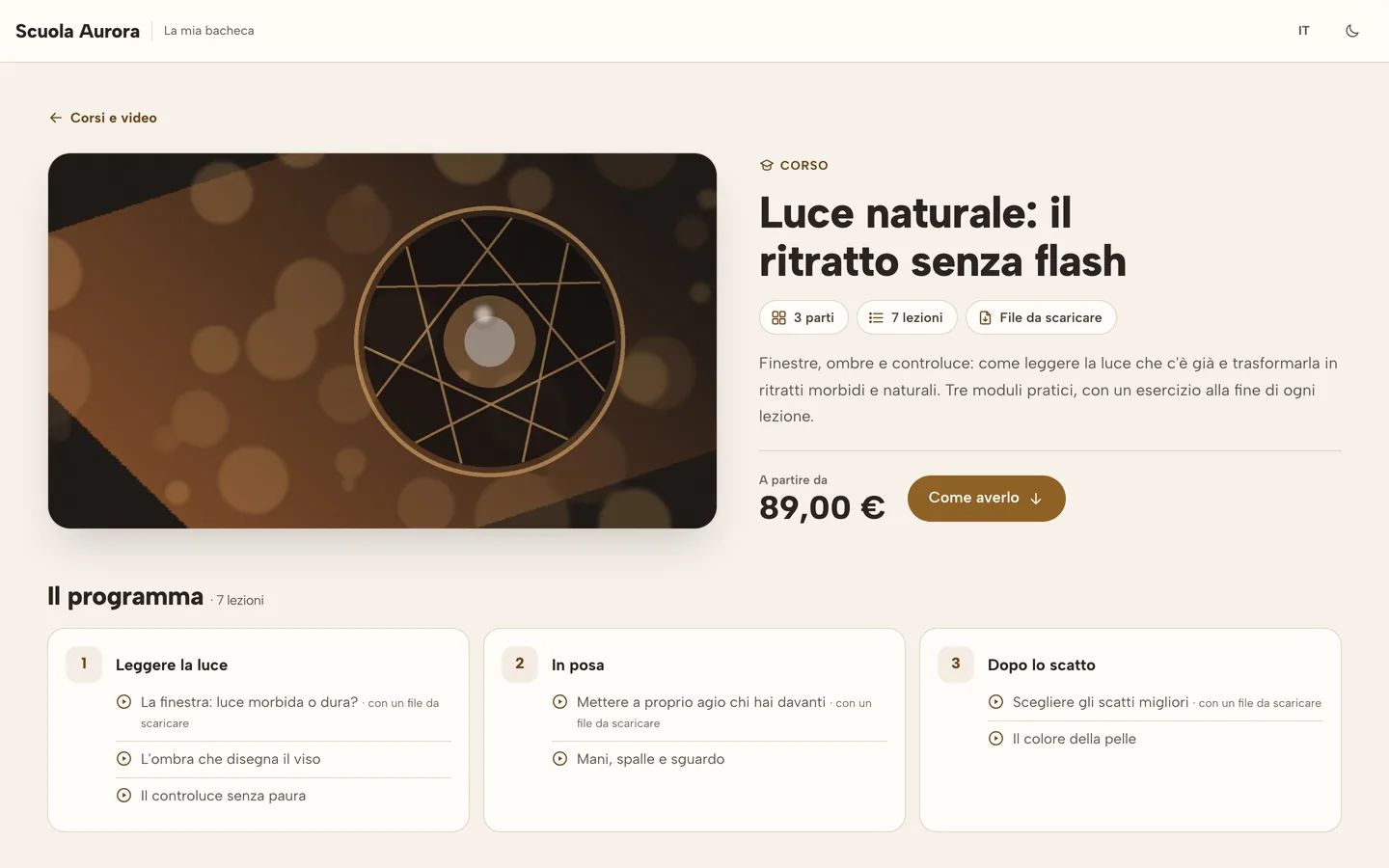
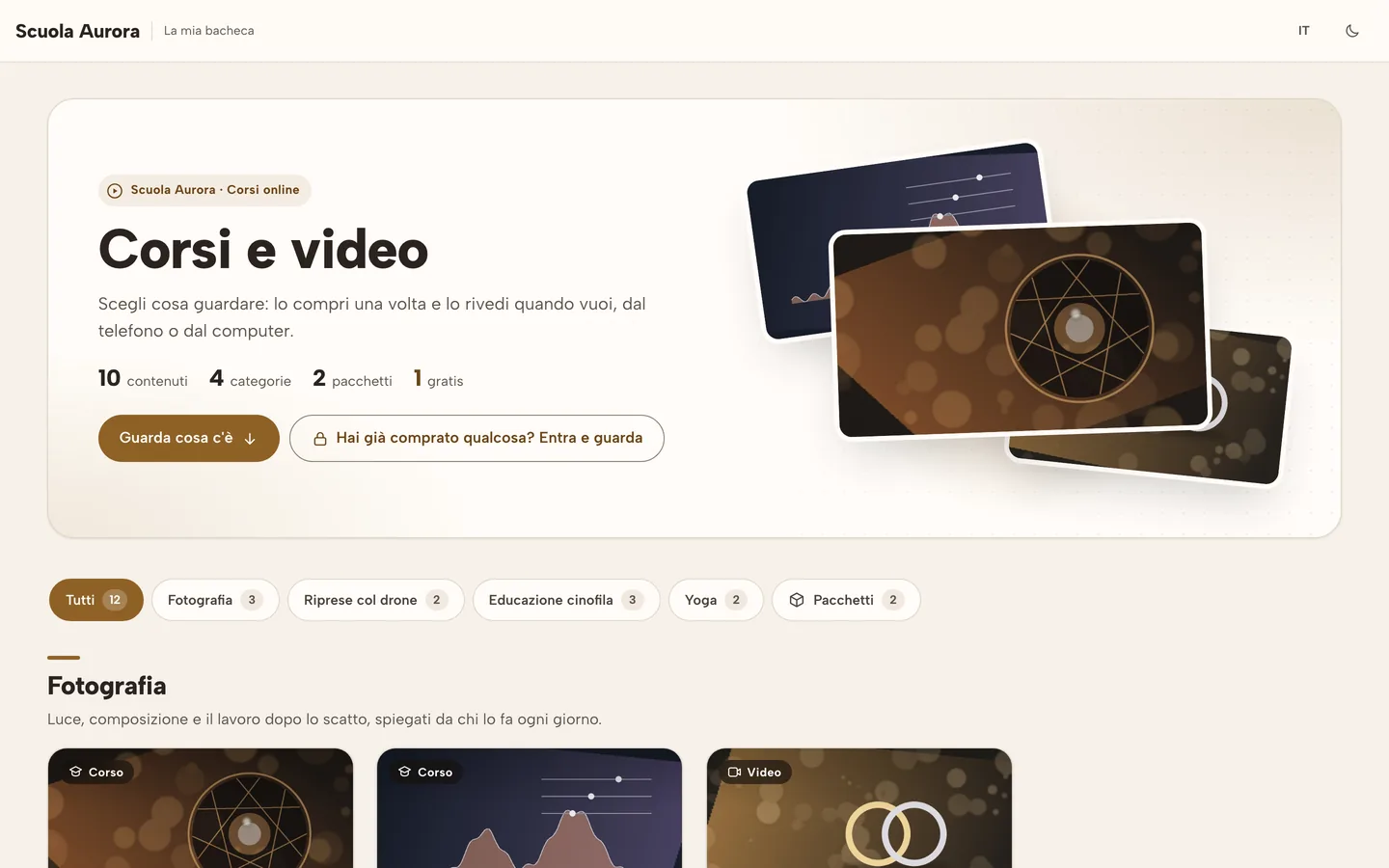
A course page, as seen by someone about to buy it.
Sell video courses in four steps, from lesson to storefront
All from the “Courses and live streams” tab in your RegiaPro. Nothing to install, no code to paste.
-
You prepare the course
A single video, or a course split into modules and lessons. Each lesson has its own video, a text, and a downloadable file, like a PDF handout.
-
You put it in the storefront
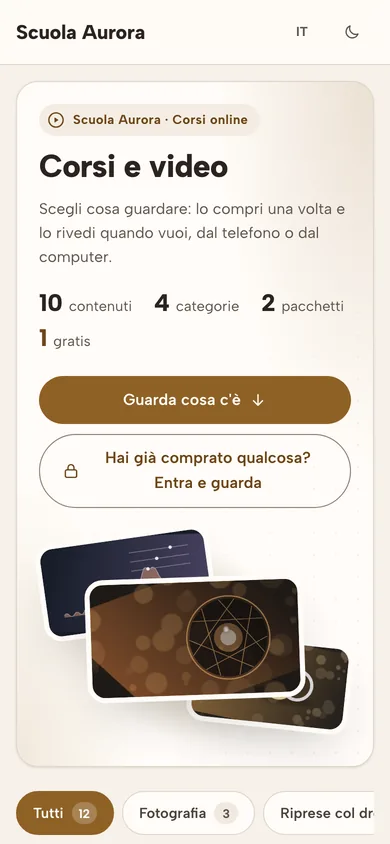
Choose the category, like a shelf in a shop, and the price: on its own, in a bundle with other courses, or free. Press “Publish” and your storefront shows it.
-
The buyer gets in and watches
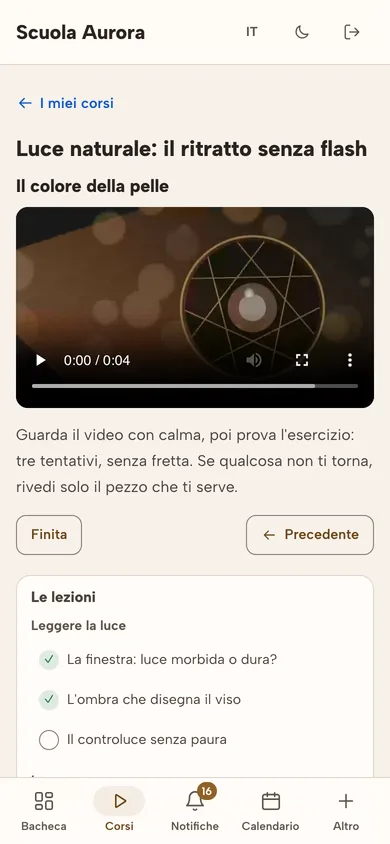
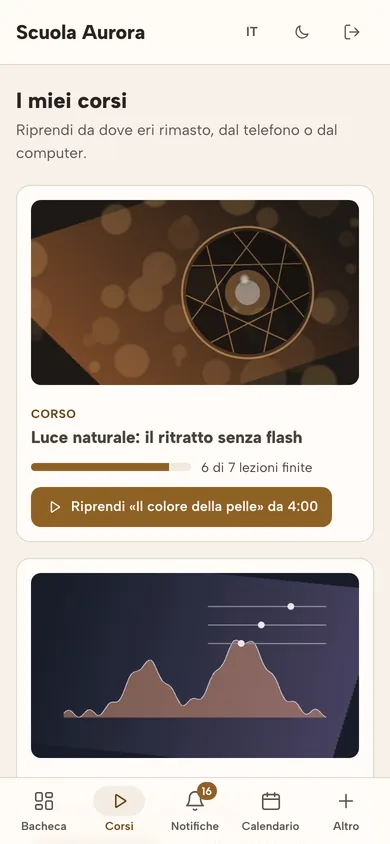
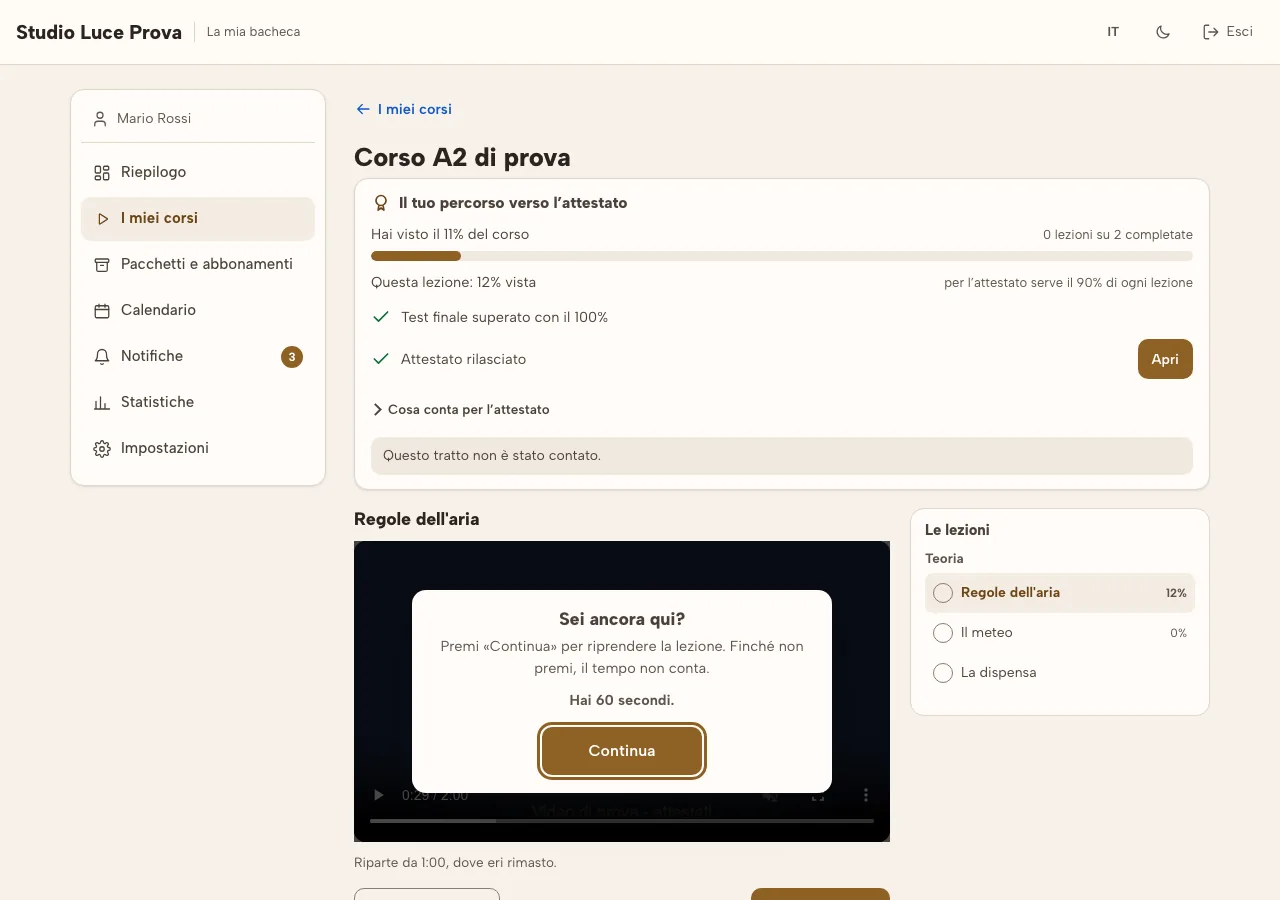
They pay by card and receive an email with a button to get in. In their dashboard they find their courses, pick up where they left off, mark lessons as done, and download files.
-
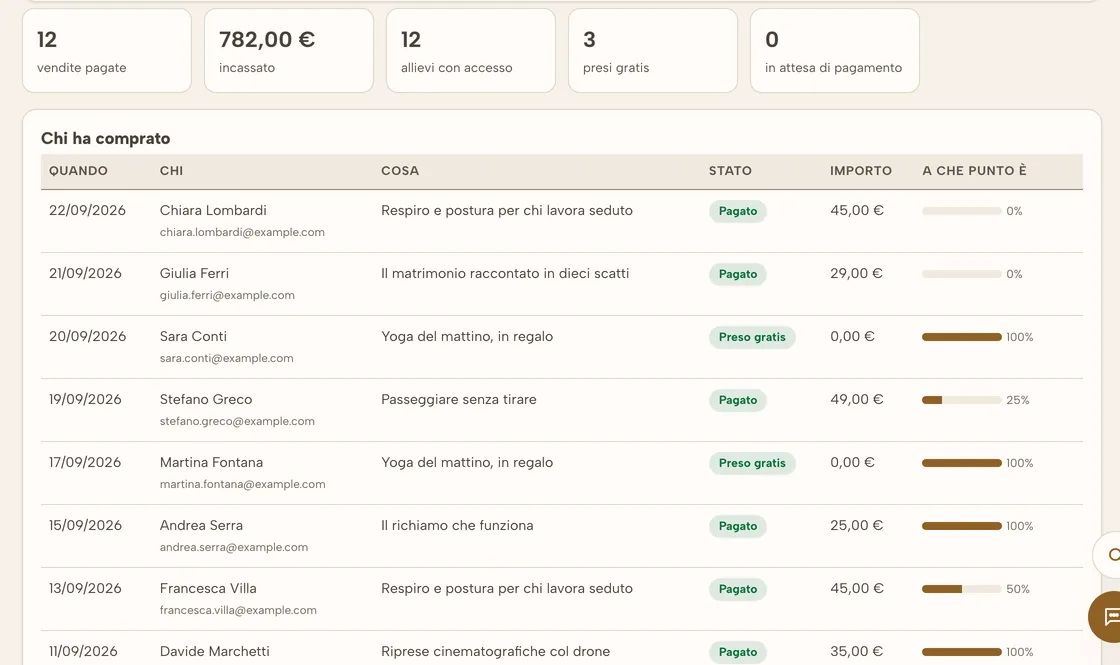
You see who bought
In “Students and sales”: who, what, how much, and how far along they are. If needed, refund the money with “Refund”: access closes and the student gets an email.
Real screenshots of RegiaPro. The studio, courses and students are made up.
Want to try it with your next course? Video courses, live streams and certificates are already included in the 14-day trial, no credit card needed.
The certificate of attendance, only for those who actually followed it
For those who teach a craft, the certificate matters: buyers ask for it, and sometimes an organization does too. RegiaPro issues it automatically, once the rules you chose have been met.
- It counts the time actually watched, lesson by lesson. Every so often it asks “Are you still there?”: a video just left running on its own doesn’t count.
- The final test, if you want one: you write the questions, and you decide how many correct answers are needed.
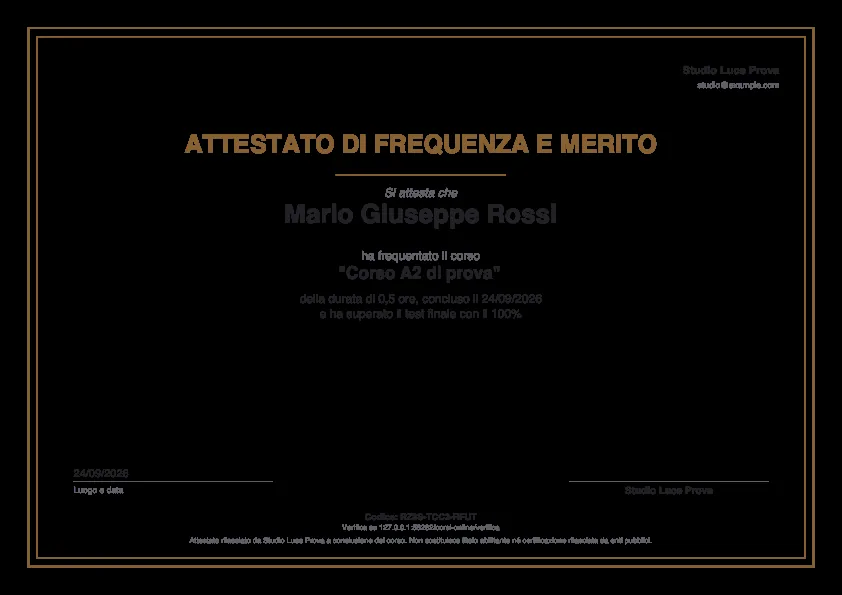
- The PDF certificate, with your logo, the teacher’s signature, and a QR code.
- Anyone can verify it with the code, on a public page. If you need to, you can revoke it.
- Live stream hours count too, with attendance tracking.
Said plainly
It’s a certificate of attendance with the teacher’s graphic signature and a code to verify: not a legally binding digital signature, and not a professional qualification. If your course is recognized by an organization, you note that on the certificate yourself.
Everything you need to sell a course
Categories and bundles
The storefront is divided by category. Several courses together become a bundle, with a single price.
Downloadable handouts
Every lesson can have its own file: the PDF handout, the exercise sheet, the preset.
The free course that brings in clients
Whoever takes the free course leaves you their name and email, and a contact is born in your RegiaPro, ready to follow up with.
Picks up where they left off
Viewers pick up right where they left off, even days later.
The student dashboard
Their courses, purchases, updates, stats and certificates, in Italian or English.
On your site too
A button or a widget to put on your site, WordPress included, that leads to your storefront.
What the platform looks like, screen by screen
These are real pages from RegiaPro’s video courses: the storefront buyers see, the lesson from a phone, the student dashboard, the certificate, and on your side the list of who bought and how far along they are. Hover over them with your mouse to pause.
Real screenshots of RegiaPro. The studio, courses and students are made up.
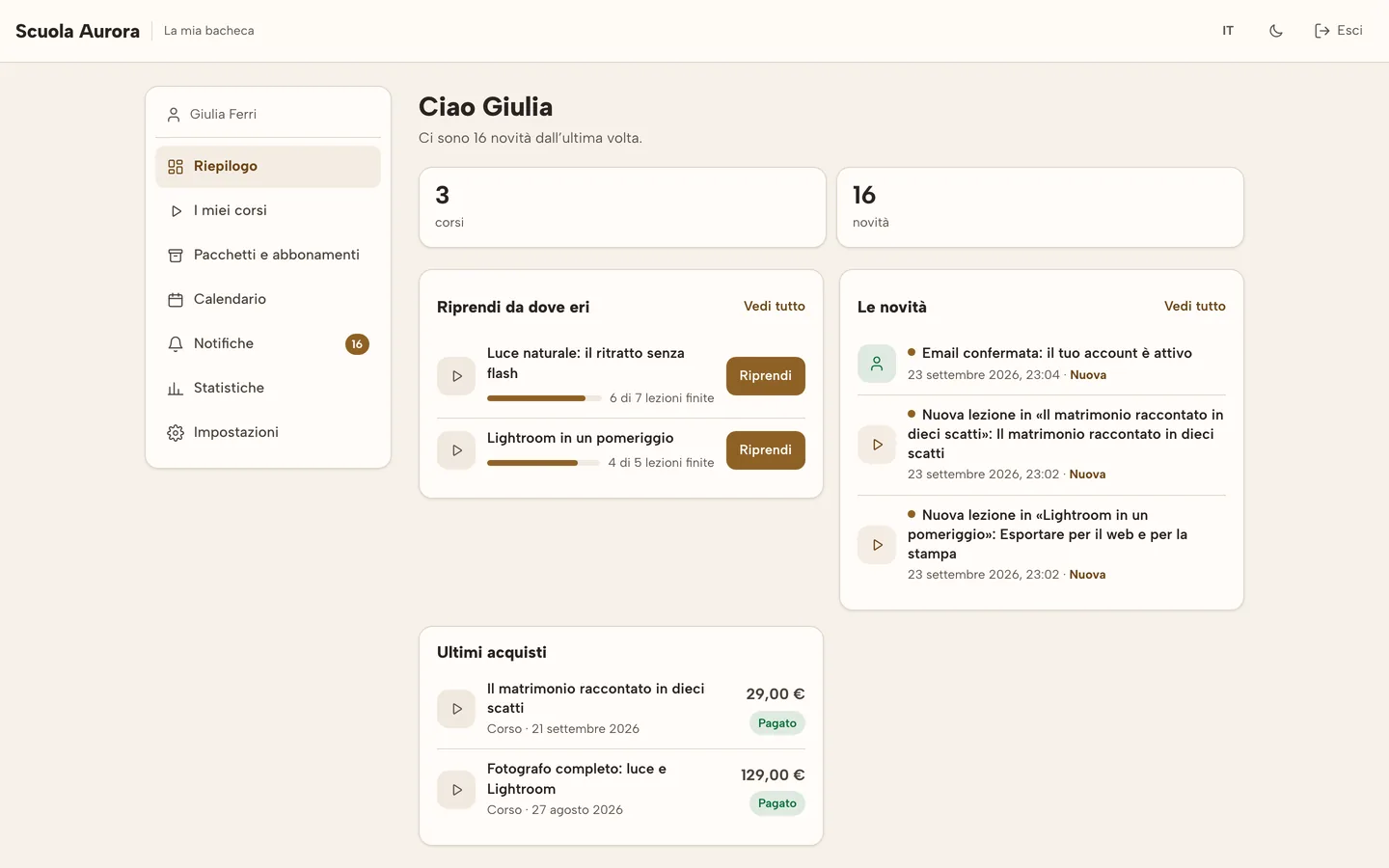
Picks up where they left off
Viewers pick up right where they left off.
The free course that brings in clients
Whoever gets it leaves their name and email: a contact is born.
How much it costs, written up front
Courses are available from the Pro plan up, and they’re already included in the 14-day trial. There’s no extra fee: RegiaPro keeps a percentage on every course sold, and card payment costs (Stripe) are already included.
Profor those just starting to sell their courses
5%on every saleFull and Studiofor those who sell more: the percentage drops
4%on every saleFree coursesthe ones you give away to get noticed
€0nothing to payHow to sell video courses without it becoming a second job
Six things that work, seen through the eyes of someone teaching a craft and starting to sell their courses online.
-
Start from the questions people already ask you
The things clients ask you after a job, or students ask at the end of a workshop, are your first course. You don’t need to invent a topic: you need to record it well.
-
Short lessons, one thing per lesson
Ten minutes per lesson can be watched even from a phone, on a break. With modules and lessons split up well, buyers always know how far they’ve gotten and pick up from there.
-
A free course to get you noticed
A real lesson, given away: whoever takes it leaves you their name and email and becomes a contact in your RegiaPro, to follow up with when the full course comes out.
-
Handouts make the difference
A PDF with the steps, an exercise sheet, a preset: these are the things buyers keep and reopen. You attach them lesson by lesson.
-
On its own, in a bundle, or by subscription
The first course on its own, then a bundle with the two courses bought together. If you publish often, a subscription to your online courses brings in money every month.
-
Put your storefront where people look for you
The storefront widget goes on your site, WordPress included, and the link goes on social media. An occasional free live stream brings new people to your storefront.
One single program, instead of three
Course platforms are good at courses. The rest of your work lives somewhere else.
| What | With RegiaPro | With a separate course platform |
|---|---|---|
| The buyer | With RegiaProBecomes one of your clients, with reminders, right alongside whoever asks you for a quote | With a separate course platformStays in a separate list, to be exported |
| Pricing | With RegiaProIncluded in your plan, with 5% or 4% of what you sell | With a separate course platformOne more subscription, on top of your management software |
| Live streams and subscriptions | With RegiaProIn the same place, with the same checkout | With a separate course platformOften a separate service for live streams |
| The calendar and clients | With RegiaProThe same ones as the rest of your work: quotes, contracts, invoices | With a separate course platformIn a different program |
For teachers of their own craft
It’s designed above all for those who already work with RegiaPro and have something to teach.
And then dog trainers, drone schools, yoga and pilates teachers: anyone who sells lessons under their own name.
Questions about video courses
From which plan are video courses available?
From the Pro plan up. They’re already included in the 14-day free trial, so you can try them with a real course before deciding.
How much does RegiaPro keep on a course sold?
5% with Pro and 4% with Full and Studio, with a minimum of €0.50 per sale. Card payment costs are already included. Free courses cost nothing.
Can people who haven’t bought see the videos?
No. Lessons are only seen by whoever bought the course, on its own or in a bundle, or by whoever got it free from you. Buyers get in with the link they receive by email; if they lose it, they can have it resent with “Send me the link.”
How does the certificate of attendance work?
You decide the rules: how much of the course needs to be watched, and whether a final test is required. Once the student has met them, the PDF certificate is ready in their dashboard, with the teacher’s signature and a code anyone can verify on the public page.
Can I refund whoever bought a course?
Yes, with the “Refund” button in “Students and sales”: it asks you to confirm on the page, returns the full amount, closes access to the lessons, and sends the student the refund email.
Where do the videos live, and how much space do I have?
In your plan’s video storage: 40 GB with Pro, 300 GB with Full, 500 GB with Studio. If you need more, add 50 GB of video for €8 a month without changing plan.
The other two modules for teachers
Weighing up how to sell your courses? The page on selling online courses walks you through it, trade by trade.
Put your first course online
Fourteen days of trial, no credit card. Upload a lesson, open your storefront, and look at it through a buyer’s eyes.