Videographer software and CRM
RegiaPro is the software for videographers who shoot weddings, events and corporate videos: the management side keeps quotes, contracts, deposits and invoices, the CRM remembers who to call back and when each edit is due. Below, the steps start with “Videographer” selected, so you only switch on the parts you’ll use.


Built for more than 50 trades: this one is already set up for yours
Saturday 13 June: already booked
you see it before you write the quote
Today in RegiaPro
Example with made-up data
18
Enquiries
+6 this month
11
Dates confirmed
+3 this month
€3,450
To be collected
2 deposits on the way
New enquiry for 13 June
2 min ago
Contract signed, deposit recorded
yesterday
WhatsApp reminder ready for tomorrow
yesterday
- Free for 14 days, no card needed
- Works in the browser, on your phone too
- Calendar synced with Google and iCloud
- WhatsApp messages already written
- Invoices from your Fatture in Cloud, from the Pro plan
- Public prices, the same for everyone
Type of work
What do you do? If you can’t find yours, the last option is just fine.
What do you need? The basics for videographer software and CRM are switched on. Switch on what you really need: we pick the package from here.
Your RegiaPro is ready.
Tap a plan: below you see what is inside.
There is only one price list. Photo galleries come with every plan: if you don't deliver photos you simply don't open them, and the price stays the same. Compare all the plans
What you get with
The menu
An enquiry record
The fields of your trade are highlighted
The stages of the job
Where every job stands, at a glance
A videographer’s work runs on two clocks: the shoot day, booked months ahead, and the weeks of editing that nobody sees but everybody waits for. In between there are proposals to update, clients asking “how’s it going?”, files too big for email and balances to remember. Useful videographer software puts all of this in order. RegiaPro does it with one record for every job, in the browser, from €19.90 a month.
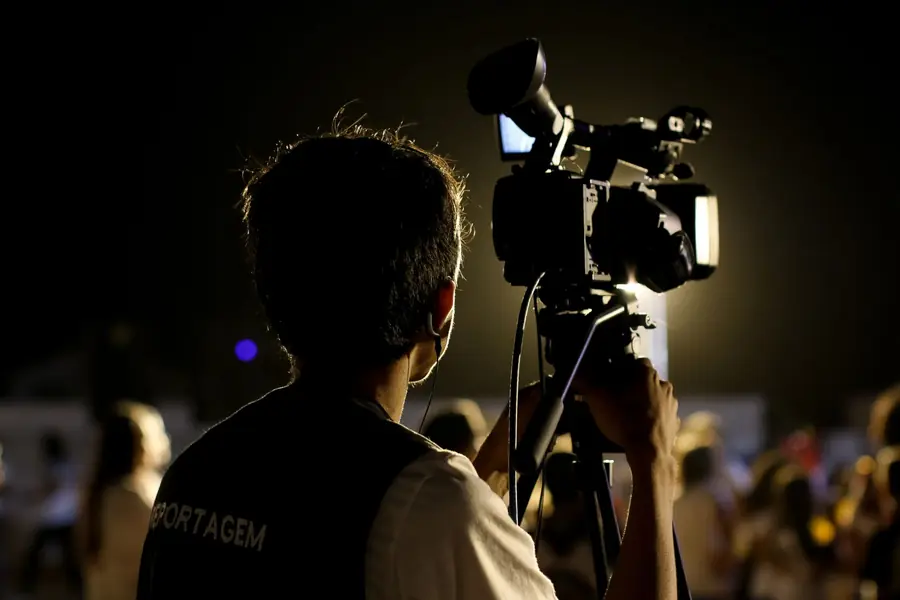
What you’ll find inside RegiaPro: from enquiry to the day of the event
One program for enquiries, documents, payments and the working day. Tap a card to see how it works.
-
One record per client
Calls, quotes, contracts and payments in date order: when they call back six months later, you know at once where you left off.
The Lead module -
Who to call back today
Every morning, the list of people to get back to, with the WhatsApp message already written. It goes from your own number, when you decide.
Follow-ups and messages -
Quotes from your own template
The PDF with your logo, sent as a link: you know when it was opened. If there is no reply, the program brings it back to you after 3, 7, 14 and 30 days.
The quote -
The contract without retyping
It comes from the accepted quote, with the details already in, and comes out as a PDF ready to sign. From the Pro plan.
Which plans include it -
The day of the event
The stops of the day with checked addresses and the time to leave, worked out on the traffic expected for that day.
The working day -
Delivery galleries
Photos delivered with your own link, with a password and an expiry date: the client views and downloads.
RegiaPro Gallery -
Deposit, balance and invoice
Deposit and balance are recorded separately, each with its own date. The invoice comes out of the record with numbering that carries on by itself: from the Pro plan, with the XML file from the Studio plan.
The plans compared -
The calendar you already have
Appointments and jobs in your phone’s calendar: RegiaPro connects to Google Calendar and iCloud.
The connected calendar -
What is really left
A job’s costs come off that job, the business costs off the year: in December you know what is left, not just what came in.
The figures of each job -
From your phone, on site
It works in your phone’s browser: open the client’s record and attach photos and documents, up to 15 MB each.
How it works
RegiaPro up close: the real screens
This is what the program looks like inside. Sample data: the clients, the jobs and the amounts are made up.




Software for freelance videographers: weddings, businesses and events
The freelance videographer usually juggles three kinds of client, with different rhythms and documents. RegiaPro keeps them in the same list, and each type of service carries the number of days you have to deliver.
Wedding films edited over weeks
They’re booked a year ahead and delivered after weeks of editing. By default the Wedding type allows twenty days from the wedding date; if your film needs more, you change the number in “Settings”.
Corporate videos paid for by an office
Presentations, interviews, product videos. The company signs and pays, often through a different office from the person you met: on the record you add the invoice recipient and find it ready next time.
Filming conferences, shows and events
One day of filming and a quick delivery, sometimes in two versions. The Corporate event type starts with ten days to deliver.
Drone footage sold without the photo shoot
A farm stay, a villa for sale, a building site seen from above. For jobs without a photo shoot there’s the Video filming type, which starts with ten days to deliver.
Photo and video in the same videography job
If you work alongside a photographer or do both yourself, in the “What you deliver” field you choose photo, video and drone: separate deliveries are created, each with its own status, and you can close the film even when the photos have already gone out.
A videographer’s first week in RegiaPro
Check the delivery days for each type of service and enter the numbers you really use. Then open a record for every job already shot but not yet delivered: the “Tasks” page will tell you straight away which edits are overdue.
CRM for videographers: enquiries, follow-ups and videos in the edit
For video people the CRM has two sides: the people who haven’t decided yet and the films you still have to deliver. RegiaPro puts them on the same page, “Tasks”, split into four boxes.
Overdue: edits past their deadline
Deliveries that have passed their deadline, that is the event date plus the days for that type of service. A wedding edit shot on 5 June, with twenty days, shows up here from 26 June if you haven’t marked it as delivered.
In progress: films already on the timeline
The films you’ve already started editing. Moving them here helps you see how many projects you have open before taking on a new job.
To start: edits and aerial footage still to open
Everything that comes from a confirmed job with a date: the edit, the drone footage to process, the generic delivery when you haven’t ticked anything specific.
To follow up: people with a video proposal who’ve gone quiet
The people who received a proposal and have gone quiet, sorted by how many days overdue, with the ready-made message next to them. After opening it in WhatsApp, one tap tells the software whether you sent it, whether the client replied or whether they’ve stopped answering.
The client who comes back for another video
When you open a record for someone already in your client book, for example the company from last year’s video or the couple now asking for their christening film, RegiaPro flags it and takes you to the previous record with the quotes and links already sent.

Videographer quotes: filming, editing and drone written item by item
Anyone asking for a video quote wants to understand three things: how long you’ll be on site, what they’ll receive at the end, and when. The clearer the proposal is on these points, the fewer questions come after signing.
The video items to write in the note
- days or hours of filming and number of camera operators;
- drone footage, with the places where flying will be possible;
- length of the edited film and of the short versions for social media;
- music and number of revisions included;
- file format and delivery method;
- deposit to secure the date.
What the filming PDF looks like
On the record you enter the agreed amount and generate the document with your logo: the line shows the service and the total, and the note with the items above is printed just below. VAT, if you charge it, is worked back out of the agreed total.
The price of drone filming, with and without the flight
Many clients first ask for the full package and then how much it would cost without the flight. On the record you correct the figure and produce a second proposal with its own number, while the first stays untouched: you always know how much you asked for the drone and on what day.
When the video proposal goes out by email
The quote is sent by email from the record. The status becomes “Quote sent” and the CRM schedules follow-ups at three, seven, fourteen and thirty days.

A corporate video from quote to delivery: a case, document by document
A corporate video leaves a small pile of documents behind it. Here you see them one at a time, in the order they’re produced. The company, the people and the figures are invented and are only there to show the process.
-
3 February: the olive oil mill’s enquiry with the brief attached
On 3 February Chiara, from the marketing office of an example olive oil mill, asks for a three-minute video on the olive harvest plus a thirty-second version for Instagram. You open the record with the Video filming type, shoot date 24 October, source “word of mouth”, and attach the PDF with the brief and the company logo.
Try it for 14 days -
10 and 17 February: the €2,400 video and the one with interviews
On 10 February you send €2,400: one day of filming with two operators, drone over the olive groves, editing of the film and the short version, two revisions. Chiara asks to add three interviews with the partners: on 17 February a second quote goes out for €2,950, with a new number.
The quote from your template -
The olive oil mill as the video invoice recipient
The company pays, not Chiara. From the record you link the mill as the invoice recipient, with its registered name and tax details: from then on quotes, contract and invoice carry its details.
Invoices and payments in the plans -
3 March: the video contract with two revisions
On 3 March the contract comes out of your template with the mill’s registered name, the shoot day and the three figures, total, deposit and balance, already filled in. Your own text includes the two revisions, the ten days for the first version and the company’s commitment to collect release forms from everyone who appears. It’s signed in pen and the copy stays on the record.
The contract, from the Pro plan -
The mill’s deposit and the shoot day in the calendar
The mill pays €900 on 10 March. You record it with date and method, confirm the job, and 24 October appears on the linked calendar, from 7am to 6pm.
Invoices and payments in the plans -
Drone batteries and overflight permit in the note
In the important note you write “drone batteries and overflight permit”. The reminder falls due on 17 October, a week before, and sits among your tasks.
Try it for 14 days -
The edit and the two versions to deliver to Chiara
In “What you deliver” you had chosen video and drone: from 24 October there are two deliveries due on 3 November. On 31 October you upload the two versions to a password-protected gallery and send Chiara the link.
RegiaPro Gallery -
20 November: balance and invoice for the corporate video
On 20 November the company pays the €2,050 balance and, from the Pro plan, you prepare the invoice for the job amount, made out to the mill.
Invoices and payments in the plans
The corporate video documents (example with invented data)
| Document | When | Where it comes from in RegiaPro |
|---|---|---|
| Record with brief attached | 3 February | Enquiry from the marketing office |
| €2,400 quote | 10 February | Record, amount and note with the items |
| Quote for €2,950 | 17 February | Same record, new number |
| Contract | 3 March | Your template with placeholders |
| Gallery link | 31 October | Film and short version with password |
| Invoice | 20 November | Record, made out to the company |
Sending large video files to clients: the film in a password-protected gallery
An edited film won’t go through email, and free transfer services let the link expire just when the client remembers to download it. With RegiaPro the film goes into the job’s gallery, with your logo.
Film formats and size per file
You upload videos in MP4, MOV, M4V or WEBM up to 500 MB per file, or paste a YouTube or Vimeo link. The client watches them in the gallery and downloads the uploaded files one by one, while the master stays in your archive.
Password and closing date for the film link
The link is protected with a password and stays open until the date you choose, or with no expiry; you can revoke it whenever you like. Five days before it closes, the client automatically receives an email reminding them.
Wedding film and photos on the same page
If a photographer from your team was also at the wedding, the couple find the photos and the film in the same gallery, with just one link to keep.
Storage for films, plan by plan
Each plan has storage for photos and separate storage for videos, and they don’t mix. If you mainly deliver video, the second number is the one that matters: 40 GB on Pro, 300 GB on Full, 500 GB on Studio.

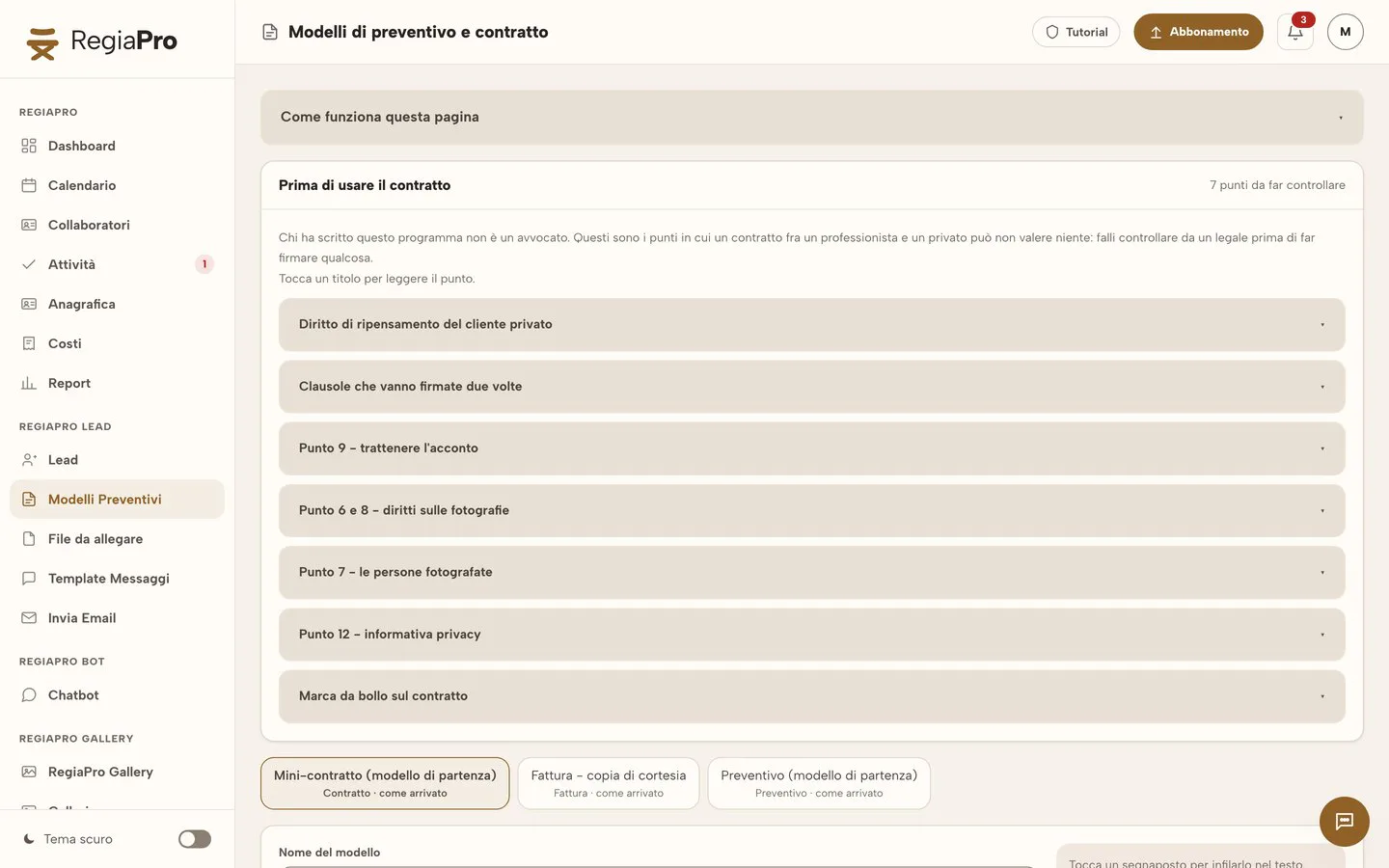
Screenshot taken from the software, with test clients and figures: at the top the four delivery counters, below them the people waiting for a message from you today.

Videographer contract: editing times, release forms and revisions
A videographer’s contract mainly protects editing time: how many versions, by when, and what happens if the client changes their mind after approving.
The points to write into a videographer contract
- days for the first version and for the final one;
- revisions included and the cost of extra ones;
- where you can use the film, for example in your portfolio;
- who collects release forms from the people who appear in the video;
- music and licences;
- deposit and due date for the balance.
The video contract template and its placeholders
The film contract, included from Pro, is generated on the client’s record. You start from the default template, rewrite it with your own clauses and insert the placeholders: client name, details of the paying company, date, times, city, total, deposit and balance fill in for every job.
Edit delivery days, the same in the contract and in “Tasks”
There’s a placeholder for delivery days too, which takes the number from the type of service: that way the date promised in the contract and the deadline on the “Tasks” page match.
Signing the video contract, in pen
The PDF is signed in pen: in person, or you download it, send it to the client yourself and get it back signed. The sheet with the signatures goes back on the client’s record, next to the two proposals.
Want to see it with your own work?
Fourteen days with the Full plan features, no card needed. Then you decide.

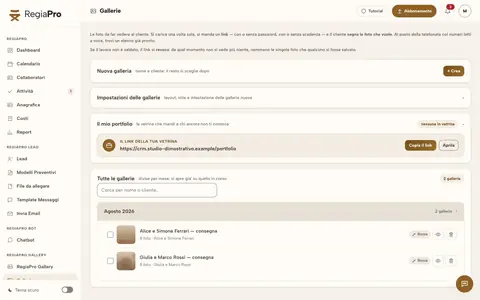


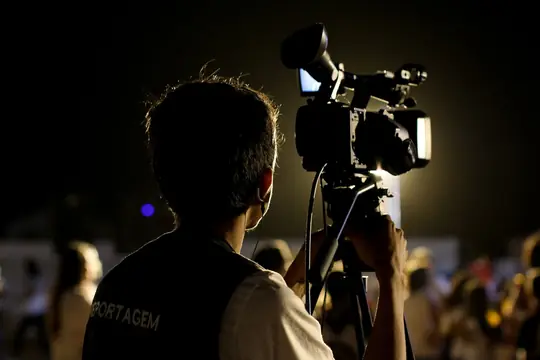



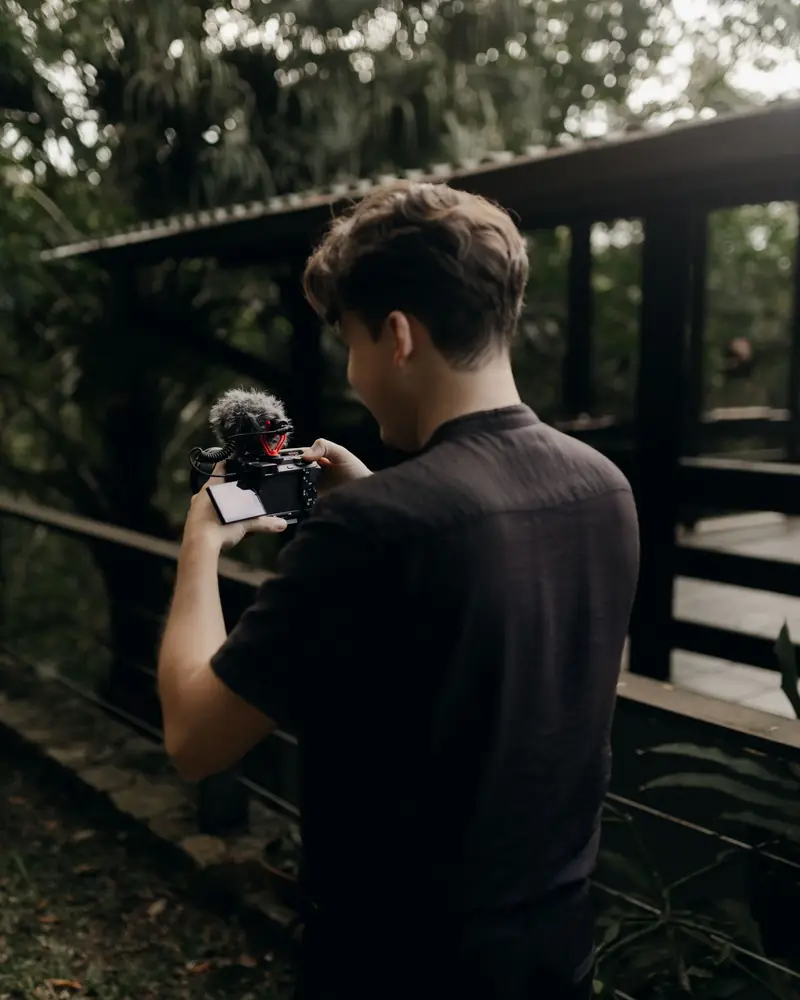
Free photos from Pexels and real screenshots of the software, with made-up data.
What a videographer earns: deposits, costs and job margins
Two videos paid the same can leave very different sums in your pocket: one is filmed round the corner, the other needs a second operator and two hundred kilometres. In RegiaPro costs are logged on each job’s record, and the Report adds them up by month and by type of service.
Deposit, instalments and balance for a film
The deposit has a date and payment method; the balance can be split into instalments when needed. In the job list you see who has paid the deposit and who has already paid in full.
Second operator, rented lenses and gimbals
On the record you write who filmed with you and how much you paid them, and under out-of-pocket costs the hire of a lens or gimbal taken for that job.
Travel to the filming location
Enter the shoot’s city and press “Calculate”: RegiaPro measures the round trip from your base and estimates diesel, motorway tolls and travel time at your rates, and the total goes into that video’s costs, which the Report deducts from takings. You need a Google Maps key in “Settings”.
Video invoices and costs for computers and licences
From the Pro plan the invoice is created from the record with the year’s numbering; with Studio the XML file is prepared too. Editing computers, software licences and courses go on the Costs page, outside individual jobs.
The Report: do corporate videos or weddings pay better?
Collected, still to collect, costs split by item and margin, month by month. It’s where you find out whether corporate videos pay better than weddings.
Video courses: workshops and online courses next to your jobs
People who shoot weddings and corporate videos often teach too: editing, drone footage, colour grading. RegiaPro puts courses in the same program as your jobs, quotes and galleries.
Already today: the classroom course as a job
The course date in the calendar, synced with Google and iCloud; participants among your contacts, with reminders; from the Pro plan, invoices go out from your own Fatture in Cloud account, without retyping them.
New: video courses in lessons
Recorded lessons, sold on their own or as a bundle, that only paying students can watch. Whoever buys joins your contacts.
New: webinars and live streams
The paid live lesson, from the browser. The open live stream will also be able to go out on YouTube and Facebook Pages, once Google and Meta give their permission.
How to start: three steps, no card needed
You sign up, try it on your real work, and only decide at the end.
-
Sign up in a minute
Your name, your business name and your email. We don’t ask for a credit card: access starts when you confirm your email.
Start the trial -
Set it up for your trade
Menus, record fields and job stages speak your language. You connect the calendar you already use.
Choose your trade here -
Try everything, then choose
Fourteen days with the Full features. At the end you choose a plan, or you stop: nothing renews on its own.
See the plans
Videographer software: editing, projects or business software with CRM, and prices
Search for videographer software and three different things come up. Scrolling through Google results in September 2026 you find rankings of editing programs, tools for organising productions and crews, and business software built around clients.
| Editing | Project organisation | Business software and CRM like RegiaPro | |
|---|---|---|---|
| Built for | Editing, colour grading, exporting | Stages, crews, production calendars | Clients, proposals, contracts, payments, deliveries |
| Who uses it | Editors | Productions with several people | The videographer who also handles clients |
| Delivery to the client | Exports the file | Depends on the software | Gallery with password and expiry |
| RegiaPro price | — | — | From €19.90 a month, published |
Start, €19.90 a month: 5 GB for your first short versions
€199 a year. Records, follow-ups, ready-made messages and 10 quotes a month, with 5 GB for video: enough to try the galleries with a few short versions.
Pro, €34.90 a month: 40 GB, about four films in 4K
€349 a year. Client contracts, numbered invoices, unlimited quotes and 40 GB of video, about four wedding films in 4K.
Full, €44.90 a month: 300 GB for people who deliver films
€449 a year. The plan designed for people who deliver films: 300 GB of video alongside 450 GB of photos, 70 active galleries and everything in Pro.
Studio, €59.90 a month: 500 GB of video in your archive
€599 a year. 500 GB of video, 1.5 TB of photos, unlimited galleries and the invoice XML file.
The trial is the whole of Full for fourteen days, with no payment details required; access opens by itself as soon as you confirm your email. If the space then runs short, on any plan you can add 50 GB of video for €8 a month or 100 GB of photos for €5 (€4 on Studio), without changing plan.
Why you can trust it: your data stays yours
What matters before you put your clients into a new program.
Your data stays in Europe
On servers in Europe. Each business sees only its own data: the database itself enforces the separation.
If you stop, your data stays yours
The account goes read-only and nothing is deleted unless you ask. We send you a copy in a readable format.
Prices written up front
A public price list, the same for every trade: you can read it on the pricing page before you sign up.
You talk to a person
Born in a studio in Tuscany, not in an office. Write to info@regiapro.it or use the contact page.
Frequently asked questions from videographers about RegiaPro
How do I send a client a film that’s too big for email?
You upload it to the job’s gallery, in MP4 or MOV up to 500 MB per file, and send the link with the password. The client watches the film in the browser and saves it while the link stays active; you decide the closing date.
Can I handle several edits at once without missing deadlines?
Yes. Every job confirmed with a date creates its own delivery, which falls due after the days set for that type of service. On the “Tasks” page you see the overdue ones, the ones in progress and the ones to start.
Can the quote show the drone as a separate item?
The PDF has a line with the service and the agreed amount; the drone, the filming hours and the film versions you describe in the note, which is printed on the document. If the client drops the flight, you issue another numbered proposal and the first stays in the archive.
The client is a company: how do I put it on the invoice?
On the record you add the invoice recipient with the company details. The invoice, from the Pro plan, goes to that name, and next time you find the company among the recipients already entered.
Which plan does a videographer need?
It depends on how many films you keep online. Pro has 40 GB of video, about four wedding films in 4K; Full has 300 GB, Studio 500 GB. You change plan inside the software. If you are only a little short, add 50 GB of video for €8 a month without changing plan.
Do shoots go into my Google Calendar?
Yes, once the job is confirmed and has a date: it goes into Google Calendar or iCloud with start and end times. If you move the event on your phone, a few minutes later the date changes on the record too.
Can I work out what a trip costs me?
Yes, with a Google Maps key in “Settings”. Press “Calculate” next to the shoot’s city: RegiaPro measures the round trip and estimates diesel, motorway tolls and travel hours. The cost stays on that job and the Report takes it off the takings.
Do clients receive automatic messages?
They only receive what you send. RegiaPro prepares the right text and tells you who to write to today; with “Open WhatsApp” the chat opens with the message already written and you press send on your own phone.
Every feature mentioned here was reopened in the software on 14 September 2026. The olive oil mill, Chiara and the amounts in the case are invented, while the types of software come from searches made that week. Noticed the software behaving differently from this description? We’ll correct it as soon as you let us know at info@regiapro.it.
Try RegiaPro on your next video delivery
Take the next video you’re asked for, corporate or wedding, and follow it in RegiaPro from the proposal to the film link. In fourteen days of Full you’ll see whether editing deadlines stop chasing you.
Pages for people who work at the same events: software for photographers, wedding planner software, DJ software. For delivering files there’s the RegiaPro Gallery page.