Restorer software and CRM
RegiaPro is business software for restorers working on commission for private clients, antique dealers and clients such as parishes and foundations: quotes, signed commissions, deposits and invoices on the business side; clients, works in your care and deadlines in the CRM. The steps below start with “Restorer” already selected.


Built for more than 50 trades: this one is already set up for yours
Second fitting: Thursday
measurements and dates on the client record
Today in RegiaPro
Example with made-up data
12
Enquiries
+3 this month
5
Fittings booked
this week
€2,100
Deposits
+2 this month
Measurements taken and saved on the record
10 min ago
Second fitting booked for Thursday
yesterday
Job ready for delivery
yesterday
- Free for 14 days, no card needed
- Works in the browser, on your phone too
- Calendar synced with Google and iCloud
- WhatsApp messages already written
- Invoices from your Fatture in Cloud, from the Pro plan
- Public prices, the same for everyone
Type of work
What do you do? If you can’t find yours, the last option is just fine.
What do you need? The basics for restorer software and CRM are switched on. Turn on what you really need: we pick the plan from here.
Your RegiaPro is ready.
Tap a plan: below you see what is inside.
There is only one price list. Photo galleries come with every plan: if you don't deliver photos you simply don't open them, and the price stays the same. Compare all the plans
What you get with
The menu
An enquiry record
The fields of your trade are highlighted
The stages of the job
Where every job stands, at a glance
A restoration takes weeks, sometimes months, and changes along the way: under a yellowed varnish an overpaint appears, inside a drawer the woodworm is still active. The client wants to know how it’s going, how much more they’ll spend and when they’ll get their piece back. Meanwhile the studio holds a chest of drawers, two canvases, six chairs and the site visit for a fresco. Restorer software keeps the photos, documents, agreed figures and dates for each work. RegiaPro runs in the browser, at the workbench or on your phone on site, and costs from €19.90 a month.
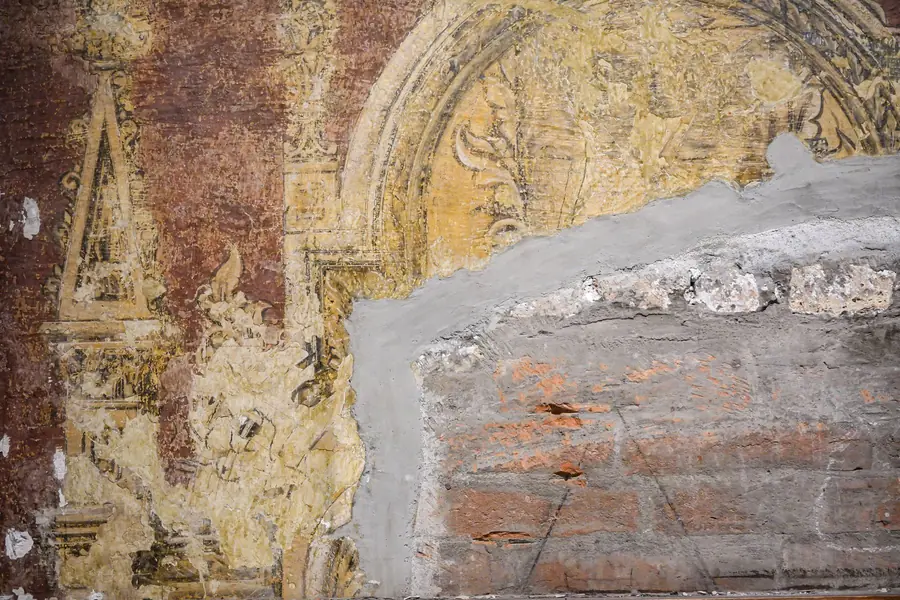
What you’ll find inside RegiaPro: from measurements to delivery
One program for clients, fittings, documents and payments. Tap a card to see how it works.
-
One record per client
Calls, quotes, contracts and payments in date order: when they call back six months later, you know at once where you left off.
The Lead module -
Who to call back today
Every morning, the list of people to get back to, with the WhatsApp message already written. It goes from your own number, when you decide.
Follow-ups and messages -
Quotes from your own template
The PDF with your logo, sent as a link: you know when it was opened. If there is no reply, the program brings it back to you after 3, 7, 14 and 30 days.
The quote -
The contract without retyping
It comes from the accepted quote, with the details already in, and comes out as a PDF ready to sign. From the Pro plan.
Which plans include it -
Measurements and fittings
Measurements in the client’s record, fittings with their dates, right up to delivery.
How it works -
Several versions of the quote
The client changes their mind? From the same record you prepare a new quote with its own number: the earlier one stays as it was.
The quote -
Deposit, balance and invoice
Deposit and balance are recorded separately, each with its own date. The invoice comes out of the record with numbering that carries on by itself: from the Pro plan, with the XML file from the Studio plan.
The plans compared -
The calendar you already have
Appointments and jobs in your phone’s calendar: RegiaPro connects to Google Calendar and iCloud.
The connected calendar -
What is really left
A job’s costs come off that job, the business costs off the year: in December you know what is left, not just what came in.
The figures of each job -
From your phone, on site
It works in your phone’s browser: open the client’s record and attach photos and documents, up to 15 MB each.
How it works
RegiaPro up close: the real screens
This is what the program looks like inside. Sample data: the clients, the jobs and the amounts are made up.




Restoration studio software: furniture, paintings, frames and objets d’art
RegiaPro suits restorers with their own studio, working alone or with one collaborator, who alternate between jobs at the bench and work on location. Commissions fall into four broad types.
The family antique
An inherited chest of drawers, a table with loose legs, a sideboard to bring back to its original finish. The private client cares about the sentimental value as much as the financial one.
The painting on canvas or panel
Cleaning, consolidation, filling, retouching. The work stays in the studio for a long time and has to go back with documentation of the treatment.
On-site restoration work
Frescoes, decorations, fixed furnishings in a church or a historic building. You work where the piece is, with days on site, travel and a client who often isn’t the person who called you.
Dealers and collectors who send pieces for restoration
Clients who come back, bring several pieces at once and want firm timescales, because the restored object has to go on sale or on show.
Where the restorer’s time goes
Not on the restoration, but around it: finding the photo of how the piece looked on arrival, redoing the figures after a discovery, remembering how much the client has already paid. RegiaPro keeps the documents and payments for every commission and, in the CRM, the people and the moments to get back in touch with them.
The starting point: the works in your restoration studio
The works in your studio today: for each one a record with the owner, the agreed figure, the deposit received and the expected return date, plus the photos you’ve already taken.

CRM for restorers: private clients, dealers and institutions, each at their own pace
People who commission a restoration decide in very different ways. RegiaPro’s CRM follows each one at their own pace and helps you remember, client by client, what they’re waiting for and when.
| Client | How they reach a decision | What you use in RegiaPro |
|---|---|---|
| Private client | Asks for a price, thinks it over, talks it through with the family | PDF quote, and the record that comes back among your follow-ups if too long passes without a reply |
| Antique dealer | Decides quickly and comes back often | Source on the record and a Report of the jobs they’ve brought you |
| Parish or foundation | Long timescales, committee decisions, several people involved | “Negotiating” status with a follow-up date you choose, invoice made out to the institution |
| Colleague or architect who refers you | Sends you the work and expects to be kept updated | Source on the record, ready-written WhatsApp messages |
The furniture owner who is taking their time
The quote goes out by email from the record of the piece of furniture or the painting. If the owner stays silent, the record comes back among the people to get in touch with, following that schedule. If instead they reply that they’ll decide after Christmas, you move it to “Negotiating” and choose the day: from then on you set the pace.

The first screen you see when you open RegiaPro, filled with test clients from another trade: at the top the day’s appointment with the time to leave, the mileage and the balance to collect; below, who is waiting for a message from you and for how many days.
The antique dealer who comes back every month
Every piece they bring is a record with the source “antique dealer” and their name in the notes. At the end of the year the Report tells you how much the jobs from that partnership earned compared with those from private clients.
The parish or foundation paying for the restoration
The parish priest or the foundation’s chair is the person you talk to; the institution pays. The “Who to address documents to” box takes the institution’s name, tax code or VAT number, address, recipient code or PEC, while the quote and the commission carry the name of the person who contacted you.
The client waiting for news on the restoration
For anyone asking “how’s it going?”, keep an update message among your WhatsApp templates. From the record it opens with the client’s name already filled in; you add two lines on how the work is going and send it yourself.
Antique furniture restoration in your business software: a chest of drawers documented photo by photo
We follow an antique furniture restoration through the photos that end up on the record, because in this trade they’re what tell the story of the work. The client, dates and prices are invented: no real studio and no real client.
First photo: the chest of drawers as it arrived
On 12 November Roberto calls you: he has inherited a three-drawer chest, perhaps mid-19th century, with damaged polish and a broken foot. On the 15th you collect it from his home. You create Roberto’s record, source “word of mouth”, enter the town and RegiaPro works out the return journey, €30 with the per-kilometre and hourly costs you’ve set. You take photos of the front, side, top, back and the broken foot, and attach them to the record: each up to 15 MB.
The first quote, 18 November
On the record you enter €1,200. The PDF quote, with the studio’s logo, shows the description of the treatment under the figure: surface cleaning, consolidation of the joints, reconstruction of the foot in seasoned walnut, French polishing with shellac. Roberto receives it by email and the job status becomes “Quote sent”.
Second photo: after dismantling, a surprise
On 22 November Roberto accepts. Taking out the drawers you find fresh woodworm holes and a bottom panel to replace. You attach photos of the holes and the panel, raise the record’s amount to €1,450 and produce a second quote from it, with a different number, which also describes the pest treatment and the new panel. The first stays archived: Roberto sees exactly what has changed and why.
The signed commission and the deposit, 25 November
With the Pro plan, the studio’s template produces the “Restoration commission”: it states that reversible materials are used, that every stage is documented in photos, that the piece stays in your care until it’s returned and that any change is agreed in writing. RegiaPro fills in the client’s name, return date, total, deposit and balance. Roberto signs at the studio and leaves €450 in cash: you log the deposit, set the job to “Confirmed” and 28 February, the expected return date, goes into the calendar connected to Google or iCloud.
Third photo: after the pest treatment
In December the chest goes to an outside workshop for anoxic treatment: on the record you add it as a collaborator, with the name and €120. Glue, shellac and walnut for the foot cost you €90, which go under out-of-pocket costs noted as “chest materials”. When it comes back, the photo of the treated piece joins the others.
Fourth photo: before polishing
The foot is rebuilt, the bottom panel replaced. You attach the photo of the piece ready for finishing. In the important note you write “prepare the report and ask Roberto when he wants the piece at home”: on 21 February, a week before the return, you find it among your tasks.
Fifth photo: the return, 28 February
The chest of drawers goes back to Roberto’s home. You take the last photo in the room where it will stand and attach the final report written in Word, with the main photos, to the record. Roberto pays the €1,000 balance by bank transfer; from Pro you prepare the invoice on the agreed amount, numbered after the others of the year.
The chest of drawers in figures (example with invented data)
- final price €1,450, paid with a €450 deposit on 25 November and €1,000 on return;
- costs logged: €120 for outside pest treatment, €90 for materials, €30 for travel;
- after the costs logged on the record, the studio keeps €1,210 on that piece, from which taxes and working hours still have to come off;
- the record holds twelve photos, two quotes, the signed commission, the report and the invoice.

Restoration record and final report: where to keep them with the job
Condition report, analyses, final report: these are the documents that give a restoration its value and that the client, a dealer or a future restorer might ask you for years later. In RegiaPro they stay attached to the commission they belong to.
The technical restoration record you fill in
You write the restoration record with the templates you already use, in Word or PDF, and attach it to the job record. In RegiaPro’s notes a summary is enough: materials, state of preservation, planned treatments.
Diagnostic analysis of pigments and supports
If an outside lab carries out pigment analysis, X-rays or ultraviolet examination, its report goes among the attachments and its cost on the record, in the collaborator field. In the Report that cost is added to the others for the year.
The restoration report for the client
When the work is finished you attach the report with the main photos. The client receives it however you prefer, and you know the version delivered is the one saved next to the invoice.
When an heir asks for the report years later
An heir, a buyer, a colleague: you search for the client’s name or phone number and reopen the commission with the photos, quotes, report and documents from back then.

Painting and fresco restoration: the work in the studio and on-site projects
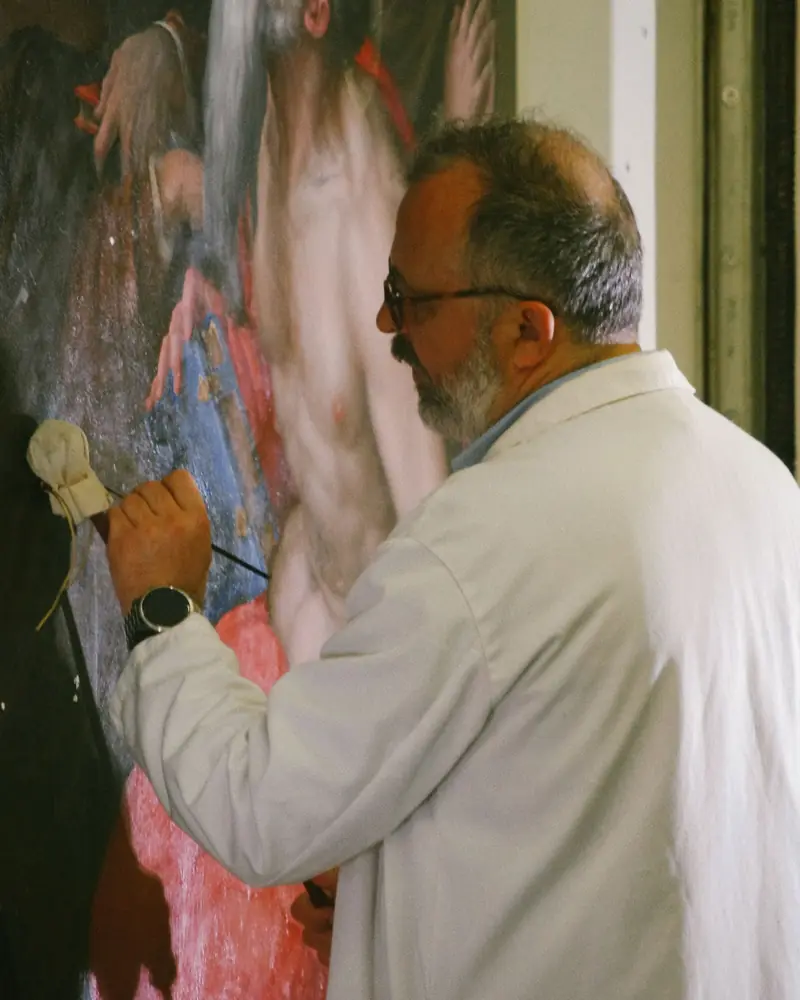
A canvas painting is restored at the easel, a fresco on the scaffolding. Two ways of working, one RegiaPro record, filled in each time for the type of treatment.
Receiving the painting
When the painting comes into the studio, you photograph the front and back, stamps, labels and the frame, if it stays with the work. In the notes: size, support, technique, state of preservation as stated in front of the owner.
Describing the treatment of the painting
In the quote there’s a single figure; below it, the note lists the operations: cleaning, removal of discoloured varnish, consolidation, filling, retouching, final varnishing. If the frame goes to a framer or a gilder, that cost goes on the record as a collaborator.
The fresco project on site
The record carries the start date of the work and the town where the site is. Once the commission is confirmed the start appears on the connected calendar; you write the following days and the scaffolding conditions in the notes. The calculated journey covers one trip there and back: for several weeks of travel, add the rest under out-of-pocket costs.
The institution’s staged payments
Parishes and foundations often pay by progress stages: the first payment is the deposit, each later stage an instalment of the balance with its own date. The record always shows how much the institution still has to pay.
Permissions before starting the restoration
When a job is waiting for authorisation, write in the important note what to check before you start: the reminder arrives seven days before the start date shown on the record.
Want to see it with your own work?
Fourteen days with the Full plan features, no card needed. Then you decide.
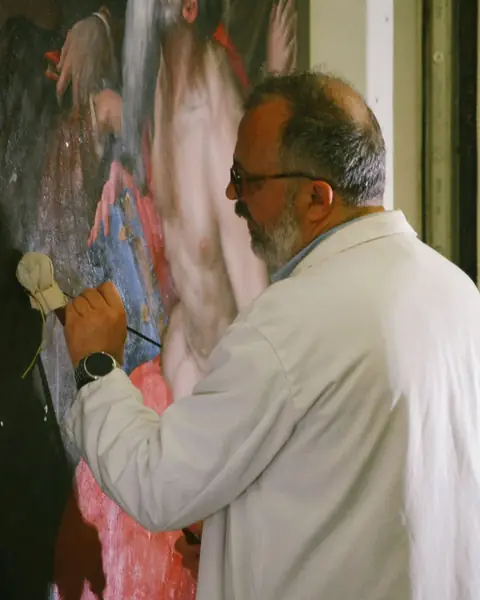



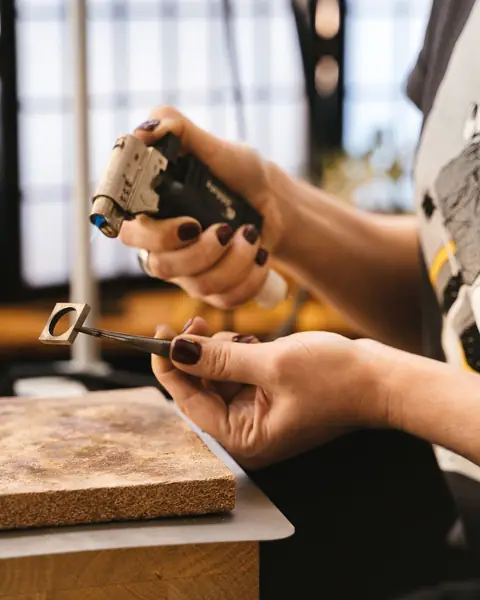
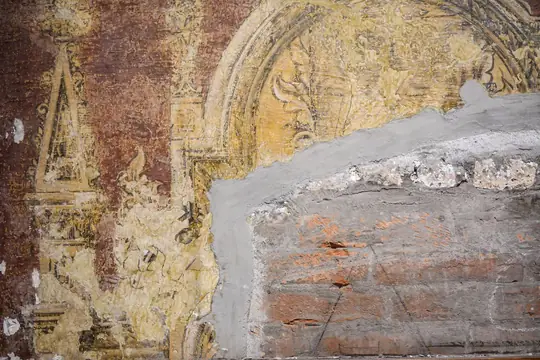



Free photos from Pexels and real screenshots of the software, with made-up data.
How much does furniture restoration cost: the restorer’s quote and its variations
It’s the question almost every private client arrives with. The honest answer is “it depends on what we find when we open it up”, and RegiaPro lets you say so without losing the client’s trust.
A first figure for the restoration, in writing
After the site visit or the first visit to the studio, the figure goes on the record and the description of the treatment in the document’s note. The private client has a clear PDF to show the family.
If you find something else when you open the piece
Active woodworm, parts replaced in the past, a different finish under the visible one: you attach photos of what you found, change the amount and produce an updated quote. Both documents stay on the record with their numbers, and you can compare them at a glance.
Restoring a set of chairs
Six dining chairs with seats to redo and joints to reglue: one record, the overall price, and in the note the work planned for each chair. If an upholsterer redoes the seat, their cost goes in as a collaborator.
Wood restoration and finishes
Wax, shellac, oil: the finish the client chooses goes in the quote note, because it changes timings and appearance. A photo of a finish sample among the attachments avoids misunderstandings on return.
VAT in restoration quotes
If you charge it, RegiaPro calculates it within the agreed figure and the PDF total doesn’t change; under the flat-rate scheme documents go out without VAT.
Restoration software: cataloguing, site management or studio business software?
On 14 September 2026, while writing this page, we read the top results for “restorer software” and “restoration software” in Italian. You find cultural heritage cataloguing systems, software for building restoration sites, business software for craftspeople that groups decorators and restorers together, and invoicing software with pages for many trades. None of the pages we read mentioned photos by stage on the client’s record.
| Cataloguing and documentation systems | Software for restoration sites | RegiaPro, business software and CRM | |
|---|---|---|---|
| Who it's for | Institutions and professionals cataloguing cultural heritage | Firms running building restoration sites | Restorers with a studio working on commission |
| What it handles | Catalogue records and heritage documentation | Jobs, site accounting, safety, documents | Clients, photos by stage, attached reports, quotes, commissions, deposits, invoices, job costs |
| Price | Not stated on the pages we read | Not stated on the page we read | From €19.90 a month, published |
| Where it runs | On dedicated platforms | On the firm’s computers | In the browser, in the studio and on site |
Your restoration studio will get on well with RegiaPro if
- every restoration needs photos and documents always to hand;
- your clients are private individuals, dealers and institutions with different timescales;
- you want each commission’s analyses, materials and travel written next to its price.
What the restorer sets up in the first week
- records for the works in the studio, with photos on arrival;
- the restoration commission template with your terms, from the Pro plan;
- WhatsApp messages for updates and returns.
How to start: three steps, no card needed
You sign up, try it on your real work, and only decide at the end.
-
Sign up in a minute
Your name, your business name and your email. We don’t ask for a credit card: access starts when you confirm your email.
Start the trial -
Set it up for your trade
Menus, record fields and job stages speak your language. You connect the calendar you already use.
Choose your trade here -
Try everything, then choose
Fourteen days with the Full features. At the end you choose a plan, or you stop: nothing renews on its own.
See the plans
How much RegiaPro restorer software costs
The price list is public, the same for everyone. For a restoration studio three plans make sense, after the trial.
Start for the restorer with a few commissions
€19.90 a month, €199 if you choose annual billing. As many clients as you like, the list of who to get back to, the studio’s WhatsApp messages and up to ten quotes every thirty days.
Pro for the restoration studio that’s always full
€34.90 a month, €349 if you choose annual billing. The restoration commission as a PDF with your terms and invoices with their own numbering, including those made out to a parish or a foundation.
Studio for the restorer who invoices institutions
€59.90 a month, €599 if you choose annual billing. On top of Pro it prepares the XML file for each e-invoice and gathers the year’s documents for your accountant into a single package.
Fourteen days’ trial on your next restoration
Everything in Full, and no payment details required. Access to your studio opens by itself as soon as you confirm your email.
Full, at €44.90 a month, is the plan with the most space for those delivering photos and video to clients: every plan, line by line, is on the pricing page.
Why you can trust it: your data stays yours
What matters before you put your clients into a new program.
Your data stays in Europe
On servers in Europe. Each business sees only its own data: the database itself enforces the separation.
If you stop, your data stays yours
The account goes read-only and nothing is deleted unless you ask. We send you a copy in a readable format.
Prices written up front
A public price list, the same for every trade: you can read it on the pricing page before you sign up.
You talk to a person
Born in a studio in Tuscany, not in an office. Write to info@regiapro.it or use the contact page.
Restorers’ frequently asked questions about business software and CRM
Can I keep photos of every stage of the restoration?
Yes. Every photo is attached to the commission record, as a JPG or PNG image of up to 15 MB: arrival, dismantling, cleaning, treatments, return. They stay in order next to quotes and documents, and you can open them from your phone too when the client asks how it’s going.
Where do I keep the technical record and the final report?
Among the attachments of the same commission, in Word or PDF. You fill in the technical record with your usual template; you add the report at the end of the job. Years later you find them by searching for the client, together with the photos and the invoice.
If I find more damage when I open the piece, how do I update the quote?
You attach photos of what you found, change the amount on the record and generate a new quote with the updated description. It takes another number, while the previous one stays archived with the original figure: the client sees what has changed.
I work for a parish: who does the invoice go to?
The institution. In the payer details box you enter the parish’s name, tax code or VAT number, recipient code or PEC. The priest you spoke to remains the name on the quote and commission, and from the Pro plan the invoice goes to the institution.
How do I log the diagnostics lab or the gilder I hand part of the job to?
On the commission record you enter the collaborator’s name and what they cost you; materials and treatments bought specially you add under out-of-pocket costs, explaining what they are. You find them next to the commission’s price, and the Report puts them together with those from your other restorations, in the twelve-month figures.
An on-site job lasts several days: how do I put it in the calendar?
The record carries the start date with the time, which appears on the connected calendar, Google or iCloud, once the commission is confirmed. You note the following days in the record’s notes, while the important note brings up, seven days before the start, the list of what to take to the site.
The client asks how the work is going: how do I reply quickly?
Keep an update message among your WhatsApp templates. From the record you open it with the name already written, add how the work is going and send it; if you like, you attach one of the photos on the record in the chat, opening it from your phone.
Can I find a restoration I did years ago?
Yes: search for the client’s name or phone number and reopen the record from back then, with photos, treatment description, documents and payments. It’s useful when the same object comes back to the studio or when a new owner asks about its history.
Page written on 14 September 2026. What we attribute to RegiaPro has been tested in the software; Roberto, the chest of drawers and the figures are an imaginary example; the information on cataloguing, restoration sites and business software for craftspeople comes from public pages consulted on the same day. To report a difference between the text and the software, write to info@regiapro.it.
Try the restorer software on your next commission
Open the record for the next work that comes into the studio, photograph it on arrival and follow it through to its return: in two weeks you’ll know whether photos, quotes and payments finally stay in one place. Full is active for the whole trial, then you choose your plan.
Trades that work alongside you: software for framers, upholstery software, software for stonemasons. The other commission-based trades each have their own page, gathered on the Who it’s for page.