Plumber software and CRM
RegiaPro is software for plumbers and heating engineers who chase leaks while refitting bathrooms and swapping boilers: quotes, contracts, deposits and invoices, plus a CRM that remembers who is waiting for an answer. The steps below already start from the plumbing trade, so you can pick what you need straight away.


Built for more than 50 trades: this one is already set up for yours

Site visit booked
mileage and tolls already worked out
Today in RegiaPro
Example with made-up data
14
Enquiries
+4 this month
6
Site visits
this week
5
Quotes accepted
+2 this month
Site visit booked for Thursday at 9:30
5 min ago
Quote sent for the bathroom
yesterday
Deposit received
yesterday
- Free for 14 days, no card needed
- Works in the browser, on your phone too
- Calendar synced with Google and iCloud
- WhatsApp messages already written
- Invoices from your Fatture in Cloud, from the Pro plan
- Public prices, the same for everyone
Type of work
What do you do? If you can’t find yours, the last option is just fine.
What do you need? The basics for Plumber software and CRM are switched on. Switch on what you really need: we’ll pick the plan from here.
Your RegiaPro is ready.
Tap a plan: below you see what is inside.
There is only one price list. Photo galleries come with every plan: if you don't deliver photos you simply don't open them, and the price stays the same. Compare all the plans
What you get with
The menu
An enquiry record
The fields of your trade are highlighted
The stages of the job
Where every job stands, at a glance
Plumber software has to keep up with two paces at once: the emergency that calls you at seven and the bathroom due in a month. For every client RegiaPro keeps the call, the call-out cost, the quote and the payments; it opens on your phone and starts at €19.90 a month.

What you’ll find inside RegiaPro: from site visit to invoice
One program for enquiries, quotes, jobs and payments. Tap a card to see how it works.
-
One record per client
Calls, quotes, contracts and payments in date order: when they call back six months later, you know at once where you left off.
The Lead module -
Who to call back today
Every morning, the list of people to get back to, with the WhatsApp message already written. It goes from your own number, when you decide.
Follow-ups and messages -
Quotes from your own template
The PDF with your logo, sent as a link: you know when it was opened. If there is no reply, the program brings it back to you after 3, 7, 14 and 30 days.
The quote -
The contract without retyping
It comes from the accepted quote, with the details already in, and comes out as a PDF ready to sign. From the Pro plan.
Which plans include it -
The site visit
It is a stage of the job, with its own date; the travel cost is worked out on the real route.
The costs of each job -
Maintenance contracts
The draft invoice for each period gets ready on its own. From the Pro plan.
Fees and renewals -
Deposit, balance and invoice
Deposit and balance are recorded separately, each with its own date. The invoice comes out of the record with numbering that carries on by itself: from the Pro plan, with the XML file from the Studio plan.
The plans compared -
The calendar you already have
Appointments and jobs in your phone’s calendar: RegiaPro connects to Google Calendar and iCloud.
The connected calendar -
What is really left
A job’s costs come off that job, the business costs off the year: in December you know what is left, not just what came in.
The figures of each job -
From your phone, on site
It works in your phone’s browser: open the client’s record and attach photos and documents, up to 15 MB each.
How it works
RegiaPro up close: the real screens
This is what the program looks like inside. Sample data: the clients, the jobs and the amounts are made up.




Plumber software: leaks, bathrooms and boilers
RegiaPro suits the self-employed plumber, even with an apprentice or a partner, who takes calls on their own number and whose clients are families, bars, small blocks of flats and property managers. The jobs come in four kinds.
Same-day leaks and blocked drains
Leaks under the sink, blocked drains, a water heater that won’t heat: it’s decided on the phone and off you go. What matters is knowing what the call-out costs before you get in the van.
Bathroom refits with a bricklayer and tiler
Weeks of work with a bricklayer and tiler, sanitaryware chosen in the showroom, a deposit and a balance.
Boilers and water heaters to replace
A site visit to check the connections and flue, a quote to send quickly because in winter the client is cold.
Plumbing in renovations
The work comes from a building firm or a surveyor: the person who calls you isn’t always the one who pays, and timings depend on the site.
Spanners and fittings for you, scraps of paper for RegiaPro
Spanners and fittings are your business. RegiaPro takes the part that usually ends up on scraps of paper: who needs calling back, what figure you gave to whom, who still has to settle up. The management side does quotes, contracts and invoices; the CRM side remembers the people and the answers you’re waiting for.
The first afternoon, with plumbing jobs already booked
On your first free afternoon you add the big jobs already booked and the quotes sent in the last month. New emergencies you add as they come in, from your phone, in a minute.

Plumber CRM and software: calls that don’t end up on a scrap of paper
RegiaPro’s CRM side works like a call log that remembers for you. Six situations from a plumber’s week, and what happens with the client record.
- The 10pm call about a leak: you create the record from your phone, with name, number and street, and in the morning it’s there.
- The client who found you on Google and the one sent by the property manager: you enter the source straight away, and at year end you know which of the two channels keeps you in work.
- The photo of the ceiling stain sent on WhatsApp: you save it on the record, so at the site visit you already know what to look for.
- The boiler quote left unanswered: RegiaPro brings it back to you after three days, then after one and two weeks, then after a month.
- The job booked for Thursday at 3pm: the confirmed job has a day and time, and with your calendar connected you’ll find it on your phone.
- The late balance from blocks of flats: on the record you see what has come in and what’s missing, and adding up your jobs you know how much you’re waiting for in total.

Emergency plumber: from a Saturday leak to a new boiler
An emergency call that, two weeks later, turns into a proper job. We tell it in two parts, with people, dates and prices made up for the example.
-
Part one: water from the sink unit, Saturday at 7:10
Anna calls: water is coming out of the sink unit and the flat below has already rung the bell. You create the record with name, phone and town, source “Google”, and set the job to “Confirmed” for 8:30. From the town RegiaPro works out the kilometres, diesel and travel time, if you have your own Google Maps key: 18 kilometres there and back.
Follow-ups and messages -
Part one: the rotten flexi hose and the nineteen-year-old boiler
The mixer tap’s flexi hose has rotted through. You replace it, check the trap and tell Anna €120, call-out included. She pays cash: on the record you enter the amount and mark it as received. In the kitchen you notice a nineteen-year-old boiler with a dirty burner: you photograph it, attach the photo and in the notes write “old boiler, talk to Anna about it”.
Invoices and payments in the plans -
Part two: Anna’s boiler keeps locking out
Anna calls you back: the boiler locks out twice a day. You open a new record for the replacement, so the emergency stays closed and paid. On 23 November you do the site visit, photograph the connections and flue and attach the photos.
Follow-ups and messages -
Part two: the €2,950 condensing boiler
On the replacement record you enter €2,950 and generate the quote as a PDF. The note lists a 24 kW condensing boiler, removal and disposal of the old one, flue kit, magnetic system filter, commissioning and updating the system logbook. It goes out by email, and the record moves to quote sent.
The quote from your template -
Part two: Anna signs and pays the deposit
On 26 November the record reappears among the clients to call back. You send Anna one of your WhatsApp texts and she asks to pay in two goes. On 1 December you prepare the contract from the Pro plan, with a €900 deposit and a €2,050 balance, and you both sign it at her home. The deposit bank transfer arrives: you record it, confirm the job and book the installation for Wednesday 9 December, from 8am to 4pm.
The contract, from the Pro plan -
Part two: flue kit and installation on 9 December
In the important note you had written “order coaxial flue kit and book collection of the old boiler”. On 2 December, seven days before, you find it among your tasks. On the 9th you install. On the record you enter the helper who worked with you, €130, and among the out-of-pocket costs the boiler bought from the merchant, €1,690.
The figures of each job -
Part two: the boiler balance in two bank transfers
Anna pays the €2,050 in two bank transfers, on 16 December and 20 January: you record them as two instalments. On the boiler record you have the €2,950 in front of you along with the costs of the boiler, helper and travel; in the Report they sit together with the €120 from November’s emergency, both under the Google source.
Invoices and payments in the plans
From the sink to the new boiler: summary of Anna’s home (example with made-up data)
| Day | At Anna’s home | In the record |
|---|---|---|
| 7 November | Leak under the sink | Emergency record, €120 in cash, photo of the old boiler |
| 18-23 November | The boiler locks out, site visit | Second record, photos of the connections |
| 23 November | Quote for €2,950 | PDF with the details in the note, sent by email |
| 26 November | No reply | Follow-up with a WhatsApp text |
| 1 December | Signature and €900 deposit | Contract as PDF, deposit, installation on the calendar |
| 2 December | Materials to order | Reminder from the important note |
| 9 December | Installation | Helper and boiler among the job costs |
| 16 December and 20 January | Balance in two bank transfers | Two instalments recorded on the record |
Plumber call-out charges: call-out fee and travel on the record
Many plumbers charge a call-out fee, others include it in the price. Either way it’s worth knowing what it really costs to head out to that street.
What it costs a plumber to get to that street
Enter the job’s town and press “Calculate”: RegiaPro shows the round-trip distance, driving time, diesel, tolls if there’s a motorway, and the value of the time spent behind the wheel. Diesel per kilometre and the cost of your hour are set once in “Settings”.
How much to charge for the call-out
You decide the call-out amount and enter it on the record, on its own or together with the work done. With that number in front of you, you can tell whether the call from the other side of the county is worth the morning.
The emergency paid on the spot
Cash, card, bank transfer or Satispay: choose the method, record the payment and the record is closed. From the Pro plan you prepare the invoice from there.
Distant emergencies in the month’s figures
The Report adds up the travel for all jobs and deducts it from your takings, so you see how much distant emergencies weigh on your margin.
Bathroom refit quotes: note, versions and contract
The bathroom is the job where clients change their mind most often, between shower and bath, wall-hung or floor-standing sanitaryware. Here’s how you track it from the record.
Sanitaryware, shower tray and supply and waste in the note
On the record you enter the agreed total; in the quote note you put the items the client needs to read: strip-out, new supply and waste pipework, shower tray, sanitaryware, taps, and what the bricklayer and tiler do. In the PDF the figure stands out and the note is printed underneath.
From a flush-to-floor shower tray to a standard one
If the client switches from a flush-to-floor shower tray to a standard one, you update the amount and create the new document from the record: it has its own number, and the previous one can still be viewed.
The bathroom contract
From the Pro plan the contract takes your template and fills in the client’s name, town, start date, total, deposit and balance. In the text you write what causes arguments on bathroom jobs: who buys the sanitaryware, how many days they’ll be without a shower, how surprises inside the wall are paid for. It’s printed, signed, and the copy stays attached.
The landlord paying for the tenant’s bathroom
If the bathroom is in a rented flat and the landlord pays, you link them to the record as the billing party: contract and invoice carry their details.
Want to see it with your own work?
Fourteen days with the Full plan features, no card needed. Then you decide.




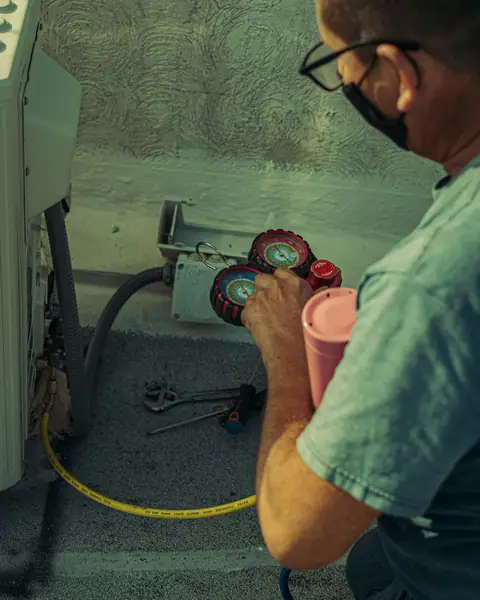



Free photos from Pexels and real screenshots of the software, with made-up data.
Plumbing and heating software: deposits, invoices and parts for every job
A boiler bought from the merchant costs money before it’s even fitted. In RegiaPro’s management side, the money in and out of every job sits together.
Boiler deposit and instalments
You record the deposit with amount, date and method; you split the balance into the instalments you agreed. Each record shows how much is still to come in.
Plumbing and heating invoices
The Pro plan prepares the invoice from the record, numbered in order and with the payer’s details. With Studio you also get the XML to send to the SdI (Italy’s e-invoicing system) and, at year end, a single package for your accountant.
Parts, shower enclosures and helpers
On the record you note the day’s helper with what you paid them and the out-of-pocket costs of that job, for example the boiler or shower enclosure bought for that client. Van, welder and tools go in overheads, split by category.
The margin after boilers and travel
The Report deducts helpers, out-of-pocket costs, travel and overheads from your takings, and shows you how much is left, also broken down by client source.

Image taken from RegiaPro, with test figures: this is where the van, tools and insurance go. The boiler bought for a client, on the other hand, is noted on that job’s record.
Plumbing and heating software: price-list software, maintenance app, or management software and CRM?
On 14 September 2026 we searched for “software for plumbers and heating engineers” in Italian: among the top results were seven software makers, with programs for firms using supplier price lists, job costing, app-based job reports and scheduled maintenance. On the three pages we read in full there was no price.
| Software with price lists and job costing | Service and maintenance apps | RegiaPro, business software and CRM | |
|---|---|---|---|
| Who it’s aimed at | Plumbing and heating firms with a warehouse and crews | Boiler and air-conditioning service centres | Self-employed plumbers with private clients |
| What it covers | Supplier price lists, estimates, job costing, stock, accounts | Scheduled jobs, job reports, clients’ systems | Emergency calls, call-out costs, quotes, contracts, deposits, invoices |
| Price | On request | On request or after the trial | From €19.90 a month, on the website |
| Trial | Guided demo | Demo or time-limited trial | 14 days with Full |
The plumber RegiaPro is for
- you answer the phone yourself and do your own quotes;
- you need to know who to call back and who still has to pay;
- you want to know the price before you sign up.
What a plumber finds inside RegiaPro
- client records with photos, logbooks and documents attached;
- numbered quotes, contracts and invoices from Pro;
- the cost of every call-out, payments split into instalments, appointments on your phone’s calendar, WhatsApp texts.
How to start: three steps, no card needed
You sign up, try it on your real work, and only decide at the end.
-
Sign up in a minute
Your name, your business name and your email. We don’t ask for a credit card: access starts when you confirm your email.
Start the trial -
Set it up for your trade
Menus, record fields and job stages speak your language. You connect the calendar you already use.
Choose your trade here -
Try everything, then choose
Fourteen days with the Full features. At the end you choose a plan, or you stop: nothing renews on its own.
See the plans
Plumber software: pricing and trial
Prices published on the website. A plumber with lots of emergencies and a few bathrooms a year usually needs no more than Pro.
Start, €19.90 a month, for emergencies and a few quotes
€199 paying for a whole year. Unlimited clients, quote follow-ups, WhatsApp messages; quotes are capped at ten a month.
Pro, €34.90 a month, for bathrooms and boilers with a contract
€349 paying for a whole year. Unlimited quotes, contracts to sign for bathrooms and boilers, numbered invoices.
Studio, €59.90 a month, for plumbing firms with e-invoicing
€599 paying for a whole year. For those who also want to prepare the e-invoice XML in RegiaPro and hand the year to their accountant in one file.
A two-week trial on your next leak
The full Full plan for fourteen days, no credit card: confirm your email and you’re in within minutes. At the end you decide whether to stay, and on which plan.
There’s also Full (€44.90 a month), which adds space for delivering photos and video; the full comparison is on the pricing page.
Why you can trust it: your data stays yours
What matters before you put your clients into a new program.
Your data stays in Europe
On servers in Europe. Each business sees only its own data: the database itself enforces the separation.
If you stop, your data stays yours
The account goes read-only and nothing is deleted unless you ask. We send you a copy in a readable format.
Prices written up front
A public price list, the same for every trade: you can read it on the pricing page before you sign up.
You talk to a person
Born in a studio in Tuscany, not in an office. Write to info@regiapro.it or use the contact page.
Plumber software: questions from plumbers and heating engineers
How do I record an emergency paid on the spot?
Create the record with name and phone, book the confirmed job for the time of the call-out and, once done, enter the amount and mark it as received with the payment method. If you entered the town, you see on the same record what it cost you to get there.
Can I keep an emergency and a big job for the same client separate?
Yes, and it’s a good idea: one record for the emergency, already paid and closed, and one for the boiler or bathroom, with its own quote and payments. Search for the client’s name and you’ll find both.
How do I know what a distant call-out costs me?
Enter the client’s town and press “Calculate”: RegiaPro shows kilometres, driving time, diesel, tolls and the value of your hour, using the costs you’ve set. You need your own Google Maps key, connected once.
Where do I put the system logbook and the boiler photos?
On the client’s record, as attachments: PDFs or images, each within 15 MB. When they call you the following year about a lockout, you open the record and see the model, photos of the connections and documents without going back on site.
The client wants to pay for the boiler in two goes: how do I record it?
Record the deposit received and, for the rest, create two instalments with the dates you agreed. The record shows how much has come in and how much you’re still waiting for.
Can I work for a building firm that pays me at the end of the job?
Yes. Open the record in the name of the surveyor or site manager and link the firm as the billing party with its VAT number. Contract and invoice carry the firm’s details, and the record reminds you how much it still owes you.
Do appointments go onto my phone’s calendar?
If you connect Google Calendar or iCloud, every confirmed job appears there with day and time. If you move it from your phone, a few minutes later the date is updated on the record too.
Can I use it on my own, without a secretary?
That’s exactly what it’s made for: it works in your phone’s browser, and the day’s tasks, the clients to call back and the pending payments are on the home page as soon as you sign in.
Text reviewed on 14 September 2026, checking every feature mentioned in the software; Anna and her boiler are a made-up example, and the comparison summarises other programs’ public pages consulted that day. Does a sentence not match what you see in the software? Report it to info@regiapro.it and we’ll fix it.
Try RegiaPro on your next plumbing emergency
At the next leak, open the record from your phone, log the call-out and follow it through to payment. With Full switched on for two weeks you’ll see whether RegiaPro lightens your day, and only then choose your plan.
Related trades: construction company software, electrician software, solar installer software and air conditioning software. All the other pages are gathered on the professionals page.