Alarm installer software and CRM
RegiaPro is software for alarm and CCTV installers who look after each client in person: the CRM holds the calls, site surveys and who is waiting for a price, while the management side prepares quotes with options, contracts and invoices. In the walkthrough below, the “CCTV and alarms” option is already switched on.


Built for more than 50 trades: this one is already set up for yours
Site visit booked
mileage and tolls already worked out
Today in RegiaPro
Example with made-up data
14
Enquiries
+4 this month
6
Site visits
this week
5
Quotes accepted
+2 this month
Site visit booked for Thursday at 9:30
5 min ago
Quote sent for the bathroom
yesterday
Deposit received
yesterday
- Free for 14 days, no card needed
- Works in the browser, on your phone too
- Calendar synced with Google and iCloud
- WhatsApp messages already written
- Invoices from your Fatture in Cloud, from the Pro plan
- Public prices, the same for everyone
Type of work
What do you do? If you can’t find yours, the last option is just fine.
What do you need? The basics for alarm installer software and CRM are already switched on. Switch on what you really need: we pick the package from here.
Your RegiaPro is ready.
Tap a plan: below you see what is inside.
There is only one price list. Photo galleries come with every plan: if you don't deliver photos you simply don't open them, and the price stays the same. Compare all the plans
What you get with
The menu
An enquiry record
The fields of your trade are highlighted
The stages of the job
Where every job stands, at a glance
After a burglary in the area, an installer’s phone rings five times in one afternoon. Everyone wants to know what it costs to protect their home, and almost all of them want to see two options before deciding. Then there’s the system to fit, the handover with instructions, the check a year later. RegiaPro alarm installer software puts each client on a record with the survey, quotes, payments and documents, and works from your phone’s browser. It starts at €19.90 a month.
What you’ll find inside RegiaPro: from site visit to invoice
One program for enquiries, quotes, jobs and payments. Tap a card to see how it works.
-
One record per client
Calls, quotes, contracts and payments in date order: when they call back six months later, you know at once where you left off.
The Lead module -
Who to call back today
Every morning, the list of people to get back to, with the WhatsApp message already written. It goes from your own number, when you decide.
Follow-ups and messages -
Quotes from your own template
The PDF with your logo, sent as a link: you know when it was opened. If there is no reply, the program brings it back to you after 3, 7, 14 and 30 days.
The quote -
The contract without retyping
It comes from the accepted quote, with the details already in, and comes out as a PDF ready to sign. From the Pro plan.
Which plans include it -
The site visit
It is a stage of the job, with its own date; the travel cost is worked out on the real route.
The costs of each job -
Maintenance contracts
The draft invoice for each period gets ready on its own. From the Pro plan.
Fees and renewals -
Deposit, balance and invoice
Deposit and balance are recorded separately, each with its own date. The invoice comes out of the record with numbering that carries on by itself: from the Pro plan, with the XML file from the Studio plan.
The plans compared -
The calendar you already have
Appointments and jobs in your phone’s calendar: RegiaPro connects to Google Calendar and iCloud.
The connected calendar -
What is really left
A job’s costs come off that job, the business costs off the year: in December you know what is left, not just what came in.
The figures of each job -
From your phone, on site
It works in your phone’s browser: open the client’s record and attach photos and documents, up to 15 MB each.
How it works
RegiaPro up close: the real screens
This is what the program looks like inside. Sample data: the clients, the jobs and the amounts are made up.




Alarm and CCTV installer software: homes, shops and warehouses
Anyone fitting intruder alarms and cameras works for clients with different needs, but along the same path: a call, a look around on site, a proposal, the installation, the handover. RegiaPro follows that path for the sole trader or the small firm.
Alarms for houses and flats
Contacts on the windows, motion sensors, an external siren, maybe two cameras on the garden. The family wants to understand what happens when the alarm goes off and how to use the app: questions that deserve written answers you keep.
Intruder alarms for shops and offices
Closing times, shop windows, the till. The owner decides quickly and pays through the business: on the record you link the business details in the “Who you invoice” box.
Cameras for industrial units and warehouses
Outside perimeter, beam barriers, cameras covering the yard. Bigger jobs, with more visits before a price and a maintenance contract worth proposing straight away.
Where alarm installers lose track
You know the wiring. What slips away is the people: the client who was going to call back after talking to his brother, the firm you promised the option with the rear camera, the house whose check is due in May. Documents and money sit on the management side; contacts and the deadlines you choose, in the CRM.

CRM for alarm installers: the calls that come after a burglary
People searching for “alarm installers” often do it the very evening of an attempted break-in. Answering first matters, but not losing those who asked for a price and haven’t decided yet matters more.
Every alarm enquiry in one list
Houses, shops and warehouses sit in the same list, with status, amount and town. You search by name or number, and the count at the top shows how many jobs you confirmed month by month. Each record shows where the contact came from: the neighbour, the website, the electrician who passes you work.
The alarm survey booked in the diary
You move the record to “Negotiating” and use the day of the home visit as the follow-up date. On the morning of the survey the client is on the Dashboard, and the notes already hold the exact address and agreed time.
Who has the alarm quote and can’t decide
Once the price is sent, the status becomes “Quote sent”. Follow-ups run on a fixed rhythm, on the third, seventh, fourteenth and thirtieth day: each time the name comes back up in the list of people to contact. On the Tasks page you open WhatsApp with the text already prepared; if they reply, press “They replied” and the chasers stop.
The client from years ago who wants one more camera
Searching for their name in the jobs list, after picking the year of the installation, you find the old record with the completion PDFs; for the extension you open a new record. Add “extension” to the new record’s name, so the two stand out at a glance in the list.

Alarm and CCTV system quotes: survey and options
Searches for alarm and CCTV system quotes are few, but the people making them are ready to buy. A quote that arrives the day after the survey, clear and with two alternatives, often wins the job.
Round the doors and windows, with photos
In the notes you write how many doors and windows there are on the ground floor, where the control panel and siren will go, whether there are pets and where the Wi-Fi reaches. You photograph the entry points and the floor plan and upload the images to the record: when you price it up in the evening, the house is right in front of you.
Alarm with or without cameras: two options, two numbers
Alarm only, or alarm with cameras: two quotes prepared from the same record, each with its own sequence number and its own amount. The client compares them calmly, and you always know which version you proposed and when.
Control panel, sensors and cameras in the note
The agreed amount sits on the record and on the PDF. In the note, which the quote prints under the amount, you list control panel, sensors, contacts, siren, cameras, recorder and installation hours, with make and model if the client wants to see them. With VAT, the program works it out from within the agreed amount instead of adding it on top.
How long the camera quote is valid
In the quote template you can show how many days the offer is valid, which the program fills in by itself. Handy when your supplier’s camera prices change from one month to the next.

Fitting a home alarm: a house from survey to handover
Here is a system followed from start to finish with RegiaPro. Names, address, dates and amounts are made up and illustrate the method: they are not reference prices.
The case: a house after a burglary in the street
Paolo and Giulia Ferri live in a two-storey house with a garden. On 5 May, two days after a burglary three doors down, Paolo calls you: a neighbour you worked for the year before gave him your number. They want to protect the ground floor and see the gate and the back of the house from their phones.
-
The survey at the Ferris’, with the checklist
You create the record with the source “word of mouth” and set it to “Negotiating” with a follow-up on 8 May. On site you note:
- six windows and two doors on the ground floor, plus the up-and-over garage door;
- control panel in the storeroom, siren on the front facing the street;
- a medium-sized dog, so pet-immune sensors;
- four camera positions, framing the property only;
- a socket and space for the recorder in the hall cupboard.
-
Following up with Paolo and choosing the cameras
On 14 May the record is among the clients to follow up. You send Paolo the ready-made WhatsApp message; the next day he calls back and chooses B. You press “They replied” and leave €3,680 on the record.
Follow-ups and messages -
Contract, deposit and alarm installation date
On 18 May you print the contract, which needs Pro, starting from the text you have prepared: what’s included, warranty on components, setting up the apps on the family’s phones, response times for service calls. The family’s details, the date and the three amounts, that is total, deposit and balance, come already filled in from the record. Giulia signs and pays €1,100 by bank transfer, which you log as the deposit. The job goes to “Confirmed” dated 3 June, from 8 am to 6 pm, and with your phone’s calendar connected, Google or iCloud, you see 3 June there too. As an important note you add “order cameras and recorder”: on 27 May it appears among your tasks.
The contract, from the Pro plan -
Fitting the system and the job costs
On 3 and 4 June you fit the system with an electrician who runs the trunking for you. On the record you enter him as a collaborator, €280, and under out-of-pocket costs €1,640 of materials, with the note “control panel, sensors, cameras, recorder”.
The figures of each job -
Handover: signs, documents and instructions
On 4 June you test the system with the family, set up the app and put up CCTV signs where needed. You upload the PDFs you hand over to the record: declaration of conformity, system diagram, control panel manual. Paolo pays €1,800 that day and €780 on 4 July: two instalments of the balance. With Pro you prepare the invoice made out to Paolo with his tax code, for the full amount.
Invoices and payments in the plans -
The alarm check a year later
Before closing the day you open an “annual check” record for the Ferris, status “Negotiating”, with a follow-up on 20 May the following year. In the notes you write what you fitted and which record holds the documents: on that day Paolo reappears among the clients to contact, with the history to hand.
Follow-ups and messages
The numbers on the Ferris’ house
Agreed price €3,680: a €1,100 deposit, then €1,800 and €780. The record shows €1,640 of materials and €280 for the electrician, so the Report leaves you a €1,760 margin on the system, before tax and hours worked. Documents: two quotes, one contract, one invoice and three completion PDFs.
Option A and option B, sent the same day
On 11 May you prepare option A, alarm only, at €2,350, then change the amount to €3,680 and prepare option B, with four cameras and a recorder. Both go out by email from the record, with the components listed in the note.
| Option A | Option B | |
|---|---|---|
| What’s included | Control panel with communicator, 8 contacts, 3 motion sensors, external siren, two remote fobs | Everything in A, plus 4 outdoor cameras, recorder with 2 TB drive and app setup |
| Amount | €2,350 | €3,680 |
| Quote number | 18/2026-P | 19/2026-P |
| The Ferris’ choice | — | Yes, on 15 May |
How much an alarm system costs: deposit, materials and monthly accounts
Homeowners search for how much an alarm system costs and find huge ranges. For you the question is different: how much is left at the end of the month after control panels, cameras, help and mileage.
The deposit for control panel and sensors
On an alarm job much of the price is materials to order. You log the deposit per job, with date and payment method, and the record tells you straight away how much is still to come in.
The system balance split into instalments
On handover, after thirty days, at year end: you split the balance as agreed and mark each instalment when it arrives. Only what has actually been paid goes into the Report.
Cables, electrician and mileage
The control panel, sensors and cables for that system go under the record’s out-of-pocket costs; the electrician or colleague who helps you, with their cost, in the collaborator field. By entering the town and tapping “Calculate”, with your own Google Maps key added in Settings, you also get the travel cost: return mileage, fuel, tolls and time.
The invoice and the client’s tax deduction
Many homeowners ask for an invoice to use on their tax return. In the “Who you invoice” box you enter the name and tax code of the person paying; with the Pro plan the numbered invoice comes from there. The client checks the conditions for the relief, such as the type of bank transfer, with whoever does their tax return; on the record you have the date and method of every payment.
The Report on the year’s installations
It adds up takings, collaborators, travel, materials for each system and business costs such as the ladder, drills and van you log on the Costs page. It also shows where your paying clients come from: word of mouth after a burglary is often worth more than any advertising.

A client record captured from RegiaPro, filled in with a fictional client from another trade: at the top the job date, the next follow-up day and the amount due, below the messages to send at each stage of the negotiation.
Want to see it with your own work?
Fourteen days with the Full plan features, no card needed. Then you decide.



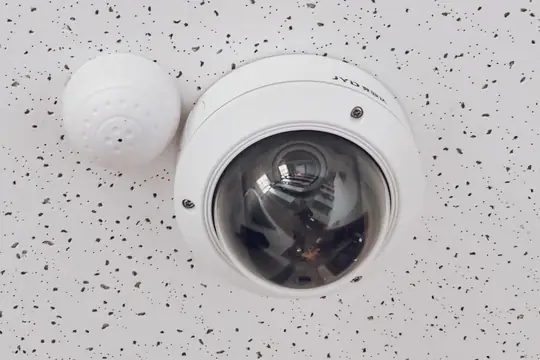

Free photos from Pexels and real screenshots of the software, with made-up data.
Alarm system maintenance: the contract and the check a year later
The maintenance contract is one of the things installers themselves search for most. It’s also how you keep the client after handover.
What to put in an alarm maintenance contract
How many checks a year, what you check on each visit (control panel and sensor batteries, siren, communicator, camera recordings), how quickly you respond to a call and what is charged separately. You write the template once and, from the Pro plan, print it for each client with their details and their amount.
The system check as a job with its own record
Every annual check is a job with a price, a date and a payment. You create the record in advance with the follow-up date: when the time comes, the client appears among those to contact and you book the visit together.
False alarm call-outs
A sensor that goes off at night because of a spider or a curtain moved by the heating. If the call-out is covered by the contract, one line with date and cause in the record’s notes is enough; if it’s chargeable, open a short record with the call-out price.
Backup batteries and replacement sensors
Backup batteries, replaced sensors, a camera power supply: these are out-of-pocket costs of the check or call-out. The Report takes them off your takings, and at year end you know whether your maintenance price really covers the parts.
Alarm installer software: three kinds of program compared
This table sums up the pages that, on 14 September 2026, came up when searching for management software for security system installers. Many offers are built for installation firms with a stockroom or for companies with field technicians.
| Software for installation firms | Field service software | RegiaPro, business software and CRM | |
|---|---|---|---|
| Who it's for | Electrical, heating and security installation firms with an office and stockroom | Companies coordinating installers and mobile staff | Independent installers and small firms who follow the client from the first call |
| Focus | Call-outs, stock, job reports, scheduled maintenance | Job assignment and tracking of completed work | Enquiries, surveys, quotes with options, contracts, deposits, instalments, invoices |
| Price | Not stated on the page we read | Not stated on the page we read | From €19.90 a month, published |
| How to try it | Request for information | Free demo on request | 14 days, no credit card |
Useful for an alarm installer if
- after every burglary nearby lots of people call and you lose some along the way;
- you often send two or three options for the same system;
- you want to remember annual checks without a paper diary.
What’s waiting for your systems on first sign-in
- the client list with status, amount and town;
- quote templates and, from Pro, contract and invoice templates to write with your own terms;
- WhatsApp messages, the link to your phone’s calendar and your overheads.
How to start: three steps, no card needed
You sign up, try it on your real work, and only decide at the end.
-
Sign up in a minute
Your name, your business name and your email. We don’t ask for a credit card: access starts when you confirm your email.
Start the trial -
Set it up for your trade
Menus, record fields and job stages speak your language. You connect the calendar you already use.
Choose your trade here -
Try everything, then choose
Fourteen days with the Full features. At the end you choose a plan, or you stop: nothing renews on its own.
See the plans
How much RegiaPro alarm installer software costs
Prices in plain sight. For an alarm installer three plans matter, plus the trial.
Start for those fitting a few systems: €19.90 a month
Paying yearly, it’s €199. No limit on records, follow-ups and WhatsApp messages, ten quotes a month: for the installer who fits a few systems a month from referrals.
Pro for alarm systems and checks: €34.90 a month
€349 a year. Adds installation and maintenance contracts as PDFs, invoices numbered year by year and unlimited quotes for all the options you need. It suits those who fit systems and carry out checks all year round.
Studio for the security firm with e-invoicing: €59.90 a month
€599 a year. Adds the e-invoice XML to upload to the SdI, the invoice bundle for whoever does your accounts and WhatsApp support in your first steps.
The 14-day trial on your next alarm job
No credit card and with Full switched on, up to 20 records and 2 quotes. Access opens by itself as soon as you confirm your email. The table with every line of every plan is on the pricing page.
Why you can trust it: your data stays yours
What matters before you put your clients into a new program.
Your data stays in Europe
On servers in Europe. Each business sees only its own data: the database itself enforces the separation.
If you stop, your data stays yours
The account goes read-only and nothing is deleted unless you ask. We send you a copy in a readable format.
Prices written up front
A public price list, the same for every trade: you can read it on the pricing page before you sign up.
You talk to a person
Born in a studio in Tuscany, not in an office. Write to info@regiapro.it or use the contact page.
Alarm installers’ FAQ about RegiaPro
How do I prepare two quotes, with and without cameras?
Put the amount for the first option on the record and prepare the quote; then change the amount and prepare a second one. Each has its own number and stays archived as it was. When the client chooses, you leave the amount of the accepted option on the record.
Where do I write the make and model of the components?
In the quote note: control panel, sensors, siren, cameras and recorder, with make and model if needed. The note is printed in the PDF under the amount, and you can carry the same list into the contract, where the template takes it in among your terms.
Can I keep the declaration of conformity and the manual on the record?
Yes. On the saved record you upload the PDFs, photos and Word documents you hand over with the system, up to 15 MB each. Years later, when the client calls for a check or an extension, you have them all in one place.
How do I remember the annual check?
At handover you create the check record, set to negotiating, with a follow-up date a year later. On that day the name appears on the Dashboard among the people to contact, and the message to book the visit is already written.
The client wants an invoice for the tax deduction: what do I enter?
In the “Who you invoice” box you enter the name, address and tax code of the person paying. From the Pro plan, the invoice starts from those details for the full amount. The client checks how to pay to qualify for the relief with their adviser.
How do I log the deposit and balance for a system?
On signing you log the deposit: how much, when and how it was paid. The balance in one or more instalments, each marked when it arrives. The record shows you what’s left, and the jobs list shows which systems are already paid in full.
Can I see how much I spent on materials for each system?
Yes: you note materials as an out-of-pocket cost on the job, with a couple of words to remember what it was. Together with the cost of the electrician or colleague who helps you, the Report takes it off your takings and shows what you kept from each job and each month.
Can I use it during the installation too?
It opens in your phone’s browser, with no app to install: you check the survey list, upload a photo of the fitted control panel, message the client. The quote for the next job you prepare in the evening on the computer, on the same record.
Written on 14 September 2026. Before publishing, every feature mentioned was checked in RegiaPro; the Ferris, the house and all the figures are an invented example, while the comparison comes from public pages read on that date. If a line doesn’t match what you find in your RegiaPro, let us know at info@regiapro.it.
Try RegiaPro on your next alarm system survey
Enter the next client who calls you after a burglary nearby and follow them through to the check a year later: you’ll soon see whether follow-ups and options help you close more jobs. For fourteen days you have Full switched on, then you choose your plan.
Related trades: electrician software, air conditioning software, solar installer software. The pages for the other trades start from the who it’s for page.