Electrician software and CRM
RegiaPro is business software for electricians who do domestic installations and call-outs: quotes, contracts and invoices on one side, and a CRM for phone calls, clients and follow-ups. Below, the trade is already set to electrician: you just decide what to switch on.


Built for more than 50 trades: this one is already set up for yours

Site visit booked
mileage and tolls already worked out
Today in RegiaPro
Example with made-up data
14
Enquiries
+4 this month
6
Site visits
this week
5
Quotes accepted
+2 this month
Site visit booked for Thursday at 9:30
5 min ago
Quote sent for the bathroom
yesterday
Deposit received
yesterday
- Free for 14 days, no card needed
- Works in the browser, on your phone too
- Calendar synced with Google and iCloud
- WhatsApp messages already written
- Invoices from your Fatture in Cloud, from the Pro plan
- Public prices, the same for everyone
Type of work
What do you do? If you can’t find yours, the last option is just fine.
What do you need? The basics for electrician software and CRM are switched on. Turn on what you really need: we pick the plan from here.
Your RegiaPro is ready.
Tap a plan: below you see what is inside.
There is only one price list. Photo galleries come with every plan: if you don't deliver photos you simply don't open them, and the price stays the same. Compare all the plans
What you get with
The menu
An enquiry record
The fields of your trade are highlighted
The stages of the job
Where every job stands, at a glance
Electrician software earns its keep when the phone rings while your hands are in the consumer unit: who called, about which fault, what price you gave them, whether the call-out has been paid. You open RegiaPro on your phone sitting in the van, and it starts at €19.90 a month.
What you’ll find inside RegiaPro: from site visit to invoice
One program for enquiries, quotes, jobs and payments. Tap a card to see how it works.
-
One record per client
Calls, quotes, contracts and payments in date order: when they call back six months later, you know at once where you left off.
The Lead module -
Who to call back today
Every morning, the list of people to get back to, with the WhatsApp message already written. It goes from your own number, when you decide.
Follow-ups and messages -
Quotes from your own template
The PDF with your logo, sent as a link: you know when it was opened. If there is no reply, the program brings it back to you after 3, 7, 14 and 30 days.
The quote -
The contract without retyping
It comes from the accepted quote, with the details already in, and comes out as a PDF ready to sign. From the Pro plan.
Which plans include it -
The site visit
It is a stage of the job, with its own date; the travel cost is worked out on the real route.
The costs of each job -
Maintenance contracts
The draft invoice for each period gets ready on its own. From the Pro plan.
Fees and renewals -
Deposit, balance and invoice
Deposit and balance are recorded separately, each with its own date. The invoice comes out of the record with numbering that carries on by itself: from the Pro plan, with the XML file from the Studio plan.
The plans compared -
The calendar you already have
Appointments and jobs in your phone’s calendar: RegiaPro connects to Google Calendar and iCloud.
The connected calendar -
What is really left
A job’s costs come off that job, the business costs off the year: in December you know what is left, not just what came in.
The figures of each job -
From your phone, on site
It works in your phone’s browser: open the client’s record and attach photos and documents, up to 15 MB each.
How it works
RegiaPro up close: the real screens
This is what the program looks like inside. Sample data: the clients, the jobs and the amounts are made up.




Electrician software: new installations, faults and small jobs
RegiaPro suits the self-employed electrician, perhaps with an apprentice, who takes calls on their own mobile and whose clients are families, shops and small blocks of flats. Their week alternates between four kinds of work.
Rewiring flats
A flat bought to renovate: chasing, new circuits, consumer unit, light points. Weeks of work and payments in several stages.
Tripping RCDs and burnt-out sockets: same-day faults
The RCD that keeps tripping, a burnt-out socket, a shop in the dark at eight in the morning. A few minutes on the phone to decide whether and when you’ll call round.
EV chargers and video door entry
One- or two-day jobs that start with a site visit and a quote to send quickly, before the client asks someone else.
Distribution boards and emergency lighting for shops and offices
Bringing installations up to standard, boards to replace, emergency lighting: documents to hand over and an owner who wants everything in writing.
The time an electrician gets back
You don’t need help with the cables. The time goes elsewhere: numbers jotted on your palm, quotes left in draft, bank transfers to track down on your statement, certificates of compliance asked for again two years later. With RegiaPro the business software handles documents and payments, the CRM handles people and follow-ups, and everything sits on the client record.
Where an electrician starts on day one
On day one you enter only your open jobs: installations under way with the deposit taken and quotes waiting for a reply. From the next day you open a record for every new call, even the five-minute one.

Managing jobs in the CRM: from the call to getting paid
In RegiaPro’s CRM every job is a record with a name, a phone number and a status. The table compares the six moments when an electrician loses track with what you find in the software.
| The moment | How it usually goes | With RegiaPro |
|---|---|---|
| The call while you’re working | The number sits among the missed calls with ten others | Record opened from your phone with name, town and how they found you |
| The site visit | Measurements and photos scattered around your phone’s gallery | Notes and photos attached to that client’s record |
| The quote sent | Nobody replies and you forget about it | The client reappears among those to call back after 3, 7, 14 and 30 days |
| The job date | Written in the paper diary left in the van | Job confirmed with day and time, on Google Calendar or iCloud too |
| The payment | “I’ll do the bank transfer this week” | Deposit and instalments with date and method, and the amount still to collect in view |
| The paperwork to find | The certificate of compliance asked for two years later | PDF attached to the record, found by searching name or phone |
Electrician software at work: a day hour by hour
Not a single installation, but an ordinary Tuesday with three different clients on the go at once. We made up the people, times and amounts.
-
7:40, the RCD at Marta’s bar
Marta opens the bar at seven and the RCD won’t stay up. While you drink your coffee you open her record: name, phone, town, “client of a client” as the source. You set the job to “Confirmed” for today from 11 to 12. RegiaPro also uses the town to work out what it costs you to get there: 14 kilometres, diesel and travel time there and back, if you’ve connected your Google Maps key.
The figures of each job -
9:15, Andrea and Sofia’s new consumer unit
You’re in the flat you’ve been rewiring for three weeks, with the contract signed and a €2,000 deposit already logged. You finish the new consumer unit and photograph it. Andrea messages to say he’s made the bank transfer for the second instalment, €1,500: from his record you log it with today’s date, and below you read the €2,300 left of the €5,800 total. You attach the photo of the consumer unit straight away.
The contract, from the Pro plan -
11:05, the junction box with water ingress
At the bar you find water has got into an outdoor junction box. You replace the box and the RCD, and tell Marta €190 for call-out, materials and labour. She pays by card: on the record you enter the amount, mark it as paid by card, and under out-of-pocket costs you note the RCD you bought, €38.
The figures of each job -
14:30, the site visit for the EV charger
Roberto wants an EV charger in the garage of his detached house. You measure 22 metres from the meter to the garage, check the supply capacity and photograph the house’s consumer unit. In the notes of the new record you write measurements and doubts, and attach the photos. Status: new.
The contract, from the Pro plan -
18:20, the wallbox quote before dinner
On Roberto’s record you enter €1,650 and generate the PDF quote, with a list in the note: 7.4 kW wallbox, dedicated circuit, protection in the consumer unit, trunking installation and testing. You send it by email without closing the record, which moves to quote sent.
The quote from your template -
18:45, the follow-up with the optician about the window lights
On the home page there’s a name: the optician in town, to whom you sent the quote for the shop window lights a week ago. You open WhatsApp from that record with one of your templates, add “I can come by on Saturday morning”, and send it from your phone.
Follow-ups and messages -
Friday, Roberto confirms the EV charger
Three days later Roberto accepts. You prepare the contract from the Pro plan, log the €500 deposit that arrived by bank transfer and book the installation for Tuesday 13 October from 8 to 17: the confirmed job goes on your phone’s calendar too.
The contract, from the Pro plan
The electrician’s day in a table (example with invented data)
| Time | Where you are | What you touch in RegiaPro |
|---|---|---|
| 7:40 | At home, on the phone | Bar record, job confirmed for 11, travel cost |
| 9:15 | On Andrea and Sofia’s job | Second instalment of €1,500, consumer unit photo attached |
| 11:05 | At the bar | €190 paid by card, RCD under out-of-pocket costs |
| 14:30 | In Roberto’s garage | New record with site visit notes and photos |
| 18:20 | At the office | €1,650 quote sent by email |
| 18:45 | At the office | Follow-up with the optician using a WhatsApp template |
| Friday | On the phone | Contract, €500 deposit, installation on the calendar |
Electrician quotes: the figure, the details and the versions
People who ask an electrician for a quote often ask someone else too, and whoever sends a clear one quickly wins. In RegiaPro you prepare it from the client record in a few minutes.
The installation price front and centre
You write the amount you’ve decided on the record and it stands out on the PDF, under your firm’s letterhead and the client’s name. If you charge VAT, the total stays what you said and RegiaPro works out the net amount.
Light points, sockets and consumer unit in the note
In the quote note you write what’s included: number of light points and sockets, new circuits, brand of switches and sockets, consumer unit with its RCDs, disposal of the old installation. The note is printed on the document, below the figure.
Cheaper switches or one room fewer
Switches from another range or a room left as it is: you change the amount on the record and generate the new document from the same record, with its own number. The previous version stays saved exactly as it was.
If the installation client goes quiet
Once the quote is sent, RegiaPro counts the days. When it’s time to call back, the client appears on the home page with the button for the ready-made message. If instead they reply and you’re talking it over, you set them to negotiating and choose the date to get back in touch.

Bringing an electrical installation up to standard: the contract before you start
Rewiring an occupied home or an open shop means days without power, dust and materials chosen by the client. From the Pro plan the contract is created from your template, and RegiaPro fills in the job details.
Circuits, consumer unit and earthing included
In the template you describe the standard job yourself: circuits to redo, new consumer unit, earthing system, final tests and certificate of compliance once the work is finished.
Switches and faceplates chosen by the client
Switches, faceplates and designer lights: write who buys them and what happens if they arrive late.
The hours without power
For a shop it matters to know when the power goes off. The job’s date and time come from the record; in the text you add your own rules.
Deposit and balance for the upgrade
RegiaPro takes the three figures on the document, total, deposit and balance, from the record: they’re the same ones you’ll log when the client pays.
The company paying for the shop upgrade
If a company pays, you link it to the record as the billing party with VAT number and recipient code: the contract and then the invoice take those details, while you keep talking to the owner. Once printed, you sign the contract together; then the copy stays on the record.
Want to see it with your own work?
Fourteen days with the Full plan features, no card needed. Then you decide.





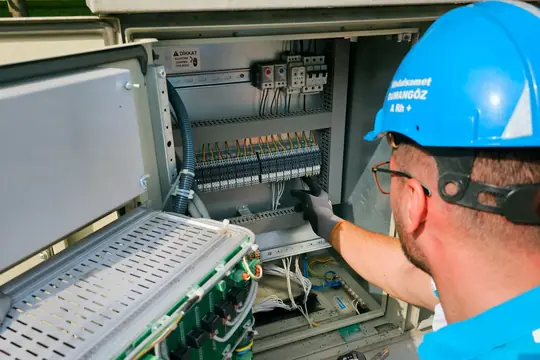



Free photos from Pexels and real screenshots of the software, with made-up data.
Electrical certificate of compliance and invoice: closing the job
The installation works, but the job is really closed when the paperwork and the money are in order. Here’s what stays on the record.
The DiCo always to hand on your phone
You attach the signed certificate of compliance (DiCo), with diagrams and photos of the finished consumer unit, to the record as a PDF or photo, up to 15 MB per file. When the client sells the house or the notary asks for it, you find it by searching their name.
Installations paid in stages, faults paid on the spot
For long installations the deposit is logged with date and method, and the balance is split into instalments. For a fault paid on the spot, just mark the amount as received.
The invoice for the electrical job
With the Pro plan you prepare it from the job record: the year’s sequential number, the payer’s details, a PDF with your logo. With the Studio plan you also get the XML for the SdI and the year’s invoices ready for your accountant.
Helper, RCDs and travel: costs and margin
On the record you log the helper you brought in for that job with their cost and the materials bought specially; RegiaPro adds what you spent on travel. In the Report those costs are taken off what you received, month by month, and alongside you see which channels bring you the clients who pay.

RegiaPro screenshot with sample data. This is where the whole year’s expenses go, such as the van and tools; the RCD bought for a client goes on their record.
Electrician software: business management suite, job app or business software and CRM?
Searching for “electrician software” in Italian on 14 September 2026, the first page of Google Italy showed ten results: vendors of management software for installation firms, comparison articles, a program sold on Amazon and a list of software. Of the three pages we read in full none gave a price, and two offered a free trial.
| Management software for installation firms | Job reports and field service app | RegiaPro, business software and CRM | |
|---|---|---|---|
| Designed for | Companies with a warehouse and several crews | Service firms with field engineers | Self-employed electricians working for households and shops |
| Focuses on | Jobs, supplier price lists, stock, accounts | Tickets, job reports signed in the app, scheduled maintenance | Calls, quotes, contracts, deposits, invoices, clients to call back |
| Price | Usually on request | Usually after the trial | From €19.90 a month, published |
| To try it | Demo with a consultant | Time-limited free trial | 14 days with Full switched on, no card |
The electrician who should try it
- you’re the one who answers the phone and writes the quotes;
- you need to remember who to call back and who still has to pay;
- you’d rather know the price before talking to a salesperson.
The features an electrician uses most
- one record per client with notes, photos and attached certificates;
- numbered PDF quotes, contracts and invoices from the Pro plan;
- deposits and instalments, calendar on your phone, WhatsApp messages and the cost of every call-out.
How to start: three steps, no card needed
You sign up, try it on your real work, and only decide at the end.
-
Sign up in a minute
Your name, your business name and your email. We don’t ask for a credit card: access starts when you confirm your email.
Start the trial -
Set it up for your trade
Menus, record fields and job stages speak your language. You connect the calendar you already use.
Choose your trade here -
Try everything, then choose
Fourteen days with the Full features. At the end you choose a plan, or you stop: nothing renews on its own.
See the plans
Electrician software: how much RegiaPro costs
Four public prices and a two-week trial. For an electrician the plan that matters most is Pro.
| Plan | Per month | Paying annually | What it adds for an electrician |
|---|---|---|---|
| Start | €19.90 | €199 | Unlimited clients, follow-ups, WhatsApp templates, ten quotes a month |
| Pro | €34.90 | €349 | Contracts and invoices, unlimited quotes for those on call-outs every day |
| Full | €44.90 | €449 | Everything in Pro, with more space for photos and video to deliver |
| Studio | €59.90 | €599 | XML invoice files and the year’s figures for your accountant |
Two weeks’ trial on real calls
Fourteen days with the complete Full plan, no credit card. You leave your email and access opens by itself as soon as you confirm it. When the fourteen days are up you choose a plan, or you stop there.
Why you can trust it: your data stays yours
What matters before you put your clients into a new program.
Your data stays in Europe
On servers in Europe. Each business sees only its own data: the database itself enforces the separation.
If you stop, your data stays yours
The account goes read-only and nothing is deleted unless you ask. We send you a copy in a readable format.
Prices written up front
A public price list, the same for every trade: you can read it on the pricing page before you sign up.
You talk to a person
Born in a studio in Tuscany, not in an office. Write to info@regiapro.it or use the contact page.
Electricians’ questions about the business software and CRM
How do I log a fault call-out paid on the spot?
You create the client record, enter the agreed figure and mark it as received, choosing cash, card or bank transfer. If you’ve entered the town, the record also shows what it cost you to get there. From the Pro plan you prepare the invoice from the same record.
Where do I keep certificates of compliance?
You attach them to the client record, as a PDF or photo, together with the diagrams and images of the consumer unit. Each file can be up to 15 MB. Years later you find them by searching for the client by name or phone number, without rummaging through folders.
How do I write the quote for a whole installation?
Put the total on the record and use the quote note for the list of work: light points, sockets, circuits, consumer unit, materials. The PDF shows the figure prominently with the note printed below. For a cheaper version you generate another numbered quote.
I work with an on-call helper: can I see what they cost me?
Yes. On each record you write the helper’s name and what you paid them, plus the materials bought for that client. So on the same record you have the takings and costs of that job; the Report takes helpers, materials and travel off your takings and shows you each month’s margin.
Can I have an installation paid in three stages?
Of course. You log the deposit on signing and split the balance into instalments, each with a date and payment method. Every time a transfer comes in you log it, and the record updates the amount outstanding by itself.
Do I see booked jobs on my phone’s calendar?
If you connect Google Calendar or iCloud, yes: confirmed jobs arrive there with day and time. A change made from your phone goes back to the record within a few minutes, and an appointment entered only on your phone is suggested in RegiaPro so you can decide whether it’s a job.
Do I have to install any software?
No. RegiaPro runs in the browser, on the office computer or on your mobile in the van, with the same data. To sign in you need your password and a six-digit code, so nobody else can open your clients’ records.
Which channels do my clients come from?
On each record you enter the source: word of mouth, website, Google, a building manager. The Report splits jobs and takings by source, so you know where it’s worth making yourself known.
Last reviewed: 14 September 2026. We tested the features mentioned in the software, one by one; the day is an example with invented people and figures, and the comparison draws on public pages read on the same date. If something doesn’t match what you find in RegiaPro, let us know at info@regiapro.it and we’ll correct the page.
Try the electrician software on your next call
Next time the phone rings for a fault or a quote, open a record and take it through to payment. In two weeks with Full switched on you’ll see whether RegiaPro wastes less of your time; then you choose the plan.
Pages for related trades: plumber software, HVAC software, solar installer software, software for building firms. All the others are on the trades page.