Construction company software and CRM
RegiaPro is software for construction companies renovating homes, bathrooms and shops: site visits, quotes, building contracts and payments on one side, the client CRM on the other. In the steps below the construction company is already selected; you choose the features you’ll use.


Built for more than 50 trades: this one is already set up for yours

Site visit booked
mileage and tolls already worked out
Today in RegiaPro
Example with made-up data
14
Enquiries
+4 this month
6
Site visits
this week
5
Quotes accepted
+2 this month
Site visit booked for Thursday at 9:30
5 min ago
Quote sent for the bathroom
yesterday
Deposit received
yesterday
- Free for 14 days, no card needed
- Works in the browser, on your phone too
- Calendar synced with Google and iCloud
- WhatsApp messages already written
- Invoices from your Fatture in Cloud, from the Pro plan
- Public prices, the same for everyone
Type of work
What do you do? If you can’t find yours, the last option is just fine.
What do you need? The basics for Construction company software and CRM are switched on. Switch on what you really need: we’ll pick the plan from here.
Your RegiaPro is ready.
Tap a plan: below you see what is inside.
There is only one price list. Photo galleries come with every plan: if you don't deliver photos you simply don't open them, and the price stays the same. Compare all the plans
What you get with
The menu
An enquiry record
The fields of your trade are highlighted
The stages of the job
Where every job stands, at a glance
Construction company software holds together what gets scattered on site: who asked for the site visit, which version of the quote they signed, how much they’ve already paid and when work starts. With RegiaPro you keep it open on your phone even up on the scaffolding, and it costs from €19.90 a month.

What you’ll find inside RegiaPro: from site visit to invoice
One program for enquiries, quotes, jobs and payments. Tap a card to see how it works.
-
One record per client
Calls, quotes, contracts and payments in date order: when they call back six months later, you know at once where you left off.
The Lead module -
Who to call back today
Every morning, the list of people to get back to, with the WhatsApp message already written. It goes from your own number, when you decide.
Follow-ups and messages -
Quotes from your own template
The PDF with your logo, sent as a link: you know when it was opened. If there is no reply, the program brings it back to you after 3, 7, 14 and 30 days.
The quote -
The contract without retyping
It comes from the accepted quote, with the details already in, and comes out as a PDF ready to sign. From the Pro plan.
Which plans include it -
The site visit
It is a stage of the job, with its own date; the travel cost is worked out on the real route.
The costs of each job -
Maintenance contracts
The draft invoice for each period gets ready on its own. From the Pro plan.
Fees and renewals -
Deposit, balance and invoice
Deposit and balance are recorded separately, each with its own date. The invoice comes out of the record with numbering that carries on by itself: from the Pro plan, with the XML file from the Studio plan.
The plans compared -
The calendar you already have
Appointments and jobs in your phone’s calendar: RegiaPro connects to Google Calendar and iCloud.
The connected calendar -
What is really left
A job’s costs come off that job, the business costs off the year: in December you know what is left, not just what came in.
The figures of each job -
From your phone, on site
It works in your phone’s browser: open the client’s record and attach photos and documents, up to 15 MB each.
How it works
RegiaPro up close: the real screens
This is what the program looks like inside. Sample data: the clients, the jobs and the amounts are made up.




Construction company software: the renovations it handles best
RegiaPro works well for firms where the owner still does the site visits in person, with a small team and tradespeople brought in depending on the job. The client is almost always a family, a block of flats or a shop.
Bathroom and kitchen refits in three weeks on site
Jobs of three or four weeks, with tile and bathroom fitting choices that change the price until the last minute, and a plumber to coordinate.
The whole flat, from wiring and plumbing to floors
Wiring and plumbing, screeds, floors and doors: two or three months’ work, a sizeable deposit and payments spread along the way.
Roofs, façades and terraces on blocks of flats
The client is often a property manager: the person who calls you and the one who pays are different people, and the timing depends on a residents’ meeting.
Shops and offices to renovate before opening
An opening date to meet and an owner who wants to know every week where you’re up to.
Where software helps a construction company
You know walls, services and your team better than any program. What slips through is everything around it: calls to return, quote versions, promises made to the client, bank transfers received or not. RegiaPro keeps the management side (documents and payments) and the CRM side (people, enquiries, follow-ups) in the same record.
Day one: the sites already open
Start with the sites already open: one record for each, with the start date, the agreed amount and the deposit received. Within an hour you can see the coming months’ start dates on the calendar and, job by job, how much is still to come in.

Construction CRM: clients, site visits and follow-ups in one place
In RegiaPro’s CRM every client has their own record, from the first phone call to the last bank transfer. Here are six typical situations for a construction company and what you find in their place.
The number written on the plasterboard
A woman stops you while you’re unloading the van and asks for a price for her bathroom: the number ends up on a scrap of plasterboard or in the bricklayer’s phone.
In RegiaPro you open the record in a minute, with name, phone and where they came from: word of mouth, website, site board.
The flat’s site visit, told from memory
Measurements, walls to knock down, the meter to move: after a week and three flats seen, the details get mixed up.
In RegiaPro notes, room photos and the floor plan as a PDF stay attached to that home’s record.
The renovation quote nobody follows up
Once the quote is sent, the client disappears: they’re comparing two other firms or waiting for their Christmas bonus.
In RegiaPro that name reappears on the home page 3, 7, 14 and 30 days after you sent it, without you having to remember.
The residents’ rep calls, the building pays
In a block of flats the residents’ representative calls, but the invoice must be made out to the building with the management company’s tax code.
In RegiaPro you link who pays to the record, and their details go into the quote, contract and invoice.
The second site instalment “paid yesterday”
Halfway through the job nobody remembers whether the second instalment arrived or was only promised.
In RegiaPro every payment is recorded on the site record, with date and method, and right below you can read how much is left.
The site’s profit, discovered once the job is done
Only at the end of the year do you realise your biggest site left you with less than two well-done bathrooms.
In RegiaPro each record keeps the outside tradesperson, the out-of-pocket costs and the travel cost next to the amount, and the Report deducts them from your takings month by month.

Turnkey renovation: a site followed week by week
Here is a flat refurbished from start to finish, told through the weeks on the calendar. Names, amounts and dates are a made-up example: they show how the record moves, not a real firm’s prices.
-
Week 1: Giulia calls about the 1970s flat
On Monday 26 January Giulia calls: she’s bought a 78 m² flat from the 1970s and wants to redo the bathroom, kitchen, wiring and plumbing and floors before moving in in June. She found you through the plumber you often work with. You open the record with name and phone, enter “word of mouth” as the source and book the site visit for Tuesday 3 February.
Follow-ups and messages -
Week 2: site visit between the fuse box and the drains
In the flat you photograph the fuse box, the bathroom drains and the floor to be taken up. In the evening, on the record, you write in the notes the room measurements, the wall between kitchen and living room to open up, the boiler to move onto the balcony; you attach the photos and the floor plan Giulia sent you as a PDF. When you enter the site’s town, RegiaPro also works out the round-trip kilometres from your base, the diesel, any motorway tolls and the travel time: over three months of back and forth it’s a figure worth seeing before you settle the price (you need your own Google Maps key).
Try it for 14 days -
Weeks 3-5: the €41,800 quote and the one without doors
On Friday 13 February you enter the amount on the record, €41,800, and generate the quote document, headed with your company’s details. The figure sits on one line; you list the works in the note, which is printed on the document: demolition and disposal, new electrical wiring, plumbing for bathroom and kitchen, screeds, porcelain stoneware, six internal doors, final painting. You email it from the record. On 23 February Giulia asks to take out the doors, which she’ll buy herself: the amount drops to €38,900 and that record produces another quote, numbered after the first, which stays archived with the previous figure.
The quote from your template -
Week 5: Giulia doesn’t reply and the follow-up arrives
After sending it, no reply. On the morning of 26 February, three days later, Giulia’s record appears on the home page among the clients to get back to. From the record you open WhatsApp with one of your ready-made texts, add “if you like I can come by and go over the kitchen with you” and send it from your number.
Follow-ups and messages -
Week 7: building contract signed and €11,600 deposit
On 9 March Giulia accepts. The contract (Pro plan) is created from the record using your template, and the payer’s name and tax code, site town, start date, total, deposit and balance go in by themselves. You print it and both sign it on site. The next day the €11,600 bank transfer arrives: you record it as the deposit, set the job to “Confirmed” and choose the record’s date, Monday 6 April, the start of work. With Google Calendar or iCloud connected, the start also shows on your phone’s calendar.
The contract, from the Pro plan -
Week 10: sanitaryware and tiles to order
In the record’s important note you’d written “confirm sanitaryware and tiles with Giulia and order them”. A week before the start, on 30 March, that line is waiting for you as a reminder among the morning’s tasks.
Try it for 14 days -
Weeks 11-19: services finished and second instalment
On 4 May, with the wiring and plumbing done, Giulia pays an instalment of €13,000: you record it on the record as part of the balance, with date and method. On the same record you enter the plumber who worked with you and what they cost, €3,400, and among the out-of-pocket costs the materials bought for that site, €10,950, with a note to remind you what they were: stoneware, screeds, skip for the rubble.
Invoices and payments in the plans -
Week 20: handing over the keys and Giulia’s balance
On 12 June you hand back the keys. Giulia pays the last €14,300 and the record shows nothing left to collect. Next to the €38,900 received, the record keeps the plumber’s €3,400, the €10,950 of materials and the travel cost; the Report deducts them from your takings together with those of your other sites and gives you the company’s margin before wages and tax.
Invoices and payments in the plans
Giulia’s site in a table (example with made-up data)
| When | On site | On the RegiaPro record |
|---|---|---|
| 26 January | Phone call about the flat | New record, word-of-mouth source |
| 3 February | Site visit | Notes, photos, floor plan as PDF, travel cost |
| 13 and 23 February | First quote, then a version without doors | Two numbered quotes, the second for €38,900 |
| 26 February | No reply | Appears among the clients to get back to, WhatsApp message |
| 9-10 March | Signature and €11,600 bank transfer | Building contract as PDF, deposit, job confirmed |
| 30 March | Materials to order | Reminder from the important note |
| 4 May | Second instalment of €13,000 | Instalment recorded, plumber and materials costs |
| 12 June | Handing over the keys | €14,300 balance, site costs on the record |
Home renovation quotes: how to write them and follow them up
For renovation firms, the quote is where the job is won or lost. RegiaPro helps you prepare it quickly, keep its versions and not let it fall through the cracks.
The renovation total and the list of works
On the record you enter the overall amount you’ve decided on. You write the items in the quote note, as a list that even a client who has never been through a building job can read: demolition, services, screeds, tiling, finishes, disposal. The client sees the figure clearly and, below it, what it includes.
The quote PDF with your company logo
It comes out as a PDF with your company logo, your details and the client’s, with a sequential number and the validity period you choose. You email it without leaving the record, and the status changes to quote sent by itself.
When the client changes the floor or drops a bathroom
A different floor or one bathroom fewer: you update the figure and generate another version, which takes the next number. The old one isn’t overwritten, so you can always tell which figure went with which choice.
Following up the client at the right moment
After sending, RegiaPro brings that client back to you at 3, 7, 14 and 30 days. When they reply and talks begin, you move the record to “Negotiating” and decide the next contact yourself, with a date.
Building contracts for private works: what to put in the template
On private jobs the building contract protects both firm and client from disputes over variations, timings and payments. In RegiaPro you write the text just once, from the Pro plan; the record fills in each site’s details.
Client, company and site address
Who pays, with name, address and tax details, and the town where the site opens. If the client is a block of flats, the management company’s details.
The works included in the contract
In your template you describe what the contract includes and what stays with the client, for example sanitaryware, doors or appliances they choose themselves.
Start date and variations during the works
The start date comes from the record. In the text you set how variations are agreed, for example in writing and with the new price before they’re carried out.
Site payment instalments
Total, deposit and balance drop into place; below them you add the instalments agreed verbally and the company’s IBAN, which RegiaPro takes from your details.
Signing the building contract on the kitchen table
The PDF is printed and signed by hand, in the office or on the table of the kitchen you’re about to redo. The copy stays on the record together with quotes, photos and floor plans.
Want to see it with your own work?
Fourteen days with the Full plan features, no card needed. Then you decide.








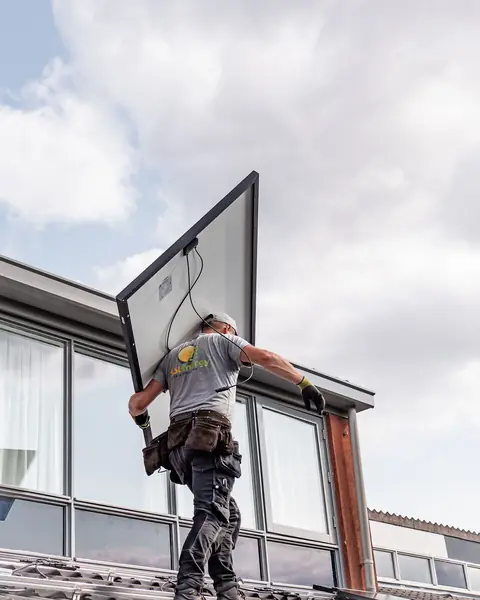
Free photos from Pexels and real screenshots of the software, with made-up data.
Deposits on building work: instalments, invoices and site costs
In a renovation the money comes in instalments and the spending starts first. RegiaPro keeps both sides on the job record.
The deposit before the site opens
You record it with amount, date and method, bank transfer or cheque. From then on, under the site amount, you see the figure the client still has to pay, and the home page adds up those of all your jobs.
Instalments when services are done and floors are laid
The balance can be split into as many instalments as you like, each with its own date: when the wiring and plumbing are done, when the floors are laid, when the keys are handed over.
The construction company’s invoices
With the Pro plan the invoice starts from the job record: the payer’s details are already filled in and the number is the next one for the year, with numbering that starts again from 1 in January. On the Studio plan you also prepare the XML file to upload to the SdI (Italy’s e-invoicing system), and at year end the invoice package to give your accountant.
Subcontractors, materials and company overheads
On the record you enter the tradesperson who worked with you and what you paid them, plus the out-of-pocket costs of that job with a note. Van, equipment and insurance go on the overheads page instead, split by category. The Report brings the two together and tells you which channels bring the clients who go on to sign.

RegiaPro screen with example data: the year’s overheads. The costs of a specific site, such as rubble disposal, are entered on that job’s record.
Construction company software: site management, ERP or management software and CRM?
Anyone looking for construction company software finds programs built for different needs. On 14 September 2026 we read the first pages of Google for “construction company software” in Italian: ten results among software makers and best-program rankings, nearly all focused on bills of quantities, site accounting and job costing. On the three pages we opened there was no price list with precise figures.
| ERP and works accounting | Site management apps | RegiaPro, business software and CRM | |
|---|---|---|---|
| Who it's for | Larger firms and main contractors | Site managers and foremen | Small firms renovating for private clients and blocks of flats |
| What it covers | Bills of quantities, valuations, stock, job accounting | Site diary, photos, checklists, crews | Clients, site visits, quotes, building contracts, deposits, instalments, invoices |
| Price | Usually not published | Subscription, according to the rankings we read | From €19.90 a month, shown on the website |
| How to try it | Demo with a sales rep | Registration or demo | 14 days with the Full plan switched on |
RegiaPro suits your construction company if
- you find your own clients and deal directly with whoever pays you;
- your time slips away between phone calls, quotes to redo and bank transfers to check;
- you want a clear price before you try it.
What a construction company uses from day one
- client records with notes, photos and floor plans attached;
- numbered PDF quotes and, from Pro, building contracts and invoices;
- deposits and instalments, linked calendar, your own WhatsApp texts, travel cost.
How to start: three steps, no card needed
You sign up, try it on your real work, and only decide at the end.
-
Sign up in a minute
Your name, your business name and your email. We don’t ask for a credit card: access starts when you confirm your email.
Start the trial -
Set it up for your trade
Menus, record fields and job stages speak your language. You connect the calendar you already use.
Choose your trade here -
Try everything, then choose
Fourteen days with the Full features. At the end you choose a plan, or you stop: nothing renews on its own.
See the plans
Software for construction companies: how much RegiaPro costs
Prices shown in full. A construction company usually needs Pro or Studio; with Start you begin with quotes only.
Start for firms beginning with quotes: €19.90 a month
Or €199 a year. Unlimited client records, follow-ups at 3, 7, 14 and 30 days, ready-made WhatsApp messages and a limit of ten quotes a month.
Pro for building contracts and invoices: €34.90 a month
Or €349 a year. It switches on the building contract as a PDF, invoicing with sequential numbers and quotes with no monthly limit, for firms working on several sites a year.
Studio for firms with e-invoicing: €59.90 a month
Or €599 a year. On top you get the XML file for the SdI for every invoice and, in January, the year’s package to hand to your accountant.
Fourteen-day trial on a real site
The full Full plan, no credit card, on a real site. Leave your email, confirm it, you’re in within minutes, and at the end you decide whether and on which plan to continue.
There’s also the Full plan, €44.90 a month, for those who deliver lots of photos and video to clients. The line-by-line comparison of the five plans is on the pricing page.
Why you can trust it: your data stays yours
What matters before you put your clients into a new program.
Your data stays in Europe
On servers in Europe. Each business sees only its own data: the database itself enforces the separation.
If you stop, your data stays yours
The account goes read-only and nothing is deleted unless you ask. We send you a copy in a readable format.
Prices written up front
A public price list, the same for every trade: you can read it on the pricing page before you sign up.
You talk to a person
Born in a studio in Tuscany, not in an office. Write to info@regiapro.it or use the contact page.
Construction software: the questions firms ask
Can I list all the works in the quote?
Yes: on the record you enter the agreed total and in the quote note you list the works, from demolition to painting. The note is printed in the PDF, so the client can read what the figure covers. If something changes, you prepare a new quote and the previous one stays archived.
How do I handle a block of flats, where the person calling isn’t the one paying?
Open the record in the name of whoever contacted you, for example the residents’ representative, and link the management company as the billing party with tax code and address. Quote, contract and invoice take the payer’s details, while phone and email stay those of the person you’re talking to.
How do I record the payment instalments on a long job?
Record the deposit at the start of work with date and method, then split the balance into instalments, one per payment stage. The record shows how much you’ve received and how much is left, and RegiaPro does the same sum across all your sites together.
Can I keep floor plans and site visit photos?
Yes. On a saved record you can attach photos and documents as JPG, PNG, PDF or Word, each up to 15 MB: floor plans, before photos, the scanned signed contract. You find them by searching for the client by name or phone, even years later.
Where do I record what a site cost me?
On the record you enter the outside tradesperson with their cost and the job’s out-of-pocket costs; if you’ve entered the town, there’s the travel cost too. So the takings and costs of the same site sit together, and the Report adds them to those of your other jobs, month by month, right down to the company’s margin.
Do start dates go onto my phone’s calendar?
Yes, if you connect Google Calendar or iCloud: every job confirmed with a date goes onto your calendar with start and finish times. If you move the appointment from your phone, within a few minutes the date changes on the record too.
Which channels bring the clients who go on to sign?
On every record you enter the source: word of mouth from the plumber, site board, company website, property manager. The Report splits confirmed jobs, takings and margin by source, so you know whether the board on the scaffolding brings you more sites than your ads.
Can I use RegiaPro from the site?
Yes, it opens in the browser on your phone or tablet: on site you check the record, attach a photo or record an instalment as soon as the client confirms it. Back in the office you find everything the same on your computer.
Page updated on 14 September 2026. We checked every feature described here in the software; Giulia’s site is an example with made-up data, and the comparison summarises the public pages read that day. Something here doesn’t match what you see in RegiaPro? Write to us at info@regiapro.it and we’ll put it right.
Construction company software: try RegiaPro on your next site visit
Open a record for the next client who asks you for a site visit and take it all the way to the contract: within two weeks you’ll know whether RegiaPro keeps up with your firm’s pace. During the trial you have the full Full plan, then you choose your plan.
Other building trades with their own pages: software for painters and decorators, plumber software, electrician software, software for window and door fitters. You’ll find the other trades gathered on the professionals page.