Painter and decorator software and CRM
RegiaPro is software for painters and decorators working in occupied homes, communal stairwells and small shops: the business software keeps quotes, contracts and payments, the CRM keeps clients, managing agents and the replies you are waiting for. The painter and decorator trade is already selected below: all that is left is to say what you need.


Built for more than 50 trades: this one is already set up for yours

Site visit booked
mileage and tolls already worked out
Today in RegiaPro
Example with made-up data
14
Enquiries
+4 this month
6
Site visits
this week
5
Quotes accepted
+2 this month
Site visit booked for Thursday at 9:30
5 min ago
Quote sent for the bathroom
yesterday
Deposit received
yesterday
- Free for 14 days, no card needed
- Works in the browser, on your phone too
- Calendar synced with Google and iCloud
- WhatsApp messages already written
- Invoices from your Fatture in Cloud, from the Pro plan
- Public prices, the same for everyone
Type of work
What do you do? If you can’t find yours, the last option is just fine.
What do you need? The basics for Painter and decorator software and CRM are switched on. Switch on what you really need: we pick the plan from here.
Your RegiaPro is ready.
Tap a plan: below you see what is inside.
There is only one price list. Photo galleries come with every plan: if you don't deliver photos you simply don't open them, and the price stays the same. Compare all the plans
What you get with
The menu
An enquiry record
The fields of your trade are highlighted
The stages of the job
Where every job stands, at a glance
Painting homes means quick site visits, quotes to send in the evening and clients who decide when it suits them. With RegiaPro painter and decorator software every job has its own record with square metres, photos, the figure you quoted and the deposit taken; you open it on your phone with paint on your hands, and it costs from €19.90 a month.

What you’ll find inside RegiaPro: from site visit to invoice
One program for enquiries, quotes, jobs and payments. Tap a card to see how it works.
-
One record per client
Calls, quotes, contracts and payments in date order: when they call back six months later, you know at once where you left off.
The Lead module -
Who to call back today
Every morning, the list of people to get back to, with the WhatsApp message already written. It goes from your own number, when you decide.
Follow-ups and messages -
Quotes from your own template
The PDF with your logo, sent as a link: you know when it was opened. If there is no reply, the program brings it back to you after 3, 7, 14 and 30 days.
The quote -
The contract without retyping
It comes from the accepted quote, with the details already in, and comes out as a PDF ready to sign. From the Pro plan.
Which plans include it -
The site visit
It is a stage of the job, with its own date; the travel cost is worked out on the real route.
The costs of each job -
Maintenance contracts
The draft invoice for each period gets ready on its own. From the Pro plan.
Fees and renewals -
Deposit, balance and invoice
Deposit and balance are recorded separately, each with its own date. The invoice comes out of the record with numbering that carries on by itself: from the Pro plan, with the XML file from the Studio plan.
The plans compared -
The calendar you already have
Appointments and jobs in your phone’s calendar: RegiaPro connects to Google Calendar and iCloud.
The connected calendar -
What is really left
A job’s costs come off that job, the business costs off the year: in December you know what is left, not just what came in.
The figures of each job -
From your phone, on site
It works in your phone’s browser: open the client’s record and attach photos and documents, up to 15 MB each.
How it works
RegiaPro up close: the real screens
This is what the program looks like inside. Sample data: the clients, the jobs and the amounts are made up.




Painter and decorator software: occupied homes, stairwells and shops
RegiaPro suits the self-employed decorator, even with two regular workers, who finds clients through word of mouth and the odd advert, and still does the site visit and quote in person. The work falls into four types.
Occupied flats to repaint
Two or three days per room, furniture to cover, a family asking when they can use the kitchen again.
Homes to paint before letting
The owner who needs to let or sell: tight deadlines, quick payment, often a second property in the same year.
Stairwells and communal areas in apartment blocks
A residents’ committee member calls you, the managing agent signs, the residents’ meeting decides. Weeks of waiting and a bank transfer that arrives when the management says so.
Shops and offices painted in the evening
You work evenings or weekends, and the date is not up for discussion.
What a decorator loses between one job and the next
Rollers and filler are your trade. What gets lost is everything around it: the number of the person who asked for a quote in March, the figure quoted verbally for the stairs, the deposit taken in cash, the managing agent to call back after the meeting. RegiaPro brings together the business side, documents and money, and the CRM side, people and follow-ups, in one record per job.
The first evening, with your painting jobs already booked
On the first evening you enter the jobs already booked for the month and the quotes you are waiting to hear back on. The rest you add when the phone rings: a record opens in a minute.

From the decorator’s phone: the job CRM in your browser
RegiaPro opens in your phone’s browser, with nothing to install, and works as your client CRM while you are up on the scaffold or queuing at the paint shop. Five things you do every day.
Opening the enquiry on the landing
A lady stops you on the landing about her living room: in a minute you create the record with name, phone and where she came from, and in the evening it is there waiting.
Photographing the walls
Damp patches, cracks, blackened ceilings: you upload the photos to the record from your phone, and when you quote you know what to fill.
Checking who needs to reply to your painting quote
The home page shows you who has received a quote and should be contacted today, with the button for the WhatsApp message you wrote yourself.
Seeing this week’s homes to paint
Confirmed jobs have a day and time; if you connect Google Calendar or iCloud, you also find them in your phone’s diary.
Recording payment from the managing agent or homeowner
Cash at the end of the job or a bank transfer from the managing agent: you record amount, date and method, and the record shows what is left.

Painting an apartment block and a flat: two jobs in the same week
For a decorator, the same week in April can hold a stairwell approved by the residents’ meeting and a flat requested four days earlier. We tell them side by side, because RegiaPro follows them differently. The building, family, days and figures are our own invention.
-
The via dei Tigli stairs: the enquiry
On 9 February Bruno, a committee member of the building, calls you: the five-storey stairwell needs repainting. You open the record with his name and phone and link the apartment block as the billing party, with tax code and the management’s address: quote, contract and invoice will be in its name. On 12 February you do the site visit, photograph walls and railings and write square metres, heights and areas where the plaster needs redoing in the notes.
The quote from your template -
The via dei Tigli stairs: waiting for the meeting
On 16 February you send the quote to the managing agent: €6,800, and in the note washing the walls, filling, primer, two coats of washable emulsion, gloss for railings and handrails, floor protection. On 19 February the building’s name reappears on the home page; on the phone the managing agent explains that the residents’ meeting of 27 March will decide. You set the record to negotiating, with the follow-up on 30 March. That day the managing agent confirms: approved.
The quote from your template -
The via dei Tigli stairs: work and payments
On 1 April you prepare the contract from the Pro plan, with the management’s details and your working hours in the communal areas. The €2,040 deposit arrives by bank transfer: you confirm the job for 13 April. In the important note you wrote “put up the notice for residents and book the mobile scaffold”, and on 6 April you find it among your tasks. With the stairs finished on 17 April, the €4,760 balance arrives at the end of May, when the management releases it: you record it on the day it comes in.
Invoices and payments in the plans -
Silvia’s flat: the enquiry
On 1 April Silvia messages you on WhatsApp after seeing a friend’s stairwell: a two-bedroom flat to repaint before she moves back in. You open the record with source “word of mouth”. On 3 April you go to look: 240 square metres of walls, 70 of ceilings, two cracks in the bedroom. Notes and photos go on the record, and from the town RegiaPro also tells you what the journey costs, if you have entered your Google Maps key.
Follow-ups and messages -
Silvia’s flat: quote and confirmation
That same evening you enter €1,950 and generate the quote: in the note, square metres of walls and ceilings, filling the cracks, two coats of taupe emulsion, protection of floors and furniture. Silvia accepts on 6 April and leaves you €500 in cash: deposit recorded, job confirmed from 20 April, 8am to 5pm. The important note “buy the taupe at the paint shop” becomes a reminder for 13 April.
The quote from your template -
Silvia’s flat: work and balance
You paint from 20 to 22 April with a day labourer: on the record you enter his cost, €240, and under out-of-pocket costs paint, filler and dust sheets, €210. On 22 April Silvia pays the €1,450 balance by card: the record closes with nothing left to collect.
Invoices and payments in the plans
The stairs and the flat compared (example with invented data)
| The via dei Tigli stairs | Silvia’s flat | |
|---|---|---|
| Who calls you | Bruno, the committee member | Silvia, the owner |
| Who pays | The apartment block, linked as billing party | Silvia |
| Quote | €6,800 on 16 February | €1,950 on 3 April |
| Waiting | Follow-up, then negotiating until the meeting on 27 March | Three days |
| Contract | From the Pro plan, in the building’s name | Agreement and deposit, no written contract |
| Deposit | €2,040 by bank transfer | €500 in cash |
| Reminder | 6 April: notice for residents and mobile scaffold | 13 April: buy the paint |
| Work | 13-17 April | 20-22 April |
| Costs on the record | Travel and materials | Day labourer €240, materials €210 |
| Balance | €4,760 at the end of May, when the management pays | €1,450 by card, when the job is finished |
Painting quote: square metres, coats and filling in the note
Anyone receiving a painting quote wants to understand why two decorators ask different prices for the same house. Your quote explains it.
Price per square metre or fixed price
The price you worked out per square metre, or as a fixed price, goes on the record as the amount: it is the figure shown prominently in the PDF with your logo. If you are on Italy’s flat-rate scheme, VAT does not appear; if you charge it, RegiaPro works it out from the total you quoted.
Walls, ceilings and coats of paint in detail
In the note you list square metres of walls and ceilings, number of coats, type of paint and colour, filling, scraping off flaking areas, floor protection, moving furniture if you do it. It is printed under the figure.
Washable or breathable paint
Washable or breathable paint, ceilings included or not: each option is a separate document, with its own figure, note and number. Earlier versions stay saved.
Sending and following up the painting quote
You send the PDF with the record’s email, and the job moves automatically to quote sent. From there, if they do not reply, RegiaPro brings it back to you; if they reply and are thinking it over, you set it to negotiating and decide when to contact them again.
Painting a home with the family living in it: what to put in the contract
Painting an occupied flat means stepping into a family’s life for a few days. A clearly written contract, from the Pro plan, heads off arguments.
Who moves the furniture
State whether you clear the walls or the client must do it before you arrive, and what happens if you find the rooms still full.
Hours and rooms to clear
What hours you work, which rooms stay usable, how many days the bathroom or kitchen is needed. Start date and times come from the record.
The colour chosen by the client
The colour chosen and confirmed by the client, and what changing it after work has started involves.
Damp and plaster coming away
Stains that come back, plaster coming away under the old paint: how you deal with them and how the price is agreed.
Amounts and signing the painting contract
Total, deposit and balance are filled in by RegiaPro from the record. The contract is a PDF to print and sign with the client, then it stays attached to their record.
Want to see it with your own work?
Fourteen days with the Full plan features, no card needed. Then you decide.




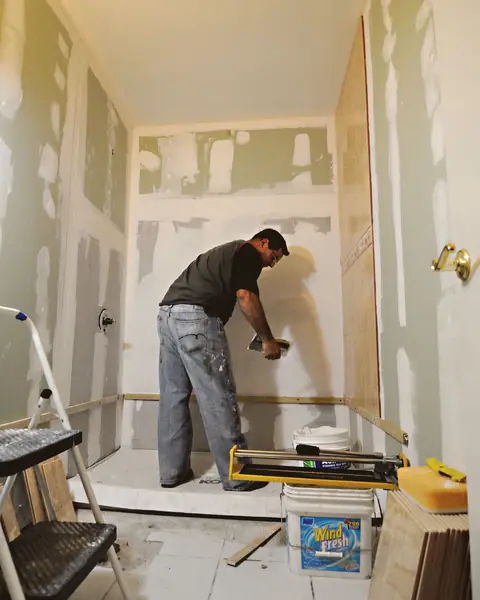




Free photos from Pexels and real screenshots of the software, with made-up data.
Painting cost per m²: a decorator’s takings, costs and margin
The price per square metre you quote has to cover paint, workers, travel and time. RegiaPro shows you whether it really does.
Paint, filler and dust sheets for each home
Paint, filler, tape and dust sheets bought for a home go on its record as out-of-pocket costs, with a note. Rollers, ladders and van go into overheads instead, by category.
The decorator’s day labourers
The worker called in for that job goes on the record with what you paid him.
The journey to the client’s front door
When you enter the job’s town, RegiaPro works out the round trip, diesel, tolls and the value of travel time using the costs you have set.
The month’s figures across apartment blocks and homeowners
In the Report, workers, materials, travel and overheads are taken off what you have collected, and you read the result month by month, as well as how much each channel your clients come from is worth. If at year end apartment blocks keep you busy but earn you little, you see it there.
Deposits, balances and invoices for painting jobs
The deposit with date and method, the balance even in instalments, the invoice from the Pro plan with a sequential number. Those who choose Studio also get the XML file for Italy’s SdI and a single yearly package to hand to their accountant.

A RegiaPro screen with test amounts: this page holds rollers, ladders, van and insurance. Paint bought for a home is entered on that job’s record.
Painting contractor: business management software, job report app or business software and CRM?
On 14 September 2026, searching for decorator software that could do quotes, the top results included field service programs with a page for painters, apps for job reports and invoicing, and renovation software with stock and bills of quantities. Of the three pages we read, two gave a price: one at €119 a year, one with a set-up fee and a six-monthly fee.
| Renovation management software | Job report and call-out app | RegiaPro, business software and CRM | |
|---|---|---|---|
| Suited to | Firms with stock, bills of quantities and several sites | Firms with workers who log hours and jobs | Decorators who deal directly with families and managing agents |
| What it handles | Price lists, bills of quantities, stock, delivery notes, invoices | Job reports, job maps, hours, invoices | Enquiries, site visits, quotes, contracts, deposits, invoices, follow-ups |
| How to get started | Set-up fee and six-monthly fee | Trial after a call, then yearly subscription | 14 days on Full, no card |
RegiaPro works for the decorator if
- you do the site visits and quotes yourself;
- you work for both homeowners and apartment blocks, where the person calling is not the one paying;
- you want to see the price before asking for a demo.
What a painting contractor finds inside
- one record per job with photos of the walls and site visit notes;
- numbered quotes, contracts and invoices from the Pro plan;
- deposits and balances, phone calendar, WhatsApp messages, travel costs.
Painter and decorator software: RegiaPro pricing and trial
The RegiaPro price list is public. If you mostly do flats and few quotes, Start at €19.90 a month (€199 a year) gives you unlimited clients, follow-ups and WhatsApp texts, with ten quotes a month. If you also work for apartment blocks and need contracts and invoices, Pro, at €34.90 a month or €349 a year, adds unlimited quotes for the busy seasons. Studio, €59.90 a month (€599 a year), also prepares the XML invoice files and gathers twelve months’ worth into a single send to your accountant; Full, €44.90 a month, gives more space for photos and videos.
The trial lasts two weeks with the whole Full plan and does not ask for a card. It opens by itself as soon as you confirm your email, usually within minutes; at the end you choose whether to carry on.
Decorators’ questions about business software and CRM
How do I quote per square metre?
You work out the price with your own square metres and write the total on the record. In the quote note you put the details: metres of walls and ceilings, coats, paint, filling, protection. The PDF shows the total with the note printed below.
For an apartment block, a committee member calls and the management pays: how do I handle it?
You open the record with the committee member’s name and phone and link the apartment block as the billing party, with tax code and the management’s address. Quote, contract and invoice carry the details of whoever pays, while the phone calls stay with the person looking after the job.
The quote is waiting for the residents’ meeting: how do I not forget it?
When the managing agent tells you the meeting date, set the job to negotiating with the follow-up date the day after. The automatic chasers stop, and that morning the building is at the top of your call list.
Can I keep before and after photos of the walls?
Yes, you attach them to the record as images or PDFs, up to 15 MB each: stains, cracks and finished walls. If the client calls you a year later about a damp patch, you open the record and have photos of how it was.
I pay a day labourer: where do I record it?
On the job record, with his name and what you paid him. In the Report that fee, the out-of-pocket costs for paint and filler and the cost of the journey are taken off your takings, and the month’s margin is the real one.
Can I use it without a computer?
Yes: RegiaPro works in your phone’s browser. You create records, upload site visit photos, email the quote and record payments without going back to the office.
Do booked jobs go into my phone’s diary?
Yes, if you connect Google Calendar or iCloud: every confirmed job arrives there with day and time. If you move an appointment on your phone, a few minutes later the date is updated on the record too.
They pay the balance in two goes: how do I record it?
After the deposit, you split the balance into instalments with their dates and record each one when it arrives. The record always tells you what is outstanding, and the home page adds up what you are waiting for across all jobs.
Updated on 14 September 2026, after checking in RegiaPro every feature it describes. The via dei Tigli stairs and Silvia’s home are examples with invented data; the software comparison draws on the public pages consulted on that date. Spotted a sentence that does not match the software? Send it to info@regiapro.it and we will review it.
Try RegiaPro on your next home to paint
At the next enquiry, whether a living room or a stairwell, open a record and follow it through to the balance. With Full switched on for fourteen days you find out whether RegiaPro keeps your jobs and payments in order; you choose the plan afterwards.
Other pages for those who work on site: construction company software, window and door installer software. On the professionals page you will find all the other trades.