Event venue software and CRM
RegiaPro is event venue software for villas and halls hired out for weddings, private parties and corporate dinners, with a CRM that follows viewings, couples and companies. “Event venues” is already selected in the steps: keep on only the parts you need.


Built for more than 50 trades: this one is already set up for yours

Saturday 13 June: already booked
you see it before you write the quote
Today in RegiaPro
Example with made-up data
18
Enquiries
+6 this month
11
Dates confirmed
+3 this month
€3,450
To be collected
2 deposits on the way
New enquiry for 13 June
2 min ago
Contract signed, deposit recorded
yesterday
WhatsApp reminder ready for tomorrow
yesterday
- Free for 14 days, no card needed
- Works in the browser, on your phone too
- Calendar synced with Google and iCloud
- WhatsApp messages already written
- Invoices from your Fatture in Cloud, from the Pro plan
- Public prices, the same for everyone
Type of work
What do you do? If you can’t find yours, the last option is just fine.
What do you need? The basics for Event venue software and CRM are already switched on. Switch on what you really need: we’ll pick the plan from here.
Your RegiaPro is ready.
Tap a plan: below you see what is inside.
There is only one price list. Photo galleries come with every plan: if you don't deliver photos you simply don't open them, and the price stays the same. Compare all the plans
What you get with
The menu
An enquiry record
The fields of your trade are highlighted
The stages of the job
Where every job stands, at a glance
A venue lives on its dates: a Saturday in September can be hired out only once, and two couples can ask for the same date in the same week. Event venue software has to tell you straight away whether the day is free, who came to see the venue, who has paid the holding deposit and how many instalments are left. RegiaPro does it with one record per booking, from the reception computer or from your phone while you show people the garden, from €19.90 a month.

What you’ll find inside RegiaPro: from enquiry to the day of the event
One program for enquiries, documents, payments and the working day. Tap a card to see how it works.
-
One record per client
Calls, quotes, contracts and payments in date order: when they call back six months later, you know at once where you left off.
The Lead module -
Who to call back today
Every morning, the list of people to get back to, with the WhatsApp message already written. It goes from your own number, when you decide.
Follow-ups and messages -
Quotes from your own template
The PDF with your logo, sent as a link: you know when it was opened. If there is no reply, the program brings it back to you after 3, 7, 14 and 30 days.
The quote -
The contract without retyping
It comes from the accepted quote, with the details already in, and comes out as a PDF ready to sign. From the Pro plan.
Which plans include it -
The day of the event
The stops of the day with checked addresses and the time to leave, worked out on the traffic expected for that day.
The working day -
Delivery galleries
Photos delivered with your own link, with a password and an expiry date: the client views and downloads.
RegiaPro Gallery -
Deposit, balance and invoice
Deposit and balance are recorded separately, each with its own date. The invoice comes out of the record with numbering that carries on by itself: from the Pro plan, with the XML file from the Studio plan.
The plans compared -
The calendar you already have
Appointments and jobs in your phone’s calendar: RegiaPro connects to Google Calendar and iCloud.
The connected calendar -
What is really left
A job’s costs come off that job, the business costs off the year: in December you know what is left, not just what came in.
The figures of each job -
From your phone, on site
It works in your phone’s browser: open the client’s record and attach photos and documents, up to 15 MB each.
How it works
RegiaPro up close: the real screens
This is what the program looks like inside. Sample data: the clients, the jobs and the amounts are made up.




Event venue software: which villas, halls and farm venues it’s made for
RegiaPro is built around the booked date and the person who books it. It works best for venues where every event has a main contact, a contract and scheduled payments.
Wedding villas and country houses
A few high-value dates a year, booked twelve or eighteen months ahead: viewings, holding deposit, instalments and a long contract to enforce.
Halls for private parties and birthdays
Lots of dates, smaller amounts, enquiries arriving on WhatsApp in the evening: you need to reply fast and know at a glance whether that Saturday is already taken.
Venues for corporate dinners and conferences
Christmas dinners, conferences, launches: the booking comes from an office, the payer is a company with a VAT number and an SDI code, and the invoice has to be right first time.
Farm stays and restaurants with a dedicated function room
The function room runs alongside the day-to-day business, and every event has its own record and its own place in the calendar.
Where a villa starts: the bookings already signed
Enter the bookings already signed for the next two years, each with date, start and end times, holding deposit received and instalments still due. The free dates panel colours itself in, and from then on you answer anyone asking about a date without flicking through a paper diary.
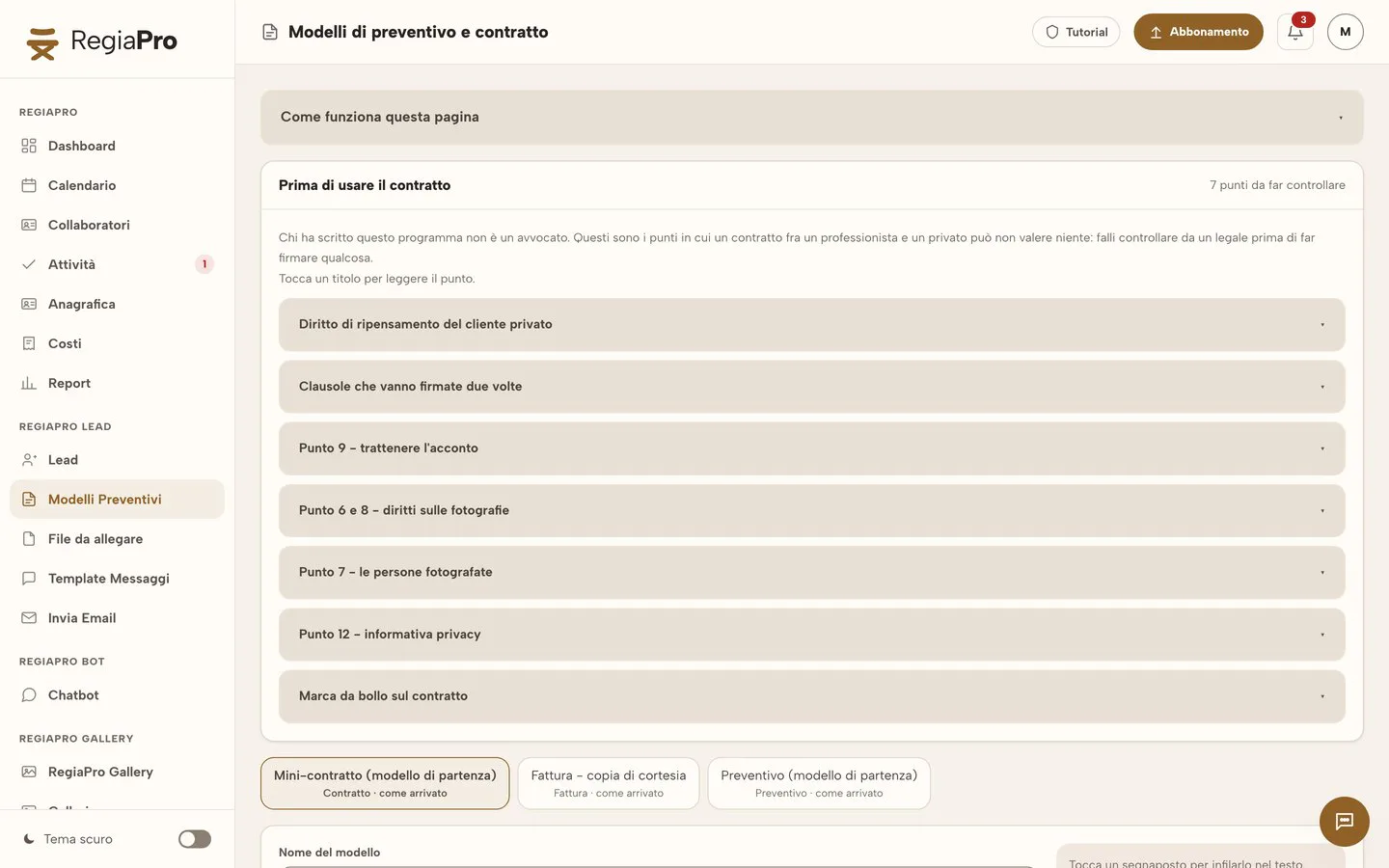
CRM for venues: from the availability enquiry to the venue viewing
A venue’s CRM works in five moments, always the same ones. RegiaPro tracks them on the record of every couple or company.
1. The question about the date
The first question is almost always “is that Saturday free?”, and it comes by phone, WhatsApp or email. The answer is in the “Free dates” panel, which you can open on your smartphone too: if the day is green, you create the couple’s record right away with date and contact details, so the enquiry doesn’t get buried among the messages.
2. The venue viewing
Once the viewing is booked, you put it in your phone’s calendar; if RegiaPro can read it, you’ll find it among your appointments. On the record you attach the floor plan of the room, the photos of the set-up the couple saw and the estimated guest list.
3. After the tour of the villa
You enter the amount, prepare the PDF quote with the venue’s logo and send it with the record’s email, which moves the record to “Quote sent” by itself. The villa brochure sits once and for all in the library of files to attach, ready for every message.
4. The couple who disappear after the viewing
If the couple go quiet, RegiaPro puts them back on the day’s list after three, seven, fourteen and thirty days. If they told you “we’ll decide after seeing the other villa”, you set the follow-up date yourself and the software keeps it.
5. Who sent the couple to your venue
Photographer, wedding planner, wedding portal, word of mouth: the source goes on the record, and at the end of the year the Report tells you which channels bring paid bookings.

The job list exactly as it is in the software, filled with fake names and figures: at the top the months of the year with how many events they hold and what they’re worth, below each record with date, place, status and payment, from “Deposit received” to “Paid in full”, and search by name or phone.

Venue booking calendar: free, booked and pending dates
For a venue, the booking calendar is the heart of the work. In RegiaPro you read the dates in three ways, and all three say the same thing.
The venue’s “Free dates” panel
At the top of the calendar, closed until you open it: Fridays, Saturdays and Sundays week by week, free in green and booked in red. You choose whether to look at the coming months, the current year or one of the next two; every red day opens and takes you to the record holding it.
When a Saturday at the villa becomes booked
As soon as there’s a record with that date, even if it’s only in negotiation or the quote has been sent. It becomes free again when the record moves to “Lost”, which you set, or to “No reply”, which RegiaPro sets by itself when the chasers are finished or the date has passed without confirmation. So every red day matches a specific record, with a name and a phone number to call.
Lunch and dinner in the same room, on the same day
Two events on the same date are two records with different times, for example a First Communion at 12:30 and a corporate dinner at 20:00. In the calendar they appear one below the other.
Room bookings in your phone’s calendar
Every confirmed booking lands in your Google or iCloud calendar at the right time; if RegiaPro can read that calendar and you move the event, a few minutes later the date on the record changes too. Closure days or garden maintenance days you mark on your phone and sort into RegiaPro as appointments.

Wedding villa hire: a contested date, from viewing to signing
This example follows two couples who want the same Saturday at the same villa. The villa, the couples, the dates and every amount are invented; they’re there to show how dates, records and chasers behave when a day is contested.
-
Saturday 11 September 2027 at Villa Esempio
Villa Esempio has a garden for the ceremony and an indoor hall in case of rain. That Saturday is the most requested of the season, and in October 2026 two couples ask for it a few days apart.
Try it for 14 days -
3 October 2026: Chiara and Matteo visit the villa
Chiara and Matteo visit the villa. You open their record with the date of 11 September, and two days later you send a quote for €6,900 with a note listing exclusive use of the villa, times and the covered hall. From this moment that Saturday is red in the panel.
The quote from your template -
20 October: Elisa’s WhatsApp about the same Saturday at the villa
Elisa writes on WhatsApp at 10pm: “is 11 September 2027 free?”. On your phone you open the “Free dates” panel: the Saturday is red, and tapping it you see it’s held by Chiara and Matteo’s record, with the quote sent. You reply to Elisa that another couple is considering the date and you’ll call her back in a few days; meanwhile you open Elisa and Paolo’s record, on the same day, with her number.
Follow-ups and messages -
21 October: chasing Chiara and Matteo
On the “Tasks” page Chiara and Matteo are among the people to get back to, with the two-week chaser already two days overdue. You tap “Open WhatsApp” from the record, and the reply comes within an hour: they’ve chosen another villa, near the church. You mark their record as lost.
Follow-ups and messages -
26 October: Elisa and Paolo’s viewing
You call Elisa, book the viewing and show them round on the 26th. On the 28th you prepare the quote for €7,400: exclusive use from 10am to 2am, garden and hall, bridal suite. When they confirm, you’ll write the line summing up this choice in the accepted offer field.
The quote from your template -
9 November: villa contract signed, holding deposit and calendar
Elisa and Paolo sign the contract prepared from your template, with the Pro plan, and pay a €2,200 holding deposit by bank transfer: on the record you enter it as the deposit. The record moves to “Confirmed” and 11 September appears in your phone’s calendar. You split the €5,200 balance into two instalments: €2,600 in March and €2,600 in early September.
The contract, from the Pro plan -
September 2027: the last days before the villa wedding
In the important note you wrote “confirm the final guest numbers with the caterer”: on 4 September, seven days before, it appears among your tasks. The last instalment arrives on the 3rd. On the record you note €280 for the caretaker and cleaning staff and €150 for an extra garden clean: all told, €6,970 is left to the villa for that day, before tax and the venue’s fixed costs.
Invoices and payments in the plans
The two couples for the same Saturday (example with invented data)
| Date | Chiara and Matteo | Elisa and Paolo | In RegiaPro |
|---|---|---|---|
| 3-5 October 2026 | Viewing and quote for €6,900 | — | Record dated 11 September, “Quote sent”, Saturday in red |
| 20 October | Still silent | WhatsApp question about the same date | Saturday red in the panel, the second record is created |
| 21 October | They choose another villa | — | Chaser from the “Tasks” page, record marked as lost |
| 26-28 October | — | Viewing and quote for €7,400 | Viewing on the phone, PDF by email |
| 9 November | — | Signing and €2,200 holding deposit | Contract, deposit, “Confirmed”, calendar |
| March and September 2027 | — | Two instalments of €2,600 | Balance instalments recorded, caterer reminder |
Holding deposit or advance payment: how the venue takes payment and secures the date
Many couples, and plenty of venue managers, use the two terms as if they were the same. They aren’t, and for a venue the difference matters precisely when a booking falls through.
The confirmatory deposit for the villa date
It’s governed by Article 1385 of the Italian Civil Code. If the person who paid it doesn’t honour the agreement, the person who received it can withdraw and keep it; if instead the person who received it fails to honour it, the other party can withdraw and claim double.
The advance payment on the venue hire
It’s part of the price paid in advance. If the contract doesn’t go ahead, it’s normally refunded, and any damages have to be proved separately. Which approach to use, and in what words, is something you decide with your legal adviser.
How the venue tracks deposits and instalments in RegiaPro
On the record the first payment goes in the deposit field, with date and method; in the contract text you call it by the legal name you’ve chosen, and the figure comes from the record. You split the rest of the price into instalments with their due dates, and by adding up the bookings you see how much you still have to receive between now and the end of the season.
Venues for corporate events: invoicing the company for the dinner
For a company’s Christmas dinner you link the billing details of the paying company to the record. From Pro upwards the invoice is created from there for the agreed amount; with the Studio plan you also prepare the XML file for Italy’s SdI exchange system.
Want to see it with your own work?
Fourteen days with the Full plan features, no card needed. Then you decide.


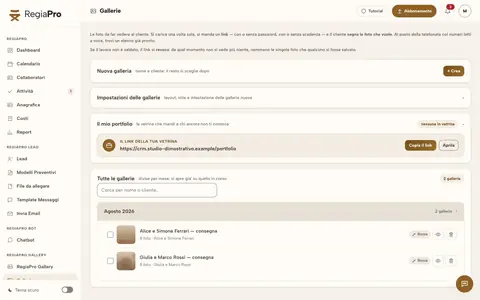






Free photos from Pexels and real screenshots of the software, with made-up data.
Wedding venue contract: capacity, times, music and penalties
A wedding venue contract is long, and changes little from one couple to the next. In RegiaPro you write it once in your template, from the Pro plan, and at every signing the names, date, times, accepted offer, total, holding deposit and balance come from the record. Have the text checked by a lawyer; these are the topics that shouldn’t be missing.
The reception hall and its limits
Maximum number of guests seated and standing; areas included in the hire and areas excluded; decorations allowed and banned, such as open candles, confetti or fireworks; outside suppliers allowed and what they must guarantee.
The wedding day at the venue
Access times for suppliers and decorators; start and end of the party; limit on outdoor music; wet-weather plan; parking and shuttles; who opens and who closes the venue.
Holding deposit, instalments and date changes
Holding deposit on signing and instalments with dates; what happens with a cancellation twelve, six or one month before the event; conditions for moving the date; damage to the property and security deposit.
Signing the contract at the villa
You print the PDF and sign it at the villa, usually on the day the holding deposit arrives. The generated document stays among the record’s documents, where you’ll find it even two years later, and you upload the signed copy alongside it.
Wedding venue software: banqueting, event management or business software and CRM?
Searching for venue and reception hall software on 14 September 2026, we mostly found programs for banqueting and for hospitality businesses. We opened the pages of three vendors.
| Banqueting and catering | Event management for venues | Modular business software with website | RegiaPro, business software and CRM | |
|---|---|---|---|---|
| Designed for | Reception halls with kitchen, catering | Villas, hotels, restaurants with events | Ceremony and reception organisers | Venues that hire out dates and look after couples and companies |
| Strengths | Food cost, quotes, holding deposits, e-invoicing, messages | Managing the venue’s events | Detailed quotes, availability by resource, e-invoices | Free dates, viewings, chasers, contracts, holding deposit and balance instalments |
| Price found | Not stated on the page | Not stated, licence or subscription | €60 every six months plus VAT | From €19.90 a month |
RegiaPro is right for your villa or hall if
- you mainly sell dates, and the kitchen is run by a caterer or a separate department;
- you get lots of availability enquiries, including evenings and weekends;
- you want to see at a glance who still owes an instalment.
What an event venue uses from day one
- one record per booking with viewings, floor plans, source and who pays;
- PDF quotes for every couple and, moving up to Pro, contracts and invoices addressed to couples or companies;
- the dates panel, balance instalments, reminders and WhatsApp messages.
How to start: three steps, no card needed
You sign up, try it on your real work, and only decide at the end.
-
Sign up in a minute
Your name, your business name and your email. We don’t ask for a credit card: access starts when you confirm your email.
Start the trial -
Set it up for your trade
Menus, record fields and job stages speak your language. You connect the calendar you already use.
Choose your trade here -
Try everything, then choose
Fourteen days with the Full features. At the end you choose a plan, or you stop: nothing renews on its own.
See the plans
How much RegiaPro costs for villas and event venues
The price list is public. For a venue three plans matter, and you always start with the trial.
Start for a hall with few dates
The minimum to get going: €19.90 a month, or €199 if you choose the annual subscription. Unlimited bookings, organised chasers, WhatsApp texts and ten quotes a month, suited to a hall with few dates.
Pro for the venue that lives on events
The choice for venues that live on events: €34.90 a month or €349 a year. It unlocks contracts from your template and invoices, and quotes for couples no longer have a monthly limit.
Studio for the villa that works with companies
For venues that work a lot with companies: €59.90 a month or €599 a year, it adds the e-invoice file format and, once the year is closed, a single bundle to pass to whoever keeps the villa’s accounts.
The 14-day trial at your venue
You use the full Full plan without giving any payment details. Access opens by itself as soon as you confirm your email, and at the end you decide how to continue.
The price list also includes Full at €44.90 a month, useful if you deliver photos and videos; you’ll find the table with every feature of the plans on the “Pricing” page.
Why you can trust it: your data stays yours
What matters before you put your clients into a new program.
Your data stays in Europe
On servers in Europe. Each business sees only its own data: the database itself enforces the separation.
If you stop, your data stays yours
The account goes read-only and nothing is deleted unless you ask. We send you a copy in a readable format.
Prices written up front
A public price list, the same for every trade: you can read it on the pricing page before you sign up.
You talk to a person
Born in a studio in Tuscany, not in an office. Write to info@regiapro.it or use the contact page.
Venue FAQs about RegiaPro
Two couples ask for the same Saturday: how do I notice?
As soon as the first couple has a record with that date, the day turns red in the “Free dates” panel, even if it’s only in negotiation. When the second enquiry arrives you see it before you reply, and one click on the day takes you to the record of whoever is considering it.
I have a lunch and a dinner on the same day: is that possible?
Yes: the same day can hold two bookings, each on its own record, one at midday and one in the evening. Each has its own client, its own quote and its own payments, and the calendar shows both.
How do I record the holding deposit and the balance instalments?
The holding deposit is entered as the deposit, noting when it arrived and whether by bank transfer, card or cash. You split the balance into several instalments and mark when each one arrives: on the record you see how much is left, and by adding up the bookings how much you still have to collect this season.
A couple texts me in the evening to ask if a date is free: how do I reply?
Open RegiaPro on your phone and look at the “Free dates” panel. If the Saturday is green, you create the couple’s record with that date and their number, and from then on the date shows as booked for anyone who asks later; if it’s red, one tap tells you who is considering it and how far along they are.
How do I keep track of venue viewings?
You put the viewing in your phone’s calendar; if the read connection is switched on, it shows up in RegiaPro alongside your other appointments. After the viewing you write on the record what impressed the couple and what’s holding them back, and attach photos of the spots they looked at most.
Can I send the villa brochure after the viewing?
Yes. You save the brochure PDF in the file library, and when you write to the couple you pick it as an attachment, perhaps together with the quote. An extra file can be up to 15 MB.
How do I address the invoice to a company for a Christmas dinner?
You give the company a payer record, with VAT number, SDI code and certified email (PEC), and link it to the dinner’s record. The office contact stays on the record with their phone number, while the Pro plan invoice takes the company’s details.
Can I use it on my phone while showing a couple round the garden?
Yes, RegiaPro opens in your smartphone’s browser. While you walk round with the couple you check the free dates, open the record and jot down the first notes, so by the end of the viewing the quote is almost ready.
Reviewed on 14 September 2026: every feature mentioned was checked directly in the software before going on the page. Villa Esempio, the two couples and the figures are fictional; the note on the Civil Code article is general information, and those on the other software come from the vendors’ websites consulted that day. Does a sentence not match what you see in your account? Let us know at info@regiapro.it and we’ll review it.
Fill the villa’s season with RegiaPro
Start with the next enquiry for a contested Saturday: record, viewing, quote, holding deposit and instalments. Full stays fully open for fourteen days; at the end you decide which plan to keep for the venue.
Suppliers who work in your rooms: event florist software, equipment rental software, makeup artist booking software. The other trades are on the professionals page.