Catering software and CRM for your events
RegiaPro is catering software for businesses that cook and serve at weddings, private parties and corporate events: the CRM keeps track of clients until they confirm, the business side follows the quotes, contracts, deposits, costs and invoices of every banquet. The four-step setup, just below, opens on “Event catering”.


Built for more than 50 trades: this one is already set up for yours

Saturday 13 June: already booked
you see it before you write the quote
Today in RegiaPro
Example with made-up data
18
Enquiries
+6 this month
11
Dates confirmed
+3 this month
€3,450
To be collected
2 deposits on the way
New enquiry for 13 June
2 min ago
Contract signed, deposit recorded
yesterday
WhatsApp reminder ready for tomorrow
yesterday
- Free for 14 days, no card needed
- Works in the browser, on your phone too
- Calendar synced with Google and iCloud
- WhatsApp messages already written
- Invoices from your Fatture in Cloud, from the Pro plan
- Public prices, the same for everyone
Type of work
What do you do? If you can’t find yours, the last option is just fine.
What do you need? The basics for catering software and CRM for your events are already switched on. Switch on what you really need: we’ll work out the plan from here.
Your RegiaPro is ready.
Tap a plan: below you see what is inside.
There is only one price list. Photo galleries come with every plan: if you don't deliver photos you simply don't open them, and the price stays the same. Compare all the plans
What you get with
The menu
An enquiry record
The fields of your trade are highlighted
The stages of the job
Where every job stands, at a glance
An event caterer works with numbers that keep moving until the last week: guest numbers drop, the menu changes after the tasting, the company asks for an extra drinks reception. Meanwhile the kitchen needs to know which dates are taken and the office how much has been paid. Catering software that really helps keeps track of every event, from enquiry to final payment. RegiaPro does it with one record per event, opened from the office or from your smartphone while setting up, with a starting price of €19.90 a month.

What you’ll find inside RegiaPro: from enquiry to the day of the event
One program for enquiries, documents, payments and the working day. Tap a card to see how it works.
-
One record per client
Calls, quotes, contracts and payments in date order: when they call back six months later, you know at once where you left off.
The Lead module -
Who to call back today
Every morning, the list of people to get back to, with the WhatsApp message already written. It goes from your own number, when you decide.
Follow-ups and messages -
Quotes from your own template
The PDF with your logo, sent as a link: you know when it was opened. If there is no reply, the program brings it back to you after 3, 7, 14 and 30 days.
The quote -
The contract without retyping
It comes from the accepted quote, with the details already in, and comes out as a PDF ready to sign. From the Pro plan.
Which plans include it -
The day of the event
The stops of the day with checked addresses and the time to leave, worked out on the traffic expected for that day.
The working day -
Delivery galleries
Photos delivered with your own link, with a password and an expiry date: the client views and downloads.
RegiaPro Gallery -
Deposit, balance and invoice
Deposit and balance are recorded separately, each with its own date. The invoice comes out of the record with numbering that carries on by itself: from the Pro plan, with the XML file from the Studio plan.
The plans compared -
The calendar you already have
Appointments and jobs in your phone’s calendar: RegiaPro connects to Google Calendar and iCloud.
The connected calendar -
What is really left
A job’s costs come off that job, the business costs off the year: in December you know what is left, not just what came in.
The figures of each job -
From your phone, on site
It works in your phone’s browser: open the client’s record and attach photos and documents, up to 15 MB each.
How it works
RegiaPro up close: the real screens
This is what the program looks like inside. Sample data: the clients, the jobs and the amounts are made up.




Catering software: private events, corporate events and wedding receptions
RegiaPro is designed for caterers who work by booking, with their own kitchen and a team that grows at weekends. Three kinds of client, three ways of asking.
Wedding lunches and dinners for a hundred guests
The enquiry arrives a year ahead, goes through the tasting and closes with the final guest numbers a few days before. On the record you keep the date, the venue, the number of guests in the notes and every version of the quote.
Buffets and dinners for corporate events
Launches, conferences, client dinners. The company pays, often through a contact who isn’t the person who organised it: you link the company to the event as the invoice recipient, and its tax details go onto the documents automatically.
Private parties and at-home garden catering
Birthdays, christenings, anniversaries at home or in the garden: quicker quotes, decisions within days, and a follow-up that mustn’t come too late.
Drinks receptions and coffee breaks for regular clients
Short services, often repeated for the same client. When a client you already have gets in touch, RegiaPro recognises them and takes you to their previous record.
Wedding, birthday or corporate event: the type of banquet
For each event you choose the closest type from those already set up, such as Wedding, Birthday, Christening or Corporate event. That determines how many days the quote is valid and the pace of the chasers, and you change them type by type in the “Settings”.
The first banquets to add: those in the next three months
Open a record for every confirmed event in the next three months, with date, time, venue and deposit. On the calendar you can see the full weekends straight away before replying to a new enquiry.
Catering CRM: enquiries, tastings and clients to call back
In catering the client decides after tasting. RegiaPro’s CRM follows that moment: who enquired, who came to the tasting, who received the quote and isn’t replying.
One banquet enquiry, one record
Name, phone, email, event date, town and the channel it came from. In the notes you write the expected guests, the type of service (buffet or plated) and any intolerances the client mentions at first contact.
The menu tasting in the diary
A tasting booked from your phone, on Google Calendar or iCloud, comes back into RegiaPro in the list of pending appointments, where you decide what to do with it. On the morning of the tasting you reread the menu and intolerances on the client’s record.
The priced menu that gets no reply
Once the priced menu is sent, the client’s status becomes “Quote sent” and RegiaPro puts that banquet back in front of you after 3 days, again after 7 and 14, and one last time after 30. The chaser is already written: it opens in WhatsApp and you send it from the kitchen phone.
How many banquets you already have that Saturday
The calendar’s “Free dates” panel lists, for every booked day, the clients holding it, including those still deciding. Before replying to a bride you know whether that Saturday you already have a lunch or a corporate dinner.
Partner venue or directory: the channel that brings banquets
Wedding directories, partner venues, word of mouth, Instagram. The Report shows you which of these channels brought paid banquets; for a directory that charges for every lead you enter that price, and the margin accounts for it.

Catering cost per head: how to put it in the quote
The catering cost per head is the first thing the client asks and the last thing to be settled, because it depends on menu, service and number of guests. The clearest way to present it is to start from the price a head and work up to the total.
The per-head price and the banquet total
On the record you put the total agreed amount: for example, 110 guests at €72 a head makes €7,920. In the quote note you write the calculation, so the client reads both the per-head price and the total.
Menu, drinks and waiting staff to write in the note
- menu by course, with alternatives for children and intolerances;
- drinks, wines and coffee;
- cake and cake service;
- waiting staff and service times;
- crockery, table linen and buffet set-up;
- minimum number of guests and deadline for the final number.
What the catering quote looks like
The PDF carries your kitchen’s logo and a line such as “Wedding on 11/09/2027 in Alba” with the total; the menu and the per-head calculation sit in the note just below. If VAT applies, RegiaPro works it out from the agreed price, so the final figure stays the one written in the note.
Sending the quote and an archive of the menus offered
You send the banquet quote by email without leaving the record. Old versions don’t disappear: each keeps the number, menu, per-head price and validity it had when it went out.

Changing wedding guest numbers: one lunch in three quotes
In catering the typical case isn’t the enquiry that turns into a contract, but the number of guests going down and up before the wedding. Here’s a lunch followed through its versions. Couple, menu and figures are made up for the example.
-
March: Valentina and Simone ask for a lunch for 130
In March Valentina and Simone ask for a wedding lunch on Saturday 11 September 2027 at a country farmhouse: they’re thinking of 130 guests. You open the record with type Wedding, date, town and source “partner venue”, and in the notes you write two coeliacs and one vegan.
Try it for 14 days -
12 June: the lunch contract and the deposit
On 12 June the couple sign the contract on the latest version and pay a €2,300 deposit. You record it with the date of the bank transfer, move the lunch to “Confirmed” and the date appears in the kitchen’s calendar, from 12pm to 6pm.
The contract, from the Pro plan -
Final numbers and coeliac tables in the note
In the important note you write “final numbers and coeliac tables by 4 September”. The reminder appears on 4 September, seven days before the lunch.
Try it for 14 days -
101 guests: the final number, the waiters and the gazebo
On 3 September the guests become 101: you update the amount to €7,474. After the lunch you write the extra waiting staff on the record, an agency with 4 waiters for €520, and among the out-of-pocket costs the gazebo hired for €340. For the van’s travel RegiaPro estimates 64 km there and back.
The quote from your template -
The wedding lunch balance, the invoice and the Report
On 20 September the €5,174 balance arrives. You issue the invoice for the lunch with Pro on the final amount. Waiters, gazebo and travel go into the September Report, which takes them off the month’s takings; in the table by type of service you see what weddings bring in on average, before ingredients and hours in the kitchen.
Invoices and payments in the plans
From 130 to 104 guests: the three versions of the quote
| Version (example) | When | Guests | Price per head | Total | What changed |
|---|---|---|---|---|---|
| Quote 1 | 20 March | 130 | €68 | €8,840 | Four-course menu, starter buffet |
| Quote 2 | 28 April | 115 | €74 | €8,510 | After the tasting they add a fish main course |
| Quote 3 | 5 June | 104 | €74 | €7,696 | Final guest list before the 60 days |
Each version is a new quote from the same record: the amount changes, the note changes, and the earlier ones stay archived with their number.
Catering contract: guest confirmation, menu and cancellation
The catering contract, or banqueting contract for those who work with a venue, sets out in black and white the rules that prevent arguments in the days before the event.
The catering contract clauses not to forget
- the date by which the final number of guests must be given;
- a guaranteed minimum number to be paid for regardless;
- the menu approved after the tasting and possible changes;
- service start and end times, and the cost of extra hours;
- deposit, balance and due dates;
- terms for cancellation or a change of date.
The banquet contract, filled in from the record
With the Pro plan you generate the contract starting from the event. You adapt the software’s starting text to your kitchen once; then client, paying company, date, times, reception town, total, deposit and balance appear in place of the placeholders.
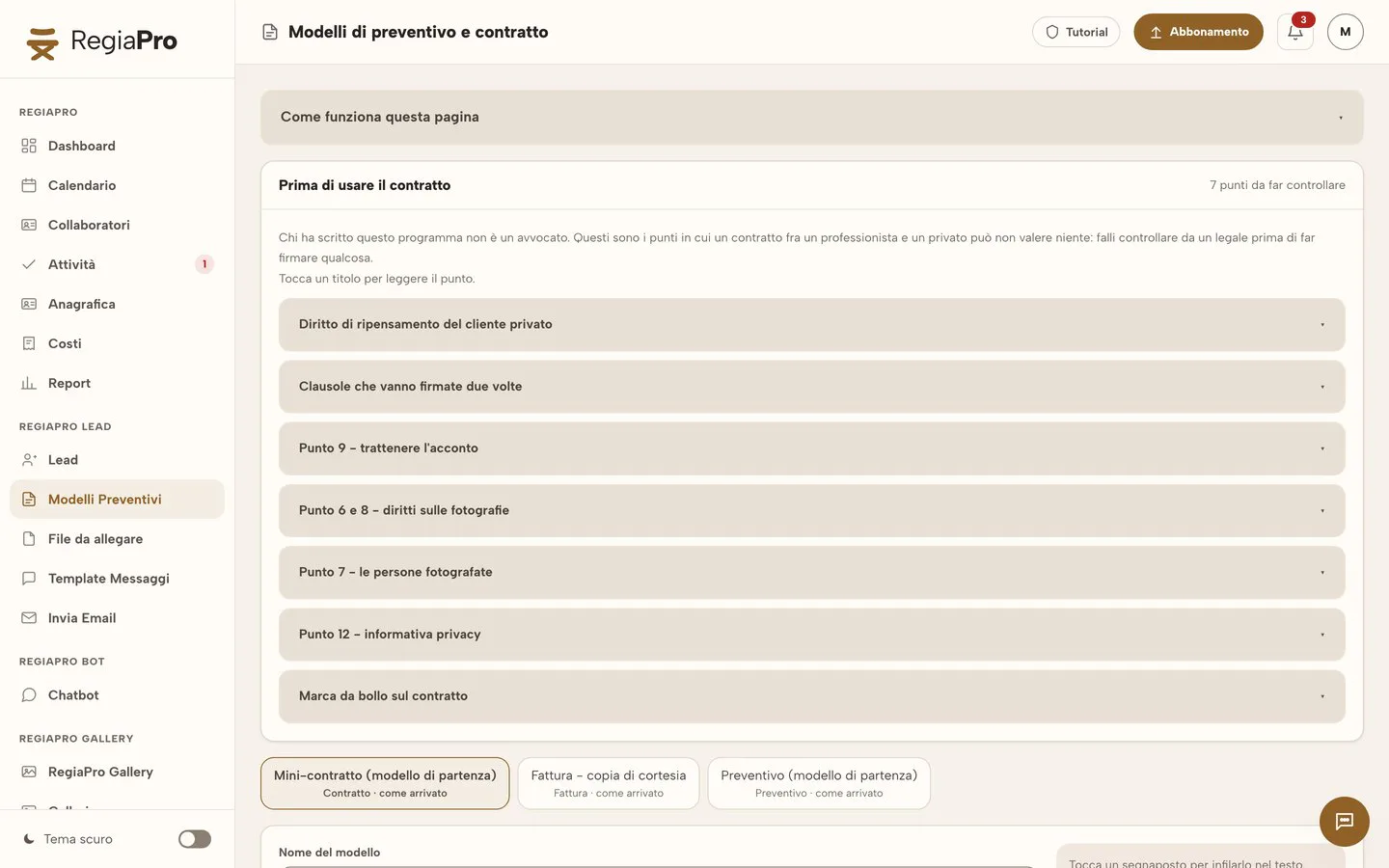
Signing the contract at the tasting
It’s printed and signed at the tasting or at the next visit; you upload the signed copy to the record, next to the versions of the quote.

Want to see it with your own work?
Fourteen days with the Full plan features, no card needed. Then you decide.


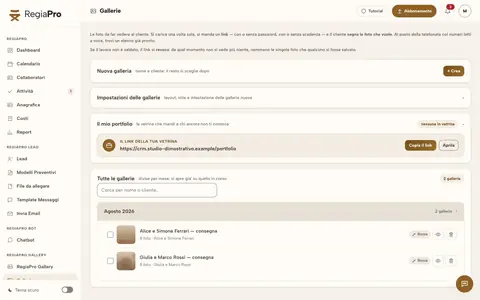





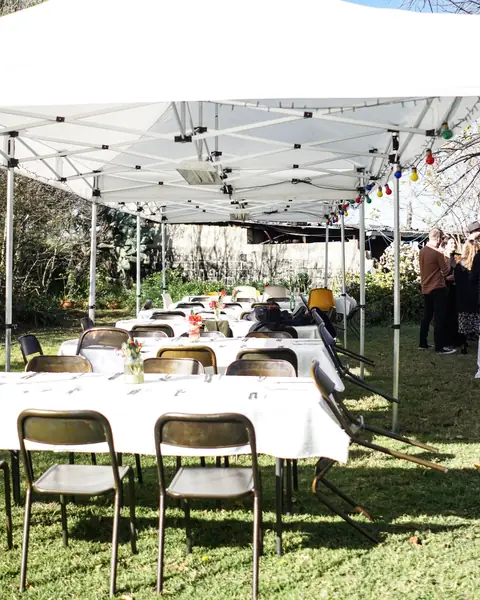
Free photos from Pexels and real screenshots of the software, with made-up data.
Catering staff and hire: waiters, crockery and vans in the event costs
You set the price of an event beforehand, you find out the costs afterwards. Recording them on the event record is how you see in the Report which types of event really pay.
Extra waiters and chefs for the weekend
Staff brought in for that event, such as the waiting staff agency or the weekend chef, you note on the banquet record with their name and how much you paid them.
Hired crockery, gazebos and banqueting equipment
Hiring plates, glasses, table linen or a gazebo taken specially ends up among the banquet’s out-of-pocket costs, with a couple of words of note that remind you at the end of the year what it was.
The refrigerated van on its way to the party
Once the lunch or dinner location is entered, one tap on “Calculate” measures how far it is from your kitchen, meaning your business address, to the reception, including the return trip, and estimates diesel, motorway tolls and driving hours. The figure goes into the banquet costs; to use it you need the Google Maps key saved in “Settings”.
Kitchen rent, equipment and food hygiene courses
Kitchen rent, equipment purchased, HACCP food hygiene courses: these are business expenses and you keep them on the “Costs” page, separate from individual events.

Made-up figures on a real Report screen: at the top takings, outstanding payments, costs and margin; below, collaborators, travel, job expenses and business costs kept in separate boxes.
Starting a catering business: keeping the figures for every event from the first client
People about to start a catering business usually begin with the kitchen and put off the admin. If the figures start alongside the first events, at the end of the year you know which clients and which services to keep.
Deposit, instalments and balance for a banquet
A banquet deposit is recorded with the day it arrived and the method used, bank transfer, cash or card; the rest can come in several instalments. In the list of events a badge tells apart those who have only paid the deposit from those who have already settled up.
The banquet invoice once the event is over
Once the event is over, the banquet invoice is generated with Pro from its record: final amount, invoice recipient and the number following the last one issued. The electronic XML file comes with the Studio plan.
June weddings and December dinners, month by month
The Report shows takings and costs month by month: you see how June weddings weigh up against December corporate dinners.
The banquets still to be paid on Monday morning
At the top of the Report is the total of events not yet marked as paid: you look at it on Monday morning and know who to chase for the balance.
Your catering clients’ data kept safe
Your client database is backed up every time it starts, and fourteen backups are kept. At sign-in, after the password, RegiaPro asks for a six-digit code: menus, contact details and deposits stay with the people who work with you.
How to start: three steps, no card needed
You sign up, try it on your real work, and only decide at the end.
-
Sign up in a minute
Your name, your business name and your email. We don’t ask for a credit card: access starts when you confirm your email.
Start the trial -
Set it up for your trade
Menus, record fields and job stages speak your language. You connect the calendar you already use.
Choose your trade here -
Try everything, then choose
Fourteen days with the Full features. At the end you choose a plan, or you stop: nothing renews on its own.
See the plans
Banqueting software or catering software with CRM: differences and prices
The pages Google shows at the top for “catering software” and “banqueting software”, reread in mid-September 2026, belong to two different worlds, which answer different questions.
| Banqueting software | Business software and CRM like RegiaPro | |
|---|---|---|
| Question it answers | How much does this menu cost and what does the kitchen need? | Where is this client up to and how much do they still owe? |
| What it handles | Recipes, ingredients, food cost, allergens, tables, stock | Enquiries, quotes, contracts, deposits, event costs, invoices |
| Who it's for | Reception venues and caterers with several departments | Caterers who handle clients and quotes in person |
| Price | On request, after a demo | From €19.90 a month, visible to everyone on the pricing page |
Start, €19.90 a month: for caterers with a few events
Or €199 in a single annual payment. For caterers with a few events: unlimited clients in the client book, follow-ups worked out by the software, ready-written WhatsApp messages and ten quotes a month.
Pro, €34.90 a month: banquet contracts and invoices
Or €349 in a single annual payment. Event contracts, invoices with annual numbering and all the menu quotes you need, with no monthly cap.
Studio, €59.90 a month: catering invoices in XML too
Or €599 in a single annual payment. Invoices in XML too, and a direct WhatsApp line to the person who helps you get started.
A two-week trial on this season’s banquets
The complete Full plan for two weeks, with no payment method to leave: you enter your email, confirm, and you’re in within minutes.
Why you can trust it: your data stays yours
What matters before you put your clients into a new program.
Your data stays in Europe
On servers in Europe. Each business sees only its own data: the database itself enforces the separation.
If you stop, your data stays yours
The account goes read-only and nothing is deleted unless you ask. We send you a copy in a readable format.
Prices written up front
A public price list, the same for every trade: you can read it on the pricing page before you sign up.
You talk to a person
Born in a studio in Tuscany, not in an office. Write to info@regiapro.it or use the contact page.
FAQ on catering software and CRM
How do I prepare a quote with a per-head price?
On the event record you enter the total already multiplied and, in the note, the number of guests, the per-head price and the menu with drinks and service. In the PDF the client finds the overall figure at the top and all the detail you wrote below.
The number of guests changes: how do I update the quote?
Correct the figure on the record and issue another version of the quote. It has its own number, and the earlier ones stay in the archive: at any time you can see how many guests and what per-head price you had offered that client.
Where do I record guests’ allergies and intolerances?
In the notes on the event record, and if there’s a list you attach it as a PDF or Word file. Anything that needs double-checking with the kitchen goes in the important note: a week before the banquet it comes back up as a reminder.
Can I see how much weddings earn me?
Yes. Enter the cost of extra staff on the records, hire among out-of-pocket costs and the travel estimate: the Report takes them off what you’ve collected and gives you the margin for the month and the year, and for each type of event with the average per event.
Can the invoice go to the company rather than the contact person?
Yes. You link the paying company to the event as the invoice recipient, and with Pro the invoice for the service is issued in its name. When the same company calls you again for the Christmas dinner, you’ll already find it among your contacts.
How do I see how many events I already have on a given day?
In the calendar, the free dates panel lists the booked days with the clients’ names, including those still negotiating. You’ll also find confirmed banquets on your phone’s calendar, with the time the service starts and ends.
Do messages to clients go out on their own?
You send them. RegiaPro prepares the text for every moment, from first contact to chaser, and tells you who to get in touch with today. With “Open WhatsApp” the message is already written and you press send from your own number.
Can I use it from my phone during an event?
Yes, it works in your smartphone’s browser. While setting up you open the record, reread the notes on menu and intolerances and add a photo or a note; on the computer you’ll find everything up to date.
Text reviewed on 14 September 2026, retesting every feature mentioned in the software. Valentina, Simone and their lunch are made up, and the comparison summarises the websites of the banqueting programs we visited that same week. Does a sentence look wrong compared with your RegiaPro? Report it to info@regiapro.it and we’ll review it.
Try RegiaPro on this catering season’s events
Load the confirmed events for the coming months and the enquiries still open, then take the next menu you offer all the way to the banquet’s final payment: fourteen days is enough to know how many phone calls RegiaPro saves you. For those two weeks you have the complete Full plan in front of you.
Suppliers at the same events: DJ booking software, photographer software and wedding planner software.