Cleaning business software and CRM
RegiaPro is cleaning business software for companies that live on one-off jobs: builders’ cleans, deep cleans, sanitising, glazing. The CRM keeps track of who calls you and who sends you clients, while the management side prepares quotes and invoices and follows payments. In the walkthrough below, “Professional cleaning” is already selected.


Built for more than 50 trades: this one is already set up for yours

Site visit booked
mileage and tolls already worked out
Today in RegiaPro
Example with made-up data
14
Enquiries
+4 this month
6
Site visits
this week
5
Quotes accepted
+2 this month
Site visit booked for Thursday at 9:30
5 min ago
Quote sent for the bathroom
yesterday
Deposit received
yesterday
- Free for 14 days, no card needed
- Works in the browser, on your phone too
- Calendar synced with Google and iCloud
- WhatsApp messages already written
- Invoices from your Fatture in Cloud, from the Pro plan
- Public prices, the same for everyone
Type of work
What do you do? If you can’t find yours, the last option is just fine.
What do you need? The basics for cleaning business software and CRM are already switched on. Switch on what you really need: we pick the package from here.
Your RegiaPro is ready.
Tap a plan: below you see what is inside.
There is only one price list. Photo galleries come with every plan: if you don't deliver photos you simply don't open them, and the price stays the same. Compare all the plans
What you get with
The menu
An enquiry record
The fields of your trade are highlighted
The stages of the job
Where every job stands, at a glance
The site manager who has to hand over a flat on Friday, the estate agent with a one-bed to show on Monday, the family moving into a new home and finding plasterboard dust everywhere: a cleaning company’s enquiries come at short notice and all urgent. RegiaPro cleaning business software lets you reply the same day with a written price, book the day and remember who still has to pay. It opens in the browser, on your phone in the van or on the office computer, from €19.90 a month.

What you’ll find inside RegiaPro: from site visit to invoice
One program for enquiries, quotes, jobs and payments. Tap a card to see how it works.
-
One record per client
Calls, quotes, contracts and payments in date order: when they call back six months later, you know at once where you left off.
The Lead module -
Who to call back today
Every morning, the list of people to get back to, with the WhatsApp message already written. It goes from your own number, when you decide.
Follow-ups and messages -
Quotes from your own template
The PDF with your logo, sent as a link: you know when it was opened. If there is no reply, the program brings it back to you after 3, 7, 14 and 30 days.
The quote -
The contract without retyping
It comes from the accepted quote, with the details already in, and comes out as a PDF ready to sign. From the Pro plan.
Which plans include it -
The site visit
It is a stage of the job, with its own date; the travel cost is worked out on the real route.
The costs of each job -
Maintenance contracts
The draft invoice for each period gets ready on its own. From the Pro plan.
Fees and renewals -
Deposit, balance and invoice
Deposit and balance are recorded separately, each with its own date. The invoice comes out of the record with numbering that carries on by itself: from the Pro plan, with the XML file from the Studio plan.
The plans compared -
The calendar you already have
Appointments and jobs in your phone’s calendar: RegiaPro connects to Google Calendar and iCloud.
The connected calendar -
What is really left
A job’s costs come off that job, the business costs off the year: in December you know what is left, not just what came in.
The figures of each job -
From your phone, on site
It works in your phone’s browser: open the client’s record and attach photos and documents, up to 15 MB each.
How it works
RegiaPro up close: the real screens
This is what the program looks like inside. Sample data: the clients, the jobs and the amounts are made up.




Cleaning business software: managing on-call jobs
Search for cleaning software and you mostly find programs for shifts and contracts. RegiaPro looks at the other half of the trade: the one-off job, with a price, a day and a client to win over and then get paid by.
Builders’ cleans with filler and lime residue
Filler and lime residue on the floors, silicone on the glass, fine dust inside the window frames. The client is nearly always a building firm or a homeowner who has just renovated, with a handover date that won’t move.
Deep cleans of rental homes and after a move
Flats to let, inherited houses to clear and freshen up, families moving who want to find everything clean. One- or two-day jobs, often booked through an estate agent.
Sanitising surgeries and shops, one-off jobs
A dental surgery to sanitise, a shop after a flood, premises before opening. You need a price within hours and an invoice made out to the business.
Glazing, warehouses and industrial cleaning
A showroom’s high glazing, a warehouse floor before stocktaking, a production line stopped for maintenance. More people, more machinery, and costs to keep an eye on job by job.
The weak spot of an on-call cleaning company
You know how to clean. What gets lost is the follow-through: the quote sent from your phone and never chased, the estate agent who still owes you for two jobs, the receipt for products bought for that shop. The management side holds documents and payments, the CRM holds people and follow-ups.

Builders’ cleans: a flat to hand over in 48 hours
Builders’ cleans and after-builders cleaning are among the most searched terms in the trade, and the typical job has a tight deadline. Here are two days told hour by hour. Company, people, times and amounts: all made up, as an example.
The case: 110 square metres renovated, handover on Friday
Costruzioni Rinaldi has finished refitting a 110 m² flat on the third floor: two bathrooms, open-plan kitchen, fourteen windows with shutters. The buyer gets the keys on Friday morning. On Tuesday the firm’s site manager is looking for someone to clean by Thursday evening.
-
Tuesday, 8:40: the site manager’s call
The site manager, Andrea Sala, calls you on another firm’s recommendation. You open the record on your phone: name, number, town, source “building firm”. In the “Who you invoice” box you link Costruzioni Rinaldi with its VAT number and SDI code. In the notes: third floor with lift, handover Friday, keys from the site manager.
Follow-ups and messages -
Tuesday, 14:00: a half-hour site visit among the residue
On site you look at the filler residue on the porcelain tiles, the silicone on the windows, the dust inside the shutter boxes. You photograph the worst spots and upload the photos to the record. In the notes: two people for a full day, scrubber dryer, product for cement residue, bags for packaging.
Try it for 14 days -
Tuesday, 18:30: the builders’ clean quote
On the record you enter €915, that is €750 plus VAT, and prepare the quote. In the note you put what it includes: cleaning floors and wall tiles with residue removal, glass and frames of the fourteen windows, sanitaryware, kitchen, doors and skirting boards, disposal of packaging. You email it to Andrea; the record moves to “Quote sent”.
The quote from your template -
Wednesday, 9:15: the building firm says yes
Andrea replies on WhatsApp that it’s fine. You move the record to “Confirmed” dated Thursday, from 7 am to 6 pm. With Google Calendar or iCloud connected, the job also appears in your phone’s calendar. The firm pays at thirty days: no deposit, and you note that down.
Invoices and payments in the plans -
Thursday, 7:00-17:30: a two-person clean
There are two of you. On the record you enter Marta as a collaborator, the cleaner who helps you on big jobs, at €190 for the day, and under out-of-pocket costs €64 of products and bags. If you’ve added your Google Maps key, the travel to the town is already worked out.
The figures of each job -
Thursday, 18:00: photos of the flat and the message
You upload photos of the finished flat to the record. On your phone you open the message you’ve prepared among your WhatsApp texts, “the job is finished, the keys are where we agreed”, complete it and send it to Andrea yourself, then straight after forward him two photos in the same chat.
Follow-ups and messages -
Friday and thirty days later: Rinaldi’s bank transfer
With the Pro plan you prepare the €915 invoice made out to Costruzioni Rinaldi, with the next number. Until the transfer arrives, the Report counts that job as money still to collect. On the day it arrives you mark it paid with date and method, and it moves to takings.
Invoices and payments in the plans
The 48 hours of the Rinaldi job (example with made-up data)
| When | What happens | On the record |
|---|---|---|
| Tuesday 8:40 | Site manager’s call | Record, source, company details for the invoice |
| Tuesday 14:00 | Half-hour site visit | Photos of the residue, notes on people and machinery |
| Tuesday 18:30 | €915 quote | PDF sent by email, status “Quote sent” |
| Wednesday 9:15 | Confirmation on WhatsApp | Job confirmed for Thursday, phone calendar |
| Thursday | Two-person clean | Collaborator €190, products and bags €64 |
| Friday | Flat handed over | Pro invoice, €915 to collect |
| Thirty days later | The firm’s bank transfer | Payment logged; from the €750 net, after the collaborator and products, €496 is left |
Cleaning company quotes: square metres, hours and products
“How do I price a cleaning job?” is a question asked both by households and by people starting a cleaning company. In RegiaPro the quote is a numbered PDF created from the client record in a few minutes.
From the site visit to the cleaning price
Measurements, number of bathrooms and windows, the height of the glazing and the type of dirt go in the notes, and the photos on the record. When you work out the price, in the evening or in the van, you have the same picture you saw on site.
A clear price and what the clean includes
The agreed amount goes on the record; the PDF prints it under your letterhead, inside the text you prepared as a template. The detail sits in the note, printed under the total: square metres, estimated hours, number of people, special products, disposal. With VAT, RegiaPro works it out from within the amount, so the price you gave on the phone doesn’t grow on paper.
Three ways to price a clean, same quote
- by the hour, for deep cleans of a furnished flat;
- by the square metre, for a warehouse or a builders’ clean;
- as a fixed price, for sanitising or glazing that needs a platform.
In all three cases you write the reasoning in the note: the client understands where the figure comes from and asks fewer questions.
When the client asks for a discount on the windows
You drop the outside windows, cut the hours, change the amount on the record: the new quote gets a different number, while the previous one stays among the client’s documents. If the client goes back to the full version, you know exactly what you wrote and on what day.

Professional on-call cleaning: a CRM for who calls you and who sends you clients
Someone searching Google for “professional cleaning” is a client, and often brings others. A happy estate agent passes you ten flats a year; a building firm, all its builders’ cleans.
Where your cleaning jobs come from
Every record has its source: the estate agent, the building firm, the property manager, the website, word of mouth. In the Report you see how much each one brings in, and you know which agency deserves a coffee at Christmas.
Who has the cleaning price and hasn’t decided yet
After you send the quote, the record resurfaces among the people to contact again: the first time after three days, the last after a month. On the Tasks page the WhatsApp message is already written; you send it yourself and log the outcome with one of the three buttons under the text.
This week’s cleaning jobs
In the list you see confirmed jobs by month, with date, town, amount and whether the deposit has arrived or the job is paid in full. You search for a client by name or phone, and on the Dashboard you find today’s job alongside the clients to contact.
Enquiries that come in out of hours
Anyone who writes on WhatsApp or by email after dinner you log from your phone before turning the light off: name, contact, address and what needs cleaning. The next morning the ready-made first message goes out from their record and you book the site visit together.

One-off cleans, sanitising and industrial cleaning: short jobs, complete records
Sanitising and industrial cleaning get plenty of searches, often from businesses that need one specific job done. Even a half-day job deserves a record, so you lose neither the client nor the payment.
Sanitising a dental surgery
One Saturday morning, two surgeries and a waiting room. The invoice goes to the practice with its VAT number: the “Who you invoice” box prepares it. The documents you leave with the client, such as the data sheet of the product used, you upload to the record as PDFs.
The warehouse before stocktaking
Three people, a hired ride-on scrubber dryer, two days. The hire goes under the job’s out-of-pocket costs with its note; the colleague who lends you two workers you enter as a collaborator with their cost.
The showroom’s high glazing
Aerial platform, harnesses, a slot before opening time. From the Pro plan you print the contract from your template with the safety conditions and access times, and the client signs it before the job.
Four one-off jobs that deserve their own record
- cleaning after a flood, with photos of the damage for the client’s insurance;
- removing paint residue from a resin floor;
- a deep clean of an inherited house, paid for by three siblings;
- getting commercial premises ready for the opening.
Want to see it with your own work?
Fourteen days with the Full plan features, no card needed. Then you decide.






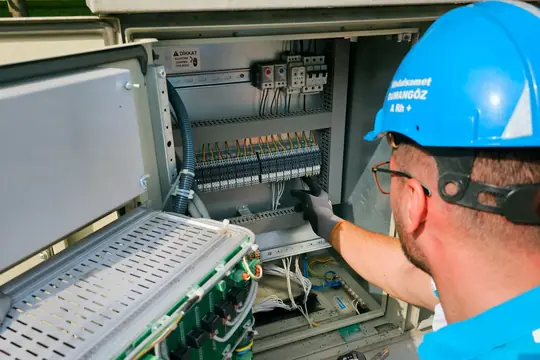


Free photos from Pexels and real screenshots of the software, with made-up data.
Cleaning company price list: hourly rate, per square metre and real margin
A cleaning company’s price list is one of the most frequent searches in the trade. You set the rate; RegiaPro shows you whether that rate holds up once collaborators and products are paid.
The cleaning company price list to send to clients
If you have a PDF price list you put it among the files to attach. When an agency asks for it, open Send Email, select the agency, attach the price list and send: the email is logged in that record’s history.
The cost of the cleaning hours you pay for
For each job you note who helped you and how much you paid them; you can put the actual hours in the notes. The Report adds up these costs and takes them off your takings, so you see whether the hourly rate you charge really covers the pay of the people working with you.
Detergents, scrubber dryer and van
Products bought for that job go under the record’s out-of-pocket costs. Scrubber dryers, vacuums, the van and training courses are business costs: you log them on the Costs page, split by category and month.
Invoiced cleans still to collect
Firms and agencies often pay at thirty or sixty days. The Report keeps what you have received separate from what clients still owe you, and the jobs list shows which ones are waiting for the balance.

Top part of a RegiaPro client record, with a test client from another trade: the job day, when to contact the client again and the amount still to collect.
Cleaning company software: three types of program compared
On 14 September 2026 we looked at the pages Google shows when you type the Italian for “cleaning company management software” or “software for cleaning businesses”. Almost all of them speak to companies with many employees and regular contracts.
| Software for firms with staff and contracts | Service software with tickets and call-outs | RegiaPro, business software and CRM | |
|---|---|---|---|
| Who it's for | Multi-service companies with shifts, attendance and payroll | Companies that schedule jobs and report hours to clients | Small companies that live on on-call jobs |
| Focus | Job scheduling, contracts, attendance, equipment | Tickets, job reports, hour bundles, subscriptions | Enquiries, quotes, confirmations, collaborators, expenses, invoices, payments |
| Price | Not stated on the page we read | Not stated on the page we read | From €19.90 a month, published |
| The one-off job | Inside contract management | As a call-out or hour bundle | A record with price, day and payment |
Useful for a cleaning company if
- you get urgent enquiries from building firms, estate agents and households;
- you send quotes from your phone and then can’t remember who had them;
- you want to know which clients still owe you, and what each job leaves you.
Ready from your first builders’ clean
- the jobs list with status, amount and payments;
- quote templates and, with Pro, contract and invoice templates to rewrite for your company;
- texts to send on WhatsApp, your company costs and the Report figures.
How to start: three steps, no card needed
You sign up, try it on your real work, and only decide at the end.
-
Sign up in a minute
Your name, your business name and your email. We don’t ask for a credit card: access starts when you confirm your email.
Start the trial -
Set it up for your trade
Menus, record fields and job stages speak your language. You connect the calendar you already use.
Choose your trade here -
Try everything, then choose
Fourteen days with the Full features. At the end you choose a plan, or you stop: nothing renews on its own.
See the plans
Cleaning company software: what RegiaPro costs
Public prices. A cleaning company usually needs two plans, after the trial days.
Start for household cleaning: €19.90 a month
Paying for a year, €199. Unlimited records with follow-ups included, ready-made WhatsApp messages, up to ten quotes a month: enough for a company that works almost only for households.
Pro for working with firms and agencies: €34.90 a month
€349 for a full year. Adds numbered invoices to firms and agencies, contracts for jobs with special terms and no monthly cap on quotes. For those who work with businesses all year round.
Studio for e-invoices to businesses: €59.90 a month
€599 a year. Adds the XML file for e-invoices, the year-end summary for your accountant and a setup guided by us on WhatsApp.
A two-week trial on a real builders’ clean
Free, no card, with the Full features switched on: up to 20 records and 2 quotes, enough for a couple of real builders’ cleans. Access opens by itself as soon as you confirm your email. Every line of the five plans is on the pricing page.
Why you can trust it: your data stays yours
What matters before you put your clients into a new program.
Your data stays in Europe
On servers in Europe. Each business sees only its own data: the database itself enforces the separation.
If you stop, your data stays yours
The account goes read-only and nothing is deleted unless you ask. We send you a copy in a readable format.
Prices written up front
A public price list, the same for every trade: you can read it on the pricing page before you sign up.
You talk to a person
Born in a studio in Tuscany, not in an office. Write to info@regiapro.it or use the contact page.
Cleaning companies’ FAQ about RegiaPro
How do I quote for a builders’ clean?
After the site visit you enter the agreed amount on the record and prepare the PDF. In the note you list what it includes: floors with residue removal, glass and frames, sanitaryware, packaging disposal, number of people and days. The client reads it all under the total, with the quote date.
The client is a firm that pays at thirty days: how do I track it?
You link the firm’s details in the “Who you invoice” box and, with Pro, issue the invoice. Until you mark the payment, the job stays among the money to collect in the Report. When the transfer arrives you log it with date and method, and the amount moves to takings.
How do I log the cost of the cleaner who helps me?
In the collaborator field you enter Marta, or whoever helped you, with that day’s pay; if you like, you can note the hours too. The Report takes the amount off what you received, and you read the month’s margin there.
Can I send the client photos of the finished job?
You upload the photos to the record, where they stay as proof of how you left the premises. To send them, you send the ready-made WhatsApp message from your phone and then the images in the same chat. You always decide what gets sent.
How do I tell which agency brings me the most work?
On every record you set the source, for example the name of the agency or building firm. In the Report you see where your paying clients come from and how much you take from each source, month by month.
Products and machinery: where do I log them?
Products bought for a job go under that record’s out-of-pocket costs, with a note. Scrubber dryers, vacuums, the van and uniforms are company costs: you enter them on the Costs page, which splits them by category and counts them in the Report.
Can I use it on my phone while I work?
Yes, in the browser, with nothing to install: open the record, reread the site visit notes, upload photos, message the client. With your phone’s calendar connected, you see confirmed jobs there too, and if you move a day from your phone, RegiaPro knows within a few minutes.
Where do I start?
With the jobs already booked for the coming weeks: one record each, with date, amount and the payer’s details. Then the quotes still pending, so RegiaPro reminds you whom to contact. Firms and agencies you work with often you add with their first new job.
Page dated 14 September 2026. The RegiaPro features named here were checked in the program; the Rinaldi firm, Andrea, Marta, the times and the figures are made up, and the comparison summarises public pages viewed on the same day. Noticed something that works differently in your RegiaPro? Write to info@regiapro.it.
Try RegiaPro on your next builders’ clean
Enter your next urgent enquiry and take it through to payment with RegiaPro: fourteen days are enough to see whether quotes, follow-ups and payments eat up fewer of your evenings. During the trial Full is switched on, then you choose the plan.
Related trades: communal area cleaning software, removals software, building firm software. All the trade pages are listed on the who it’s for page.