Jewellery business software and CRM for your workshop
RegiaPro is software for jewellers who make to order: business software for quotes, order confirmations, deposits and invoices, and a CRM for clients and follow-ups. “Jeweller” is already selected: switch on what you need.


Built for more than 50 trades: this one is already set up for yours
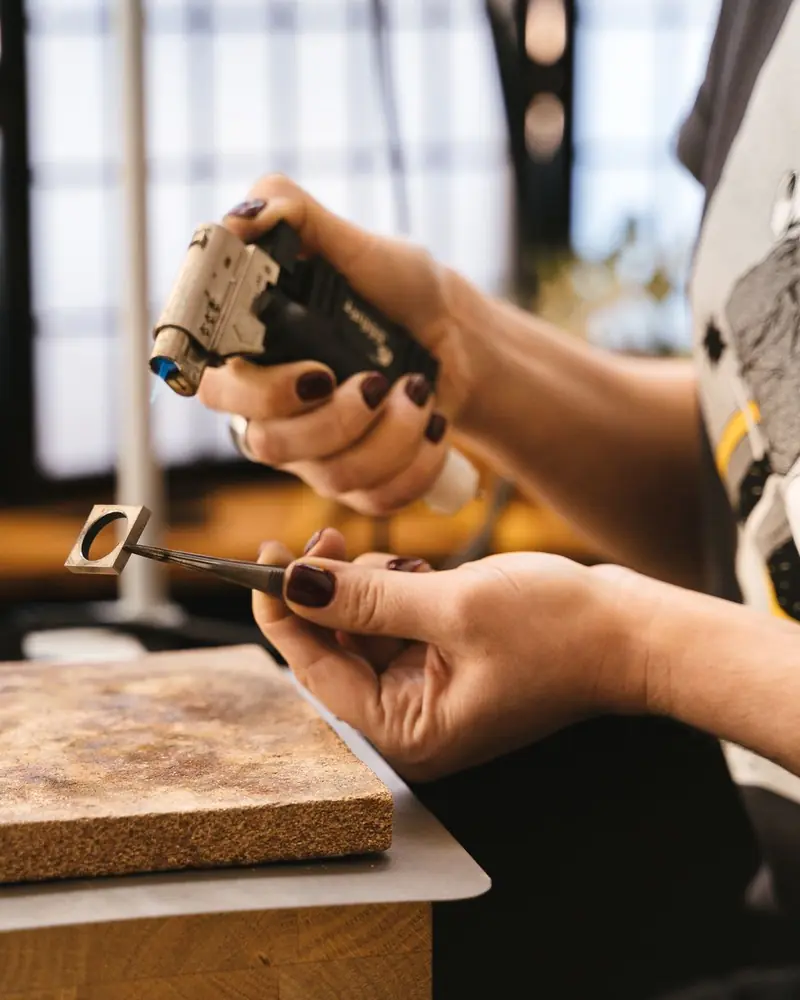
Second fitting: Thursday
measurements and dates on the client record
Today in RegiaPro
Example with made-up data
12
Enquiries
+3 this month
5
Fittings booked
this week
€2,100
Deposits
+2 this month
Measurements taken and saved on the record
10 min ago
Second fitting booked for Thursday
yesterday
Job ready for delivery
yesterday
- Free for 14 days, no card needed
- Works in the browser, on your phone too
- Calendar synced with Google and iCloud
- WhatsApp messages already written
- Invoices from your Fatture in Cloud, from the Pro plan
- Public prices, the same for everyone
Type of work
What do you do? If you can’t find yours, the last option is just fine.
What do you need? The basics for Jewellery business software and CRM for your workshop are switched on. Switch on what you really need: we pick the plan from here.
Your RegiaPro is ready.
Tap a plan: below you see what is inside.
There is only one price list. Photo galleries come with every plan: if you don't deliver photos you simply don't open them, and the price stays the same. Compare all the plans
What you get with
The menu
An enquiry record
The fields of your trade are highlighted
The stages of the job
Where every job stands, at a glance
Jewellery software is there so you never lose track of a commissioned piece: who asked for it and for what occasion, which proposal they received, how much they left as a deposit, when they are coming to collect it. RegiaPro does it in the browser, even on the phone propped up on your bench, from €19.90 a month.

What you’ll find inside RegiaPro: from measurements to delivery
One program for clients, fittings, documents and payments. Tap a card to see how it works.
-
One record per client
Calls, quotes, contracts and payments in date order: when they call back six months later, you know at once where you left off.
The Lead module -
Who to call back today
Every morning, the list of people to get back to, with the WhatsApp message already written. It goes from your own number, when you decide.
Follow-ups and messages -
Quotes from your own template
The PDF with your logo, sent as a link: you know when it was opened. If there is no reply, the program brings it back to you after 3, 7, 14 and 30 days.
The quote -
The contract without retyping
It comes from the accepted quote, with the details already in, and comes out as a PDF ready to sign. From the Pro plan.
Which plans include it -
Measurements and fittings
Measurements in the client’s record, fittings with their dates, right up to delivery.
How it works -
Several versions of the quote
The client changes their mind? From the same record you prepare a new quote with its own number: the earlier one stays as it was.
The quote -
Deposit, balance and invoice
Deposit and balance are recorded separately, each with its own date. The invoice comes out of the record with numbering that carries on by itself: from the Pro plan, with the XML file from the Studio plan.
The plans compared -
The calendar you already have
Appointments and jobs in your phone’s calendar: RegiaPro connects to Google Calendar and iCloud.
The connected calendar -
What is really left
A job’s costs come off that job, the business costs off the year: in December you know what is left, not just what came in.
The figures of each job -
From your phone, on site
It works in your phone’s browser: open the client’s record and attach photos and documents, up to 15 MB each.
How it works
RegiaPro up close: the real screens
This is what the program looks like inside. Sample data: the clients, the jobs and the amounts are made up.




Independent jewellery workshop: the work RegiaPro is built for
RegiaPro is designed for the independent jeweller who works at the bench, alone or with one or two people, and sells mostly to commission. There are four kinds of work it handles best.
Engagement rings and wedding bands
With an engraving to check letter by letter and a date the client cannot move: the proposal, the wedding, the anniversary.
One-off pieces to design
They start as a sketch drawn at the bench with the client, go through the wax model and change more than once before casting.
Remakes with family gold
The client leaves old jewellery to melt down: what matters is noting exactly what they handed you and what you will give them back finished.
Repairs with a quote
A stone to reset, a ring to size up, a clasp to redo: a few days’ wait and a valuable item in the workshop.
Where it helps the jewellery workshop
In all these cases the bench is the part you know best. What gets complicated is keeping people, promises and money in order while the piece moves from wax to casting, from the setter to polishing. The business side keeps documents and accounts; the CRM side keeps clients, enquiries and follow-ups.
Where to start: your open orders
The simplest way is to start from the orders already open: one record for each piece being made, with the collection date and the deposit you have already taken. From then on the calendar shows the deliveries for the coming weeks, and every record tells you how much is still to be paid. How to choose between jewellery software packages is explained in the comparison further down.

CRM for jewellers: managing clients and orders without losing track
The CRM is the part of RegiaPro that follows people: who wrote in, what they are waiting for, when to follow them up. These are the six points where a commissioned order usually gets lost, and what you find in their place.
The enquiry comes from three places
An Instagram message, a phone call, a couple walking in on Saturday morning: the number ends up on one scrap of paper and the ring size on another.
In RegiaPro every client has a single record, showing where they came from.
The proposal stays verbal
You talk about white gold and a diamond “around thirty points”, but three weeks later nobody remembers the exact figure.
In RegiaPro the quote comes out as a numbered PDF, with the details written in the note.
The person who got the quote does not reply
Often that silence just means “call me back”: they are waiting to be contacted, and when the time comes nobody remembers.
In RegiaPro they reappear among the clients to follow up today, 3, 7, 14 and 30 days after sending.
The deposit is written in the notebook
At collection you have to piece together how much was paid, when and how.
In RegiaPro deposit and instalments sit on the record, with how much is still to be paid.
The date cannot move
If the ring stays with the setter and nobody goes to fetch it, the marriage proposal falls through.
In RegiaPro the confirmed job goes on the calendar and the important note becomes a reminder.
At year end the figures don’t add up
You know how much came in, not how much each job cost between stones bought and work sent out.
In RegiaPro out-of-pocket costs and collaborators sit on the job, and the Report takes them off your takings.

Bespoke jewellery in your business software: an engagement ring step by step
Here is how a real order is followed inside RegiaPro, in seven steps. Names, dates and figures are invented: they show the workflow, they are not any workshop’s price list.
The case: a solitaire for 12 December
On 6 October Marco writes on Instagram. He wants a white gold solitaire to ask Sara to marry him on 12 December, and for the ring size he will secretly bring in a ring she already wears. He has a budget in mind and a photo saved on his phone. It is a typical jewellery workshop order: one person, one unique piece, a date that cannot move.
-
The enquiry becomes a record
From the message you create Marco’s record: name, phone, email and where he came from, in this case Instagram. The record has a single date, and a jeweller does best to use it for the collection day: here 5 December, a week before the proposal. In the notes you write what matters for the piece: Sara’s ring size (14, taken from her ring), white gold, six-claw setting, rough budget. Once the record is saved, you attach the sketch drawn at the bench and the photos of the proposed stones, in JPG, PNG or PDF up to 15 MB each.
The quote from your template -
The jewellery quote, with the details in the note
On 9 October Marco comes into the workshop and chooses. On the record you enter the agreed amount, €1,480, and prepare the quote: a PDF with the workshop logo and your template text, with the client’s name and the figure already filled in. There is a single price line. The details go in the quote note, which is printed at the bottom of the PDF: 18ct white gold, about 4.4 grams, 0.30 carat brilliant-cut diamond, colour G, clarity VS2 with certificate, casting and six-claw setting, rhodium plating, inside engraving “M & S 12.12.2026”. If you charge VAT, RegiaPro works it out from within the amount, so the total stays the one you quoted in person. You email it from the record, which moves by itself to “Quote sent”.
The quote from your template -
If the client wants to see another stone
On 13 October Marco asks how much a 0.40 carat diamond would cost. You change the amount and prepare a second quote from the same record: it takes a new number, for example 12/2026-P after 11/2026-P, and the first stays as it was, with the figure Marco had already received. If a client goes quiet after a proposal, the record comes back among those “to follow up today” on the home page: three days after sending, then seven, fourteen and thirty.
The quote from your template -
The order confirmation, to sign in the workshop
Marco goes back to the first stone. From the Pro plan you prepare the contract from the record: in your template you can title it “Order confirmation” and write your own terms, for example that a stone ordered specially cannot be returned and that the size can be adjusted once free of charge. Client name, date, total, deposit and balance fill in the placeholders by themselves. Out comes a PDF to print and sign together in the workshop, and the copy stays on the record.
The contract, from the Pro plan -
The deposit, and the date that goes on the calendar
On 16 October Marco leaves €600 by bank transfer: you record it on the record as a deposit, with date and payment method, and set the job to “Confirmed”. If you have connected Google Calendar or iCloud, from that moment 5 December appears there too; if you move the appointment from your phone, a few minutes later the date changes in RegiaPro as well. Confirmed jobs go on the calendar, so you can see delivery week at a glance.
Invoices and payments in the plans -
Until collection: the setter and the job costs
In the record’s important note you write “collect the ring from the setter”: it becomes a reminder due seven days before the date, that is 28 November, and you find it among your tasks. On the same record you note who helped you and what it cost, the outside setter for €70, and among out-of-pocket costs the diamond bought for €780. These costs stay written on the ring’s record, and the Report takes them off your takings in the monthly and yearly figures.
Invoices and payments in the plans -
Collection: message, balance and invoice
On 3 December the ring is ready. From the record you choose the message you had prepared among your WhatsApp texts: WhatsApp opens with the words already written, you add “come by whenever suits you” and press send yourself. On 5 December Marco collects it and pays the €880 balance; if he pays in two goes, you record them as two instalments. The invoice, from the Pro plan, is prepared from the record on the full amount of the job and takes the next number of the year.
Invoices and payments in the plans
The figures for Marco’s order
Agreed price €1,480: deposit of €600 on 16 October and balance of €880 on 5 December. The record shows €780 for the diamond and €70 for the setter, so the sums take a moment: that ring leaves you €630, before tax and the hours spent at the bench. The December Report adds up takings and costs for all the month’s jobs. Documents issued: two quotes, one order confirmation, one invoice.
Marco’s order in a table (example with invented data)
| Date | What happens in the workshop | What you do in RegiaPro |
|---|---|---|
| 6 October | Instagram message | New record, source Instagram, collection on 5 December |
| 9 October | Chooses the 0.30 carat diamond, €1,480 | Quote 11/2026-P with details in the note, status “Quote sent” |
| 13 October | Asks the price of a larger stone | Quote 12/2026-P, then the amount goes back to €1,480 |
| 16 October | Confirmation and €600 deposit | Order confirmation as PDF, deposit recorded, job confirmed and on the calendar |
| 28 November | The ring is with the setter | The reminder from the important note |
| 3 December | Ring ready | WhatsApp message from your saved texts |
| 5 December | Collection and €880 balance | Balance recorded and job invoiced |
Jewellery repairs: when to open a record in the CRM
The record works best for repairs that come with a quote, a few days’ wait or a valuable item left in the workshop. A chain soldered while the client waits, you just take the payment.
Three repairs that deserve a record
- an antique ring to size up by two sizes, with the stone to remove first;
- a bracelet with a broken link to remake to match the others;
- a pearl necklace to restring, with the pearls counted in front of the client.
What you write when the item comes in
You attach a photo of the item as it arrived and note what you received: weight, distinguishing marks, anything missing. With the photo on the record, nobody argues at collection about a scratch that was already there.
The gold the client leaves with you
For remakes you note how many grams they handed over and the declared fineness, and attach a photo of the pieces. It all stays on the client’s record, ready to reread on the day they come back to collect.
Deposit and balance in your business software: the workshop’s takings and invoices
When you work to order, the money arrives in two stages, often weeks apart. RegiaPro keeps it on the job record, from the first advance to the invoice.
Deposit, balance and instalments
There is one deposit per job, with date and method; the balance can be split into several instalments. On every record, and across all jobs, you see how much is still to come in without redoing the sums at month end.
The jewellery invoice, from the Pro plan
It is created from the record on the agreed amount, with the details of whoever is paying, and takes the next number: numbering restarts from 1 every January. It comes out as a PDF with the workshop logo. The XML file for Italy’s SdI e-invoicing system is prepared on the Studio plan, then you or your accountant upload it.
The year’s figures for your accountant
On the Studio plan, at year end you download the XML invoices in a single file with their list, to hand to your accountant without hunting for them one by one. On the Pro plan you still find them all as PDFs, on each client’s record.
The Report, and where your clients come from
It brings together takings, collaborators and out-of-pocket costs for confirmed jobs, and tells you where your paying clients come from: Instagram, word of mouth, your website. For a workshop that posts photos of its pieces on social media, it is the number that tells you whether that time pays off.

A real RegiaPro screen with sample data: the overheads page. The costs of a single job, such as the stone bought for a ring, go on its own record instead.
Want to see it with your own work?
Fourteen days with the Full plan features, no card needed. Then you decide.








Free photos from Pexels and real screenshots of the software, with made-up data.
Order confirmation for commissioned jewellery: what to put in it
The order confirmation is the sheet that protects you and the client before the metal is cast. In RegiaPro you write the template once in your own words, and each time name, date and amounts come in by themselves from the record.
The piece
Type of jewellery, metal and fineness, approximate grams, stones with carat weight and colour, ring size or length. If it is a remake, the pieces and the weight the client left with you.
The collection date
The record’s date goes into the text in place of the placeholder: the same one you see on the calendar when the job is confirmed.
Deposit and balance for the piece
Total, deposit and balance come from the job record, so the figures on the signed sheet are the ones you will record when you get paid.
Your terms
For example: a stone ordered specially stays with the client, one size adjustment is included, the engraving text must be checked and signed.
Signing at the bench
The PDF is printed and signed together in the workshop when the client leaves the deposit; the copy stays attached to their record.
The contract with placeholders is included from the Pro plan. In the template you can call it “Order confirmation” and write your workshop’s terms.
Jewellery software: ERP, jewellery shop software or CRM?
Searching for “jewellery software” turns up very different programs using the same name. On 14 September 2026 we read the pages of the top Google results: 14 pages from 13 vendors, falling into three families. None had FAQs or talked about deposits, and only one used the word CRM.
| ERP for jewellery manufacturers | Jewellery shop software | RegiaPro, business software and CRM | |
|---|---|---|---|
| Who it's for | Companies producing in volume, including for third parties | Shops with display cases and a sales counter | Independent workshops working to commission |
| What it handles | Production, jobs, fine metal, melt losses, contract work, stock | Till, stock of pieces, tags, repairs in envelopes | Clients, quotes, order confirmations, deposits, collection dates, invoices |
| Price | Not stated on any of the pages we read | Not stated on any of the pages we read | From €19.90 a month, published |
| How to try it | Contact or demo on request | Contact or demo version | 14 days with the Full plan switched on |
RegiaPro is designed for you if
- you spend your days at the bench and your clients are people asking you for a piece of jewellery;
- your problem is proposals, follow-ups, deposits and collection dates;
- you want to know the price before talking to anyone.
What you find when you sign in
- one record per client, with source, notes and attachments;
- numbered PDF quotes and, from the Pro plan, order confirmations and invoices;
- deposits, instalments, a connected calendar and ready-written WhatsApp messages.
How to start: three steps, no card needed
You sign up, try it on your real work, and only decide at the end.
-
Sign up in a minute
Your name, your business name and your email. We don’t ask for a credit card: access starts when you confirm your email.
Start the trial -
Set it up for your trade
Menus, record fields and job stages speak your language. You connect the calendar you already use.
Choose your trade here -
Try everything, then choose
Fourteen days with the Full features. At the end you choose a plan, or you stop: nothing renews on its own.
See the plans
What RegiaPro jewellery software costs
Prices are public. For a jewellery workshop three plans matter, plus the trial.
Start, €19.90 a month: records and quotes
€199 if you pay yearly. Unlimited client records, follow-up reminders, ready-made WhatsApp texts and 10 quotes a month. Order confirmations and invoices come with Pro.
Pro, €34.90 a month: orders and invoices
€349 a year. Adds contracts and order confirmations as PDFs and numbered invoices: everything you need to follow a piece from proposal to delivery. It is the plan for those who work to order all year round.
Studio, €59.90 a month: e-invoicing
€599 a year. Adds the XML file for Italian e-invoicing and the year’s figures ready for your accountant.
A 14-day trial on a real piece
With the whole Full plan switched on and no credit card. Access opens by itself as soon as you confirm your email; then you choose the plan you need.
The Full plan, at €44.90, is designed for those who also deliver photos and videos to clients. The line-by-line comparison is in the pricing table.
Why you can trust it: your data stays yours
What matters before you put your clients into a new program.
Your data stays in Europe
On servers in Europe. Each business sees only its own data: the database itself enforces the separation.
If you stop, your data stays yours
The account goes read-only and nothing is deleted unless you ask. We send you a copy in a readable format.
Prices written up front
A public price list, the same for every trade: you can read it on the pricing page before you sign up.
You talk to a person
Born in a studio in Tuscany, not in an office. Write to info@regiapro.it or use the contact page.
FAQ from jewellers about business software and CRM
How do I write gold, stones and workmanship in the quote?
On the record you enter the agreed amount, and in the quote note the details: grams of gold and fineness, carat weight and colour of the stone, workmanship and engraving. The note is printed in the PDF before the signatures, so the client reads item by item what they are paying for, with the agreed total highlighted.
How do I handle the changing price of gold?
You choose the price per gram on the day of the proposal and write it in the note. If gold goes up before confirmation, you prepare a new quote from the same record: it takes a new number and the previous one stays archived with the figure of the time, so you always know what you proposed and when.
How do I record the deposit and balance for a piece?
On the record you enter the deposit with date and method, then the balance, even in several instalments: RegiaPro shows you how much is still to be paid on that job and across all the others. On delivery, from the Pro plan, you prepare the invoice for the job on the agreed amount, with the next number of the year.
How is the order confirmation signed?
It comes out as a PDF with the client’s name, date and amounts already filled in. You print it and sign it together in the workshop when they leave the deposit, or you email it and the client brings it back signed on their next visit. Either way the document stays on their record.
How do I note who worked on a piece?
On the job record you note who helped you and what it cost, for example the outside setter or whoever did the engraving. The Report adds these costs to out-of-pocket costs and takes them off your takings, month by month and for the whole year, so you see what the workshop actually kept.
Can I attach the sketch or a photo of the piece to repair?
Yes. On a saved record you attach photos and files in JPG, PNG, PDF or Word, up to 15 MB each. They stay on that client’s record together with the quotes, so at collection you find them without scrolling through the photos on your phone.
How do I get started with the clients I already have?
Start from the open orders: one record for each client with a piece being made or waiting to be collected, with the date and the deposit already taken. You add the others when they come back to the workshop; then, searching by name or phone, you find each year’s jobs.
Where can I use RegiaPro?
In the browser, on the bench computer as well as on your phone: you can open an order’s record even while you are at the stone supplier’s. If you connect Google Calendar or iCloud, the dates of confirmed jobs also show up in your phone’s calendar.
Updated on 14 September 2026. Every feature described on this page has been checked in the software. Names and figures in the examples are invented; the comparison comes from the other programs’ public pages, read on the same day. If you find a sentence that does not match what you see in RegiaPro, write to info@regiapro.it and we will correct it.
Try RegiaPro in your jewellery workshop on a real order
Open the record for the next client who asks you for a unique piece and follow it through to collection: it is the quickest way to find out whether the software suits your workshop. For two weeks you have the whole Full plan switched on, then you choose the plan.
Other trades that work to order: restorer software, picture framer software, stonemason software. All trades are on the who it’s for page.