Tailoring software: business software and CRM for tailors
RegiaPro is tailoring software that does two jobs: the business software prepares quotes, contracts and invoices, and the CRM remembers who’s waiting for a garment, who’s coming back for a fitting and who needs a call. In the setup below the “Tailor or tailoring shop” option is already ticked.


Built for more than 50 trades: this one is already set up for yours

Second fitting: Thursday
measurements and dates on the client record
Today in RegiaPro
Example with made-up data
12
Enquiries
+3 this month
5
Fittings booked
this week
€2,100
Deposits
+2 this month
Measurements taken and saved on the record
10 min ago
Second fitting booked for Thursday
yesterday
Job ready for delivery
yesterday
- Free for 14 days, no card needed
- Works in the browser, on your phone too
- Calendar synced with Google and iCloud
- WhatsApp messages already written
- Invoices from your Fatture in Cloud, from the Pro plan
- Public prices, the same for everyone
Type of work
What do you do? If you can’t find yours, the last option is just fine.
What do you need? The basics for Tailoring software: business software and CRM for tailors are switched on. Switch on what you really need: we’ll pick the package from here.
Your RegiaPro is ready.
Tap a plan: below you see what is inside.
There is only one price list. Photo galleries come with every plan: if you don't deliver photos you simply don't open them, and the price stays the same. Compare all the plans
What you get with
The menu
An enquiry record
The fields of your trade are highlighted
The stages of the job
Where every job stands, at a glance
If you cut and sew to measure, you keep dozens of people in mind at the same time: the suit to deliver before a wedding, the trousers to shorten by Friday, the coat left in the workshop for three weeks. RegiaPro tailoring software gathers all this in one place, with the agreed price and the deposit already paid. RegiaPro opens in the browser, on the workshop computer or on your phone, and starts from €19.90 a month.
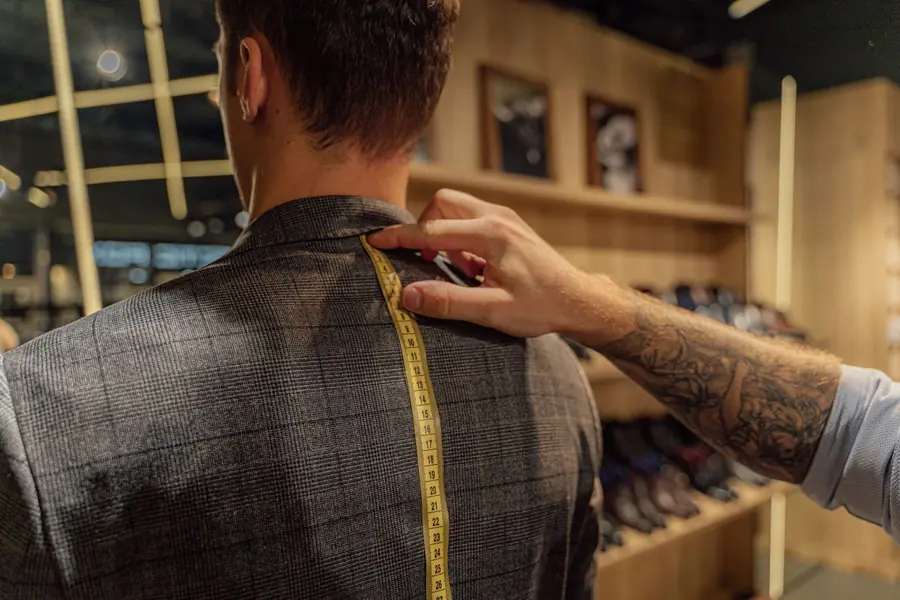
What you’ll find inside RegiaPro: from measurements to delivery
One program for clients, fittings, documents and payments. Tap a card to see how it works.
-
One record per client
Calls, quotes, contracts and payments in date order: when they call back six months later, you know at once where you left off.
The Lead module -
Who to call back today
Every morning, the list of people to get back to, with the WhatsApp message already written. It goes from your own number, when you decide.
Follow-ups and messages -
Quotes from your own template
The PDF with your logo, sent as a link: you know when it was opened. If there is no reply, the program brings it back to you after 3, 7, 14 and 30 days.
The quote -
The contract without retyping
It comes from the accepted quote, with the details already in, and comes out as a PDF ready to sign. From the Pro plan.
Which plans include it -
Measurements and fittings
Measurements in the client’s record, fittings with their dates, right up to delivery.
How it works -
Several versions of the quote
The client changes their mind? From the same record you prepare a new quote with its own number: the earlier one stays as it was.
The quote -
Deposit, balance and invoice
Deposit and balance are recorded separately, each with its own date. The invoice comes out of the record with numbering that carries on by itself: from the Pro plan, with the XML file from the Studio plan.
The plans compared -
The calendar you already have
Appointments and jobs in your phone’s calendar: RegiaPro connects to Google Calendar and iCloud.
The connected calendar -
What is really left
A job’s costs come off that job, the business costs off the year: in December you know what is left, not just what came in.
The figures of each job -
From your phone, on site
It works in your phone’s browser: open the client’s record and attach photos and documents, up to 15 MB each.
How it works
RegiaPro up close: the real screens
This is what the program looks like inside. Sample data: the clients, the jobs and the amounts are made up.




Software for artisan tailoring: made-to-measure clothes, alterations and repairs
RegiaPro is built for artisan tailoring done to order: the tailor alone at the cutting table, or the workshop with a seamstress and an apprentice. There are three kinds of work it keeps in order best.
Suits, jackets and women’s suits made to measure
Suits, jackets, coats, women’s suits: weeks of work, a cloth chosen from the swatch book, at least one fitting and a date by which the garment must be ready.
The tailored outfit for a family occasion
The outfit for a graduation, a christening, a son’s wedding. The family sets the day, not the workshop, and the last fitting needs to be booked with a few weeks to spare.
Hems, linings and zips left on the rail
Hems, taking in at the sides, relining, replacing zips. Short jobs, but they pile up on the rail, each with its own ticket tied to the hanger.
What gets complicated in a tailor’s workshop
With lots of clients at once you remember the job, the person rather less: who has already paid a deposit, whom you promised a call, which jacket has been ready since Tuesday. The business side of RegiaPro keeps documents and payments; the CRM side keeps the people, their requests and the right moment to get back to them.
The first afternoon: the garments hanging in the workshop
You start with the garments hanging in the workshop: one record for each, with name, phone number, amount and collection day. When you set those jobs to “Confirmed”, the coming weeks’ deliveries appear on the calendar, and on each record you can see how much is still to be paid.

CRM for tailors: bespoke clients from appointment to collection
The CRM is the half of RegiaPro that looks after people. In a bespoke tailoring shop the questions that waste your time are almost always these six.
“The gentleman with the coat, what was his name?”
The enquiry comes by phone, at the counter or as a message on your Facebook page, and the number ends up on the back of a fabric card. With RegiaPro you open the record while you talk: name, phone number and how they found you, so at the end of the year you know how many people word of mouth brings you.
“Had I already sent him the price?”
The quote is created from the record as a numbered PDF and goes out by email without switching programs. The job moves to “Quote sent” and the document stays attached, exactly as the client opened it.
“He was going to let me know about the cloth”
People who take their time to decide are often just waiting for a call. If everything goes quiet after the quote, the record goes back among the clients to follow up after 3, 7, 14 and 30 days. If instead you’re the one waiting for a detail, like the date of the ceremony, the “Contacted” status reminds you after 2, 5 and 10 days.
“How much deposit did she leave?”
Deposit with the date and how it was paid, then the rest, in parts if needed: the record tells you what’s outstanding, without piecing it together from a notebook.

The job list as it appears in RegiaPro, with invented clients and amounts from another trade. At the top, each month of the year with the number of jobs and their value; below, each client with day, town, amount and payment status.
“Was the fitting Thursday or Friday?”
The collection day sits on the record and, once the job is confirmed, in your Google or iCloud calendar too. You note fitting appointments in the notes; the thing you mustn’t forget goes in the important note, which becomes a reminder one week before delivery.
“Did the workshop make money this year?”
On the job you log the cloth bought specially and the part handed to an outside seamstress. The Report counts them among the workshop’s costs, month by month, and in December you know whether the year left a real profit.

Men’s bespoke suit in the software: from swatch book to collection
This is a suit followed in RegiaPro from the first phone call to collection. It’s an example: name, dates and prices are invented and don’t come from any tailor’s price list.
-
Luca, the navy suit and the wedding on 6 June
On 2 February Luca phones. He’s getting married on 6 June and wants a navy suit in tropical wool, a two-button jacket and trousers with a single pleat. For a tailor it’s a typical spring request: a whole garment, a cloth to order and a deadline set by someone else.
Try it for 14 days -
9 February, first visit: cloth and measurements
Luca chooses the cloth from the swatch book and you open his record: name, phone number, email and source “word of mouth”. As the date you put the collection, 23 May, two weeks before the wedding. You write the measurements in the notes, or photograph the sheet you filled in at the table and attach it to the saved record together with a photo of the cloth ticket: images or PDFs, each up to 15 MB. On the record you also put the agreed price, €1,350.
Try it for 14 days -
The quote for the tropical wool suit
The quote created from the record is a PDF with the workshop’s logo, the text of your template, Luca’s name and the amount. The details go in the note, which the PDF prints at the bottom: tropical wool and cloth code, cupro lining, horn buttons, two fittings included, waistcoat not included. It goes out by email and the record becomes “Quote sent”.
The quote from your template -
12 February: the contract and the deposit for the cloth
Luca confirms. From the Pro plan you prepare the contract with the title you prefer, for example “Making order”, and your terms: cut cloth can’t be returned, small adjustments after collection are included for one month. Name, date, total, deposit and balance fill themselves in. You print it and sign it together in the workshop, and the PDF stays on the record. Luca leaves €450 in cash: you record it as the deposit, move the job to “Confirmed”, and 23 May also appears in the connected calendar.
The contract, from the Pro plan -
20 March, first toile fitting
The day before, you send Luca the message you keep among your WhatsApp texts: from the record the chat opens with the words already written, you add the time and press send. During the fitting you note in the notes what to correct, for example right shoulder half a centimetre lower and left sleeve one centimetre longer, and attach a photo of the basted jacket.
Follow-ups and messages -
30 April, second fitting and work sent out
The hand-sewn buttonholes are done by an outside seamstress: on the record you enter her name and the cost, €60. Among the out-of-pocket costs you log €380 with the note “cloth and lining”. In the important note you write “final pressing and buttons”: the reminder falls due on 16 May, seven days before collection.
The figures of each job -
23 May, Luca collects the suit
Luca puts on the suit, looks in the mirror and takes it away. He pays €500 by debit card and says the rest will come by bank transfer: you record two instalments, and the second, €400, comes in on 30 May. From the Pro plan you prepare the invoice for the full amount of the job, with the number following the last one of the year.
Invoices and payments in the plans -
What the workshop kept from Luca’s suit
Price €1,350, paid in three goes: €450 deposit, then €500 and a €400 balance. Outgoings logged on the job: €380 for cloth and lining, €60 for buttonholes. With the figures on the record the maths takes a moment: €910 left on that suit, not counting tax and hours at the table, while in the Report the €440 of outgoings go among the year’s costs. Documents produced: one quote, one contract, one invoice.
The quote from your template
Luca’s suit, moment by moment (invented data)
| When | What’s decided at the table | What stays on the record |
|---|---|---|
| 9 February, choice | Cloth, style and a price of €1,350 | Measurements in the notes, photo of the ticket, PDF quote |
| 12 February, confirmation | Signature and €450 deposit | Contract signed, deposit, date on the calendar |
| 20 March, first fitting | Shoulder and sleeves to adjust | Corrections in the notes, photo of the toile |
| 30 April, second fitting | Final touches | Outside buttonholes for €60, reminder for 16 May |
| 23 and 30 May, collection | Balance paid in two parts | Instalments recorded, invoice for the job |
Tailoring repairs: which ones to track in the CRM, garment by garment
A hem sewn while the client waits gets paid and that’s the end of it. The record becomes useful when a garment stays in the workshop for a few days, when the price has to be agreed before unpicking, or when a flaw was already there on arrival.
The tailoring repairs that deserve a record
- a coat to reline that hangs there for ten days;
- a family bringing five garments at once for the same occasion;
- a valuable dress to take in, with a small stain already there;
- a jacket with sleeves to shorten, with a quote the client needs to accept.
The photo of the coat when it comes into the workshop
You take a photo of the garment as soon as it comes into the workshop and note what needs doing. On collection day nobody argues about the button that was already missing.
Five garments from the same family to alter
One record is enough even for five garments. On the record you put the total; in the quote note you list the jobs one under the other, with their prices. The PDF shows the total line and, below it, the list you wrote.
When the shortened jacket is ready
You prepare the collection message just once among your WhatsApp texts. From the record the conversation opens already filled in with the client’s name, and you decide when to send it.
Tailoring price list: from the sign on the counter to the PDF quote
Many clients first ask how much a hem or a zip costs. Others want a suit and a price in writing. They’re two different questions, and in RegiaPro they take two different routes.
The price list for hems and zips as a ready-made message
You save the prices of the most requested alterations as a WhatsApp message: trouser hem, hand-sewn hem, taking in the waist, zip replacement. When someone writes “how much to shorten two pairs of trousers?” you reply from the record in a few seconds, with the prices you decided.
How much a bespoke suit costs: putting it in writing
For a made-to-measure garment the price should be written down. On the record you put the price, and in the quote note you explain what it includes: cloth, lining, number of fittings, buttons, any adjustments. The client reads what they’re paying for, item by item, under the total you agreed in person.
Heavy or light wool: two quotes for the same suit
If the client is torn between a €1,350 wool and a lighter one at €1,180, you prepare two quotes from the same record. Each gets its own number, for example 18/2026-P and 19/2026-P, and the one already sent stays as it was.
VAT and the flat-rate scheme in tailoring quotes
With VAT, the software separates it out from the agreed amount and the client reads the same total you told them at the counter. If you’re on Italy’s flat-rate scheme, quotes and invoices go out without VAT.
Want to see it with your own work?
Fourteen days with the Full plan features, no card needed. Then you decide.




Free photos from Pexels and real screenshots of the software, with made-up data.
Taking measurements and choosing the cloth: what to note in the software
Measurements are the workshop’s capital: a client who comes back after two years expects you to still have them. Here’s where they live in RegiaPro, and what’s worth writing in the contract before you cut.
The client’s measurements in the tailor’s notebook
In the record’s notes, written the way you write them in your notebook, or as a photo of the sheet filled in while measuring. When the client comes back for another garment, you search by name or phone number, open the previous job and copy them into the new record.
The ticket of the cloth chosen from the swatch book
Code, supplier, metres and colour in the notes; the photo of the ticket or swatch cutting among the attachments. If the cloth has to be ordered, you log the cost among the job’s out-of-pocket costs.
The corrections from every toile fitting
One line in the notes for each appointment, with the date: what you took in, what’s still to do. At the next fitting you reread them on your phone before the client walks in.
The making contract for the garment
In the contract template you write the workshop’s terms once. A few examples:
- cloth ordered or cut for the client can’t be returned;
- the number of fittings included in the price;
- free adjustments after collection, and for how long;
- how long the finished garment stays in the workshop awaiting collection.
Signing the making contract at the cutting table
The name, date, total, deposit and balance come across from the record by themselves. You print the PDF and sign it together when the deposit is paid, and the copy stays on the job. Contracts with self-filling fields: from the Pro plan up.
Tailoring software: desktop program, dry-cleaner software or online CRM?
We searched “tailoring software” on 14 September 2026, reading the top pages: they fall into three families. None of the pages we read mentioned deposits in instalments or a connected calendar, and only one stated the price.
| Tailoring program to install | Software for dry cleaners and alteration shops | RegiaPro, business software and CRM | |
|---|---|---|---|
| Who it's for | Tailors who work on a desktop computer | Shops that take in garments at the counter with a receipt | Tailors who work to order and see clients by appointment |
| What it handles | Client details, measurements, fittings, appointments | Garment intake, labels, collections, till | Clients, quotes, contracts, deposits, collection dates, invoices, job costs |
| Where it's used | On the computer where it’s installed | At the shop counter | In the browser, on computer and phone |
| Price | One-off licence on one of the pages we read | Not always stated | From €19.90 a month, published |
RegiaPro suits your tailoring shop if
- you see clients by appointment and want to remember each one;
- the work that weighs on you is quotes, deposits, follow-up calls and collections;
- you want to open a client’s record from your phone too, outside the workshop.
What you find in your tailoring shop on day one
- one record for each client, with notes, photos and documents;
- quotes each with its own number, and with Pro contracts and invoices too;
- deposits and instalments, reminders, a connected calendar and ready-made WhatsApp messages.
How to start: three steps, no card needed
You sign up, try it on your real work, and only decide at the end.
-
Sign up in a minute
Your name, your business name and your email. We don’t ask for a credit card: access starts when you confirm your email.
Start the trial -
Set it up for your trade
Menus, record fields and job stages speak your language. You connect the calendar you already use.
Choose your trade here -
Try everything, then choose
Fourteen days with the Full features. At the end you choose a plan, or you stop: nothing renews on its own.
See the plans
How much RegiaPro tailoring software costs
The price list is public. For a tailoring shop there are three plans to look at, plus the fourteen-day trial.
Start for an alterations shop: €19.90 a month
Or €199 paying for the year. Client book, reminders to call clients back, ready-made WhatsApp messages and up to 10 quotes a month: enough for a workshop that makes a few bespoke garments and mostly does alterations.
Pro for those who make garments all year: €34.90 a month
Or €349 a year. Pro adds making contracts and sequentially numbered invoices, which take the name, amounts and deposit straight from the garment’s record. It’s the plan for those who make clothes all year round.
Studio for the tailoring shop with e-invoicing: €59.90 a month
Or €599 a year. On top you get the XML files to upload to Italy’s SdI e-invoicing system and a twelve-month summary of invoices to hand to whoever does the workshop’s accounts.
Fourteen days’ trial on your first bespoke garment
The whole Full plan switched on, no credit card. Access opens by itself as soon as you confirm your email; at the end you choose a plan or let it go.
There’s also the Full plan at €44.90, made for those who deliver photos and videos. All the differences are on the pricing page.
Why you can trust it: your data stays yours
What matters before you put your clients into a new program.
Your data stays in Europe
On servers in Europe. Each business sees only its own data: the database itself enforces the separation.
If you stop, your data stays yours
The account goes read-only and nothing is deleted unless you ask. We send you a copy in a readable format.
Prices written up front
A public price list, the same for every trade: you can read it on the pricing page before you sign up.
You talk to a person
Born in a studio in Tuscany, not in an office. Write to info@regiapro.it or use the contact page.
Questions from tailors about the software and CRM
Where do I write down the client’s measurements?
In the notes on their record, with the abbreviations you use at the table, or as a photo of the measurement sheet attached to the record. When they come back for a new garment you find them by searching name or phone number, open the old job and carry the measurements over to the new one, correcting any that have changed.
How do I keep track of fittings?
Each fitting is a line in the notes, with the date and the corrections to make, and a photo among the attachments if needed. The day before you send the confirmation message from your WhatsApp texts; the step you mustn’t skip goes in the important note, which alerts you seven days before collection.
Can I do a single quote for several repairs?
Yes. On the record you put the total for the work, and in the quote note you list each job with its price. The client receives a PDF with the total highlighted and, just below, the list of alterations you agreed with them.
How do I record the deposit for the cloth?
On the job record you log the deposit with the date and payment method. You record the balance at collection, even in two or three parts if the client prefers. The record always shows you what’s left, and the cloth you bought goes among the out-of-pocket costs of the same job.
Can I make the invoice out to a company?
Yes. In the “Who to address documents to” section you enter who pays, including a company with a VAT number, recipient code or certified email (PEC): it happens with a restaurant’s uniforms or suits for an agency. The quote and contract stay in the name of the person who contacted you.
How do I let the client know the garment is ready?
You prepare the collection message text once among your WhatsApp texts. From the record the chat opens with that text already written; you check it, add the workshop’s opening hours if you like, and send it yourself from your phone.
Can I use it on my phone while I’m at the cutting table?
RegiaPro opens in the browser, so it works on the workshop computer and on your phone. If you connect Google Calendar or iCloud, you also see the collections of confirmed jobs in the calendar you carry in your pocket.
Where do I start with garments already in progress?
With the garments on the rail: one record for each with name, phone number, price, deposit already received and collection date. You add records for past clients when they come back to the workshop, so getting started only takes an afternoon.
Page written on 14 September 2026. We checked the features mentioned in the software; Luca, the dates and the suit figures are an invented example; the comparison with other software comes from their public pages, read that day. If something in RegiaPro doesn’t work as written here, write to us at info@regiapro.it and we’ll fix the page.
Try the tailoring CRM with your next bespoke garment
Open a record for the next client who asks you for a suit and follow them through to collection: in two weeks you’ll know whether the workshop runs better this way. The Full plan stays on for the whole trial, then you decide.
Trades close to yours: custom shirt maker software, bridal shop software, upholstery software. Other made-to-order trades are on the who it’s for page.